NEWS

Apple Starts Selling PlayStation DualSense Controller

05/24/2021

2145

Apple Starts Selling PlayStation DualSense Controller


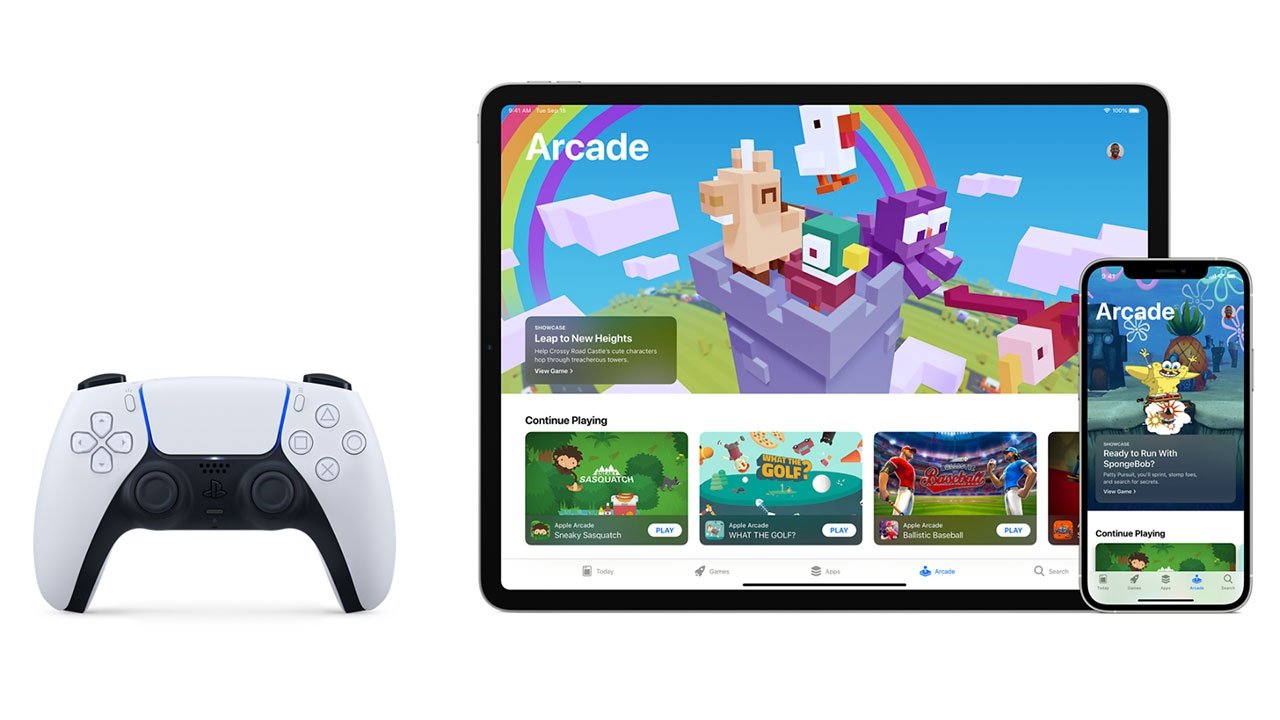
After adding iOS support for Sony's PlayStation 5 DualSense controller in April, Apple this week began to sell the accessory directly through its online storefront.


Apple introduced expanded game controller support to its various platforms with the release of iOS 14.5, tvOS 14.5 and macOS 11.3 last month, enabling compatibility with both Sony's PS5 DualSense and Xbox Series X accessories.


In addition to native iOS, tvOS and macOS games, the DualSense can be used to play games streamed from PS4 and PS5 via PS Remote Play. The feature requires a standalone app and PlayStation Network account.


With support now baked in to its operating systems, Apple added the DualSense to its online Apple Store stock this week, selling the controller for $69.95. Apple Store pickup is currently unavailable and orders placed today arrive by May 26 with free shipping.


Apple notes users can take the wireless DualSense on the go for portable gaming thanks to a built-in battery. Charging requires a USB Battery Charging 1.2-compatible wall charger or standard USB 2.0 or 3.0 compatible port found on a PS5 console, Mac, or PC.


Gamers can also shop at Amazon to score a slightly cheaper $67.74 white DualSense. The recently announced black version is available for $69.95, while the red colorway is listed but currently unavailable.


Source: Appleinsider

Windows
Mac OS
iOS
Linux
3uTools
Win 64-bit For this device
V9.0 2025-11-11
Download
Win 32-bit For this device
V9.0 2025-11-11
Download
3uTools
Intel Chip How to Identify Chip Type
V9.0 2025-12-02
Download
Apple Chip
V9.0 2025-12-02
Download
How to Identify Chip Type
1.  Click the Apple icon in the top-left corner of the screen and select About This Mac.
2.  Check the Processor or Chip field to determine if it is "Intel" or "Apple".
Please use the 3uTools PC client to install the iOS client:
1、 Install either the Windows or Mac version of 3uTools on your computer
2、 Open the PC client and connect your device to the computer via USB cable
3、 After the connection is successful, wait for the computer to automatically install the mobile app for the device, or locate “Install Mobile App” on the computer and manually click to install.
3uTools
deb file
V3.01 2025-11-20
Download
rpm file
V3.01 2025-11-20
Download
Windows
Windows
iOS
iOS
Android
Android
TV
TV
3uAirPlayer
Win 64-bit For this device
V6.0.2 2025-11-19
Download
Win 32-bit For this device
V6.0.2 2025-11-19
Download
iOS Device Mirroring (No App Required)
1、 Install 3uAirPlayer on the Windows PC
2、 Open Control Center and select Screen Mirroring
3、 From the list, choose your PC to start mirroring
4、 Or connect your iOS device to the PC via USB to begin mirroring
Scan to get "3uAirPlayer" App
3uAirPlayer TV V1.0.18
2025-11-28
TV System Requirements: Android 7.0 or later
Download the TV installation package, copy it to a USB drive, insert it into your TV or set-top box, then select the file from the home screen to install.