NEWS

Mini LED Production Woes Push 12.9-inch iPad Pro Orders Into July

05/18/2021

1812

Mini LED Production Woes Push 12.9-inch iPad Pro Orders Into July


Apple manufacturing partners are reportedly facing difficulties producing key components for top-tier models of the recently announced iPad Pro lineup, pushing availability of the flagship tablet into July.


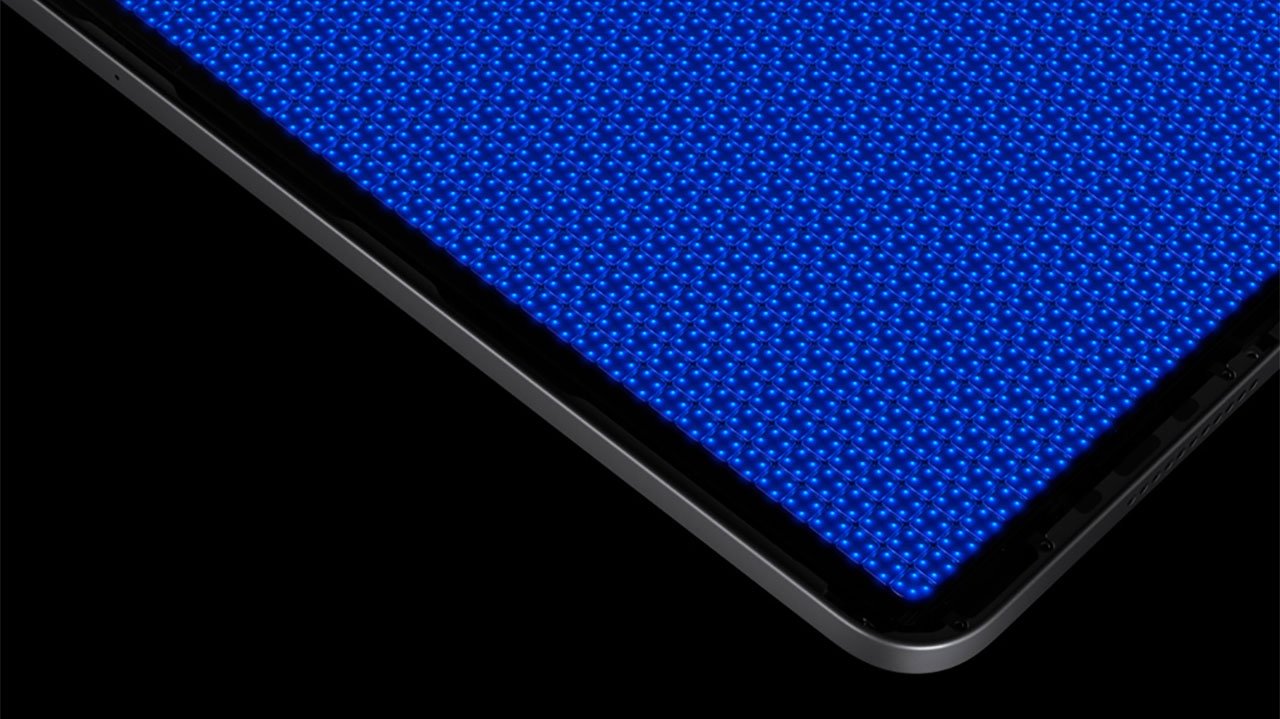
Unveiled at a special media event in April, the new iPad Pro line features the top-end 12.9-inch iPad Pro with Liquid Retina XDR display. Production of the screen, packed with mini LED technology, is reportedly causing unexpected supply delays.


Citing sources familiar with the matter, Bloomberg reports Apple partners are struggling to manufacture the intricate 12.9-inch screen in large quantities. Unlike traditional LCD screens, the Liquid Retina XDR groups 10,000 mini LEDs into 2,500 distinct dimming zones to achieve an extremely high contrast ratio.


The reported display woes, coupled with a wider global chip shortage, has pushed back availability of the 12.9-inch iPad Pro into July, according to the Online Apple Store. Delays could be exacerbated by continued constraints.


Reports in April first indicated that Apple suppliers were wrestling with mini LED production issues, though the exact impact of the shortage was known not at the time.


Apple's 11-inch iPad Pro, which boasts a traditional LCD display, is also in short supply, though constraints have been chalked up to intense launch window interest and not manufacturing hold-ups.


Source: Macrumors

Windows
Mac OS
iOS
Linux
3uTools
Win 64-bit For this device
V9.0 2025-11-11
Download
Win 32-bit For this device
V9.0 2025-11-11
Download
3uTools
Intel Chip How to Identify Chip Type
V9.0 2025-12-02
Download
Apple Chip
V9.0 2025-12-02
Download
How to Identify Chip Type
1.  Click the Apple icon in the top-left corner of the screen and select About This Mac.
2.  Check the Processor or Chip field to determine if it is "Intel" or "Apple".
Please use the 3uTools PC client to install the iOS client:
1、 Install either the Windows or Mac version of 3uTools on your computer
2、 Open the PC client and connect your device to the computer via USB cable
3、 After the connection is successful, wait for the computer to automatically install the mobile app for the device, or locate “Install Mobile App” on the computer and manually click to install.
3uTools
deb file
V3.01 2025-11-20
Download
rpm file
V3.01 2025-11-20
Download
Windows
Windows
iOS
iOS
Android
Android
TV
TV
3uAirPlayer
Win 64-bit For this device
V6.0.2 2025-11-19
Download
Win 32-bit For this device
V6.0.2 2025-11-19
Download
iOS Device Mirroring (No App Required)
1、 Install 3uAirPlayer on the Windows PC
2、 Open Control Center and select Screen Mirroring
3、 From the list, choose your PC to start mirroring
4、 Or connect your iOS device to the PC via USB to begin mirroring
Scan to get "3uAirPlayer" App
3uAirPlayer TV V1.0.18
2025-11-28
TV System Requirements: Android 7.0 or later
Download the TV installation package, copy it to a USB drive, insert it into your TV or set-top box, then select the file from the home screen to install.