 NEWS
NEWS
Apple Working on Custom Notifications to Promote its Services Through NFC Tags in Retail Stores
 03/26/2021
 2459
2459
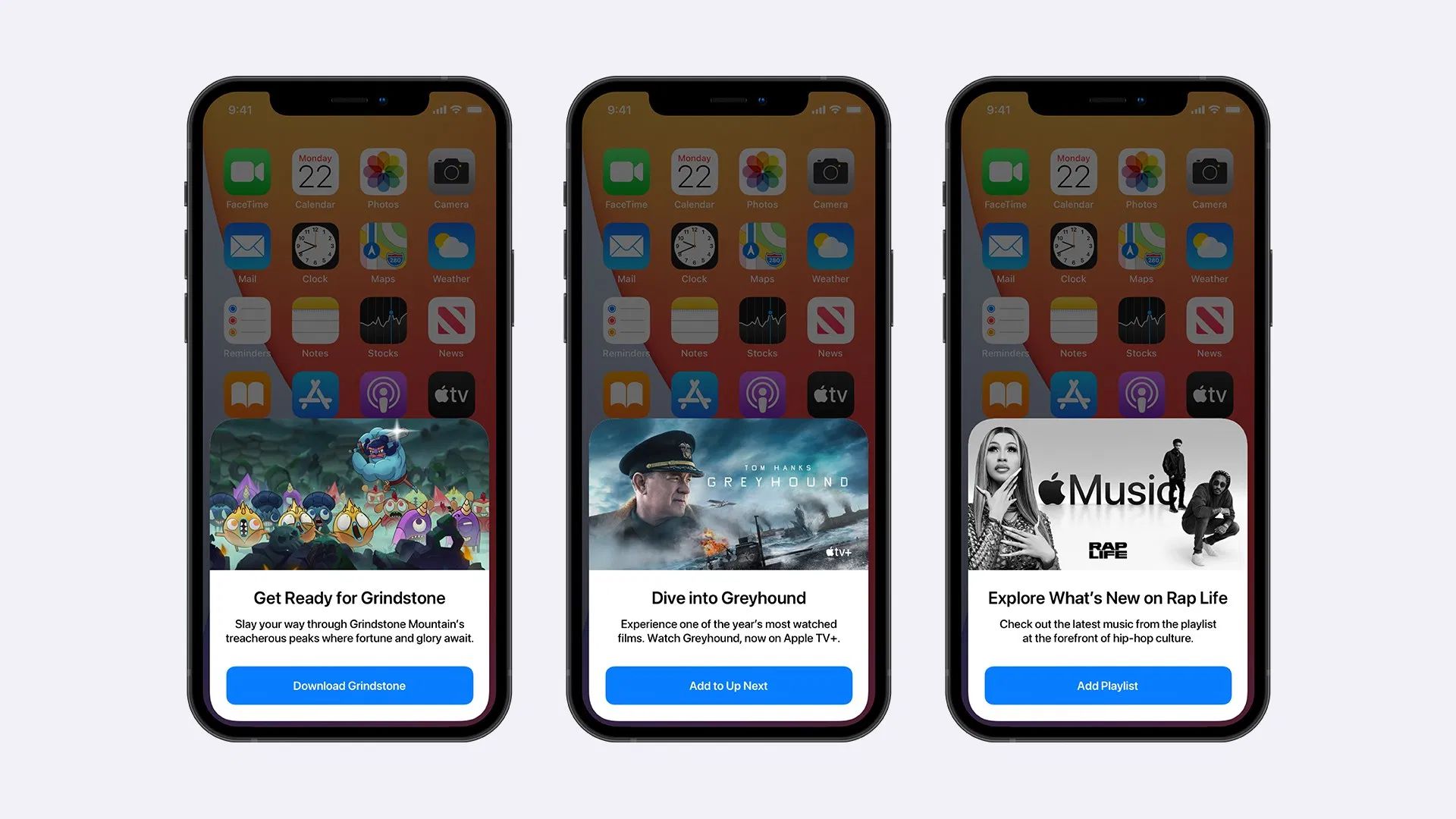
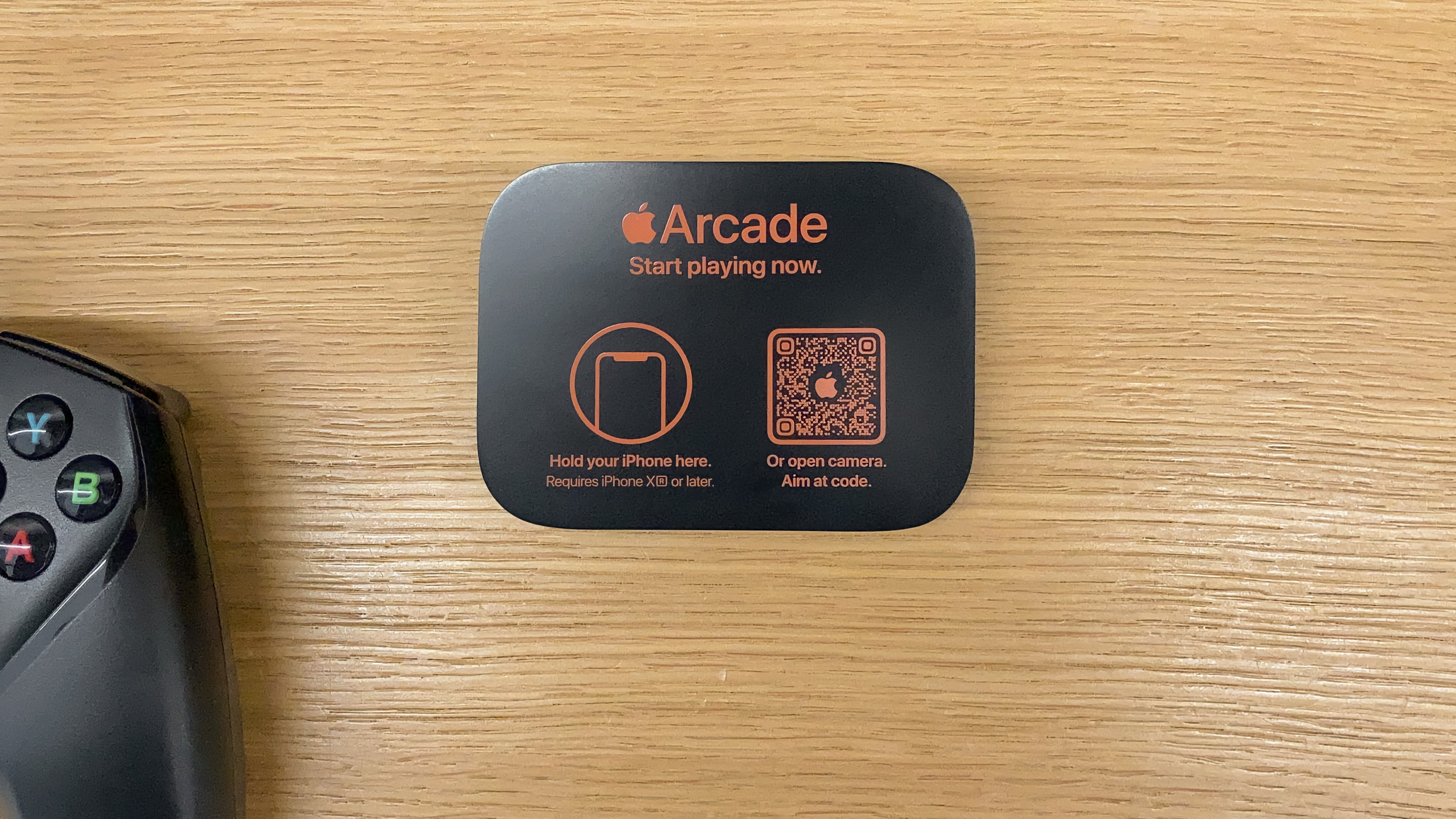
As we reported last year, Apple has begun offering a new way for customers to discover its subscription services through QR codes and NFC tags in some of its retail stores. With iOS 14.5, which is expected to be released to the public later this month, the company plans to expand this interaction with custom notifications to services like Apple Arcade, Apple TV+, and Apple Music.
The current experience offered in some Apple Stores is quite simple. Both the QR code and the NFC tag will simply open the homepage of that subscription service in its respective app, such as the App Store for the Apple Arcade and the Music app for Apple Music. However, it seems that the company wants to take this interaction even further in the future.
9to5Mac has discovered that iOS 14.5 features a new kind of notification to promote Apple’s subscription services. While we don’t know the actual purpose of these notifications, they are all built to be triggered through NFC tags, which leads us to believe that Apple plans to use them in Apple Stores around the world.
The image you see at the beginning of this article is a concept based on what we have found so far. Instead of just redirecting the user to an app, iOS will show custom notifications with suggestions for content available on that service. This includes games from Apple Arcade, movies and shows from Apple TV+, and featured music and playlists from Apple Music.
If the system detects someone that is not subscribed to such services, the user will be prompted to try them out individually or with Apple One. The only NFC tags capable of triggering these notifications are those created specifically by Apple, which reinforces our thoughts about this feature being intended for Apple Stores.
As Apple continues to push its subscription services, these new notifications should help customers find out what’s new on Apple Arcade, Apple TV+, and Apple Music. In the future, this feature may also be expanded to other services such as Apple Fitness+.
Source: 9to5mac









