NEWS

Second-generation AirPods Pro May Land in Early 2021

01/27/2021

2078

Second-generation AirPods Pro May Land in Early 2021


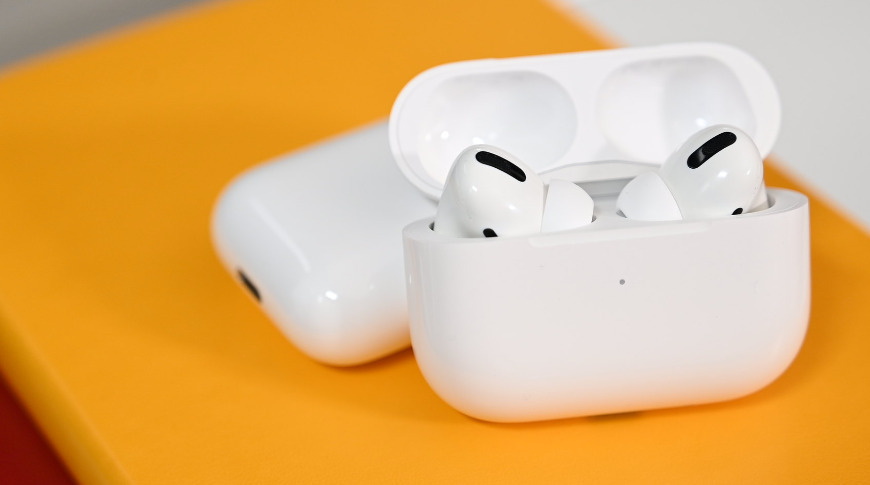
Apple could bring out a second-generation version of the AirPods Pro by the end of spring, a report claims, after Apple placed orders for flash memory from one supplier that may be used in the personal audio accessories.


Winbond Electronics is said by industry sources of DigiTimes to be benefiting from a "strong pull-in of short lead-time orders, which is filling up its production capacity. These orders are said to be for NOR flash memory, and are claimed to be for use in Apple's AirPods line.


The report doesn't state what model exactly will be using the memory, but it hints that it might be for a new model. Report sources claim the company is anticipated to be one of the NOR flash suppliers for the next-generation AirPods Pro release, which is allegedly slated for launch "later in the first half" of 2021.


The company will allegedly be running at near full production capacity over the first half of the year due to the orders. It is unknown how many of the orders relate to Apple, but if it's true, it's likely to be a fairly sizable chunk of capacity.


While DigiTimes has a fairly good track record for supply chain rumors, the publication doesn't fare that well when it comes to features and models.


Existing rumors and reports have claimed a second-generation AirPods Pro could arrive in April, while there are also rumors the "AirPods Pro Lite" could launch in the first half of 2021.


Source: Appleinsider

Windows
Mac OS
iOS
Linux
3uTools
Win 64-bit For this device
V9.0 2025-11-11
Download
Win 32-bit For this device
V9.0 2025-11-11
Download
3uTools
Intel Chip How to Identify Chip Type
V9.0 2025-12-02
Download
Apple Chip
V9.0 2025-12-02
Download
How to Identify Chip Type
1.  Click the Apple icon in the top-left corner of the screen and select About This Mac.
2.  Check the Processor or Chip field to determine if it is "Intel" or "Apple".
Please use the 3uTools PC client to install the iOS client:
1、 Install either the Windows or Mac version of 3uTools on your computer
2、 Open the PC client and connect your device to the computer via USB cable
3、 After the connection is successful, wait for the computer to automatically install the mobile app for the device, or locate “Install Mobile App” on the computer and manually click to install.
3uTools
deb file
V3.01 2025-11-20
Download
rpm file
V3.01 2025-11-20
Download
Windows
Windows
iOS
iOS
Android
Android
TV
TV
3uAirPlayer
Win 64-bit For this device
V6.0.2 2025-11-19
Download
Win 32-bit For this device
V6.0.2 2025-11-19
Download
iOS Device Mirroring (No App Required)
1、 Install 3uAirPlayer on the Windows PC
2、 Open Control Center and select Screen Mirroring
3、 From the list, choose your PC to start mirroring
4、 Or connect your iOS device to the PC via USB to begin mirroring
Scan to get "3uAirPlayer" App
3uAirPlayer TV V1.0.18
2025-11-28
TV System Requirements: Android 7.0 or later
Download the TV installation package, copy it to a USB drive, insert it into your TV or set-top box, then select the file from the home screen to install.