 NEWS
NEWS
Apple and Prepear Negotiating a Settlement Over Disputed Pear Logo Trademark
 12/31/2020
 3037
3037
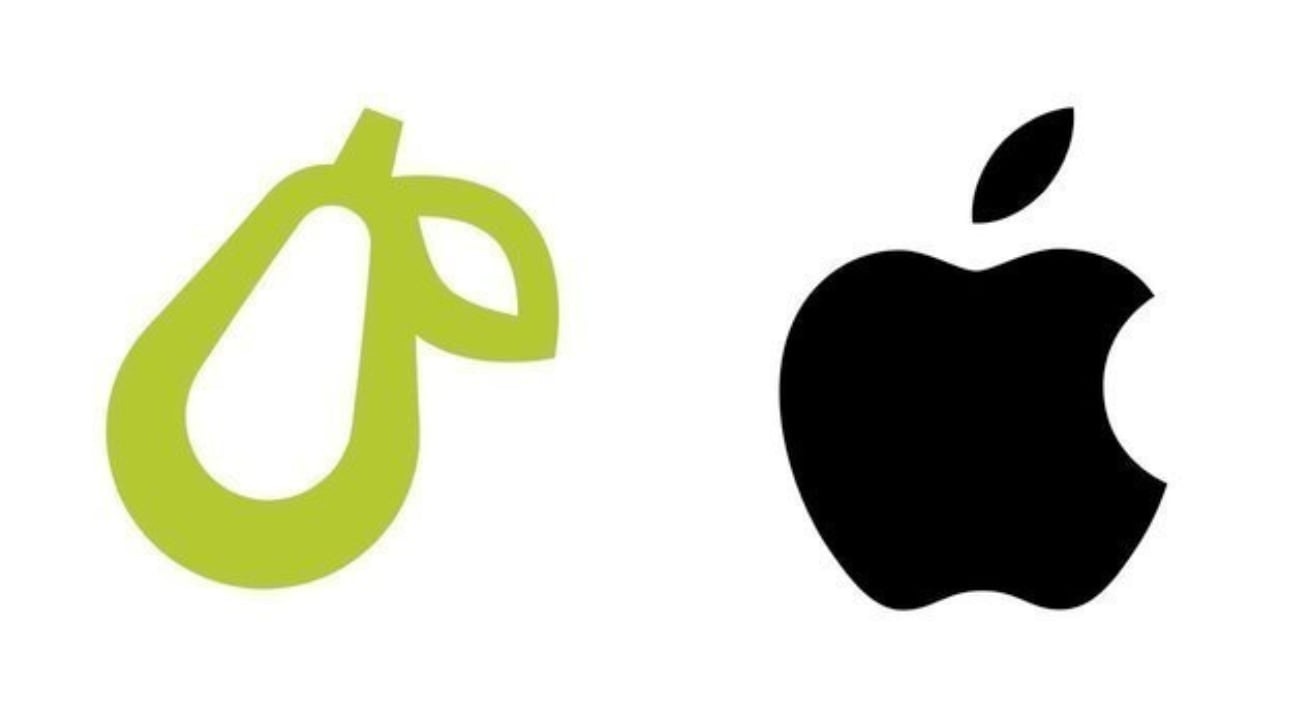
Apple and Prepear recently entered settlement talks over the meal planning app's disputed pear-shaped logo, a design which the tech giant maintains is too similar to its own iconic apple mark.
The iPhone maker raised eyebrows in August when it formally objected to a trademark application from meal planning firm Super Healthy Kids, which filed for a minimalist pear illustration to go along with its app Prepear. According to Apple, the pear logo bears too close a resemblance to its "famous Apple Logo" and "creates a similar commercial impression."
A similar grievance was lodged in Canada weeks later.
Prepear accused Apple of engaging in "bullying" tactics that cost the company "many thousands of dollars" and resulted in the layoff of at least one employee. In response, Prepear co-founder and COO Russell Monson launched a petition to "save the pear" and "end Apple's aggressive opposition of businesses with fruit logos."
"Apple has been opposing small businesses with fruit-related logos by starting expensive legal action even when those logos don't look anything like Apple's logo, or aren't in the same line of business as Apple at all," the petition reads.
So far, the appeal has garnered nearly 270,000 signatures.
The saga might soon come to a close, however, as the U.S. Patent and Trademark Office's Trademark Trial and Appeal Board last week announced Apple and Prepear have entered talks to settle the matter. As reported by MacRumors, the body suspended trial proceedings as the two parties discuss a detente.
If a settlement is not reached, Apple's action will recommence on Jan. 23.
Source: Appleinsider









