 NEWS
NEWS
Apple is Researching Reconfigurable Mac Keyboards
 12/30/2020
 2210
2210
Have you ever felt like your keyboard is just too rigid when it comes to options for getting things done? Ever felt like it would be cool if it could change on demand, moving from a configuration to get work done and adapting to your gaming needs? Well, research from Apple indicates that someone agrees with you.
Does that mean we’ll actually see anything come from it? No, not necessarily. After all, Apple (along with plenty of other companies out there) has a lot of patented ideas that don’t ever materialize into a consumer-ready product. Still, this one’s pretty interesting, as first noted by Patently Apple.
As the publication notes, this new patent application awarded to Apple indicates the company is researching reconfigurable keyboards for Macs. The patent application notes that individual keys on a keyboard are outfitted with labels, or glyphs, to make them recognizable. So, being able to dynamically reconfigure the keys, and change the labels, would be a great way to adapt to specific needs on the fly.
It may be desirable to reconfigure keyboards dynamically to accommodate input for different languages, to temporarily convert a standard keyboard into a gaming keyboard in which keys correspond to particular in-game actions, or to otherwise modify the behavior associated with pressing the keys in the keyboard.
Now, how to make the keys change? Apple’s documentation reads it could be done with “reconfigurable label displaying components such as organic light-emitting diode displays with arrays of pixels, electrophoretic displays with arrays of pixels, or other pixel arrays (as examples)”. The company also says the keyboards could use “lower-resolution configurable output devices”.
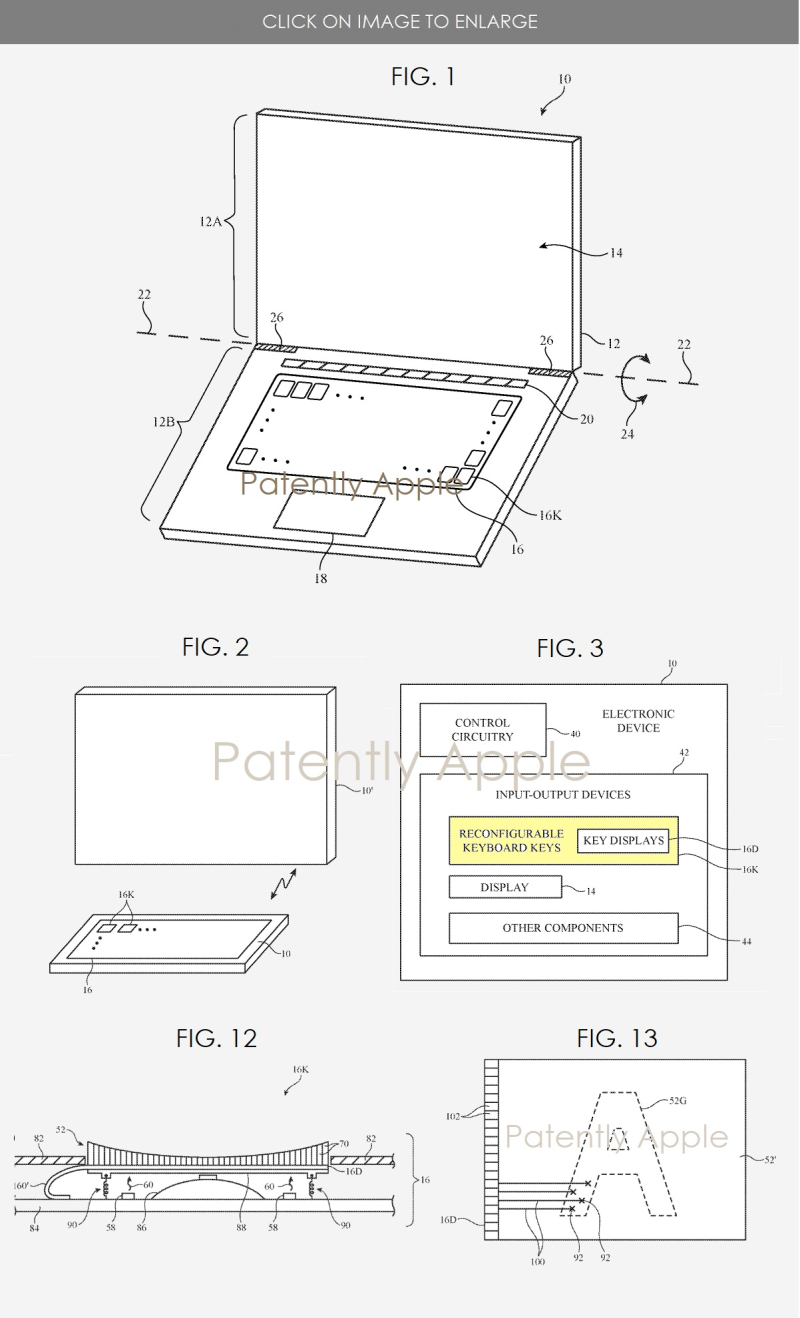
The keys themselves could be made from a variety of materials, including sapphire, metal, ceramic, glass, or polymer. And another major selling point for a keyboard like this? Language support. The documentation says the adaptive keyboard can be used “for different languages, to temporarily convert a standard keyboard into a gaming keyboard in which keys correspond to particular in-game actions, or to otherwise modify the behavior associated with pressing the keys in the keyboard”.
Apple’s idea here isn’t just for a standalone keyboard, either. Documentation reveals that Apple is researching using the reconfigurable keyboard in a laptop setting, too. So if this idea ever bears fruit in a real product, it could be present for both iMac and MacBook.
Apple has toyed with this idea already, thanks to the Touch Bar in the MacBook Pro. That feature is dynamic, changing the available input options based on the app being used (or not used) on the MacBook Pro. It’s not exactly the same thing, but Apple could take that idea, evolve it with this reconfigurable keyboard, and show off a bit. Maybe that’s why the Touch Bar is sticking around.
Source: iDB









