NEWS

Apple Confirms 2021 Apple Pay Launch in Mexico

12/14/2020

2625

Apple Confirms 2021 Apple Pay Launch in Mexico


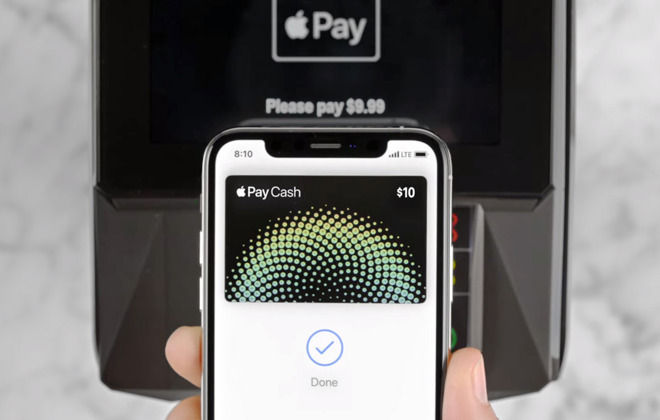
Apple has confirmed on its website that support for Apple Pay in Mexico will arrive sometime in 2021.


There have been indications that the company is preparing for Apple Pay's launch in Mexico. Earlier in December, Apple updated its website to say support was coming "very soon."


Now, it appears that Apple has updated its Apple Pay page in Mexico once again to state that the contactless payment service would be "disponible en el 2021," or available in 2021.


A clearer release date beyond that isn't clear, but given rumors of Apple Pay launching in the country "very soon," it's probable that support could rollout earlier rather than later in the year.


As far as which banks and retailers will support the service when it debuts, code found within the Apple Pay website suggests that the payment platform will be compatible with Mexican banks like Banregio, Hey Banco, Inbursa, and CitiBanamex at launch.


Some of the supported retailers could also include Best Buy, Burger King, Uber, Uber Eats, The Cheesecake Factory, Rappi, and La Comer, among others.


Apple Pay's launch in Mexico would make it the second country in Latin America to receive support for the contactless payment system, after Brazil. Apple maintains a list of the regions that feature Apple Pay on its website.


Source: Appleinsider

Windows
Mac OS
iOS
Linux
3uTools
Win 64-bit For this device
V9.0 2025-11-11
Download
Win 32-bit For this device
V9.0 2025-11-11
Download
3uTools
Intel Chip How to Identify Chip Type
V9.0 2025-12-02
Download
Apple Chip
V9.0 2025-12-02
Download
How to Identify Chip Type
1.  Click the Apple icon in the top-left corner of the screen and select About This Mac.
2.  Check the Processor or Chip field to determine if it is "Intel" or "Apple".
Please use the 3uTools PC client to install the iOS client:
1、 Install either the Windows or Mac version of 3uTools on your computer
2、 Open the PC client and connect your device to the computer via USB cable
3、 After the connection is successful, wait for the computer to automatically install the mobile app for the device, or locate “Install Mobile App” on the computer and manually click to install.
3uTools
deb file
V3.01 2025-11-20
Download
rpm file
V3.01 2025-11-20
Download
Windows
Windows
iOS
iOS
Android
Android
TV
TV
3uAirPlayer
Win 64-bit For this device
V6.0.2 2025-11-19
Download
Win 32-bit For this device
V6.0.2 2025-11-19
Download
iOS Device Mirroring (No App Required)
1、 Install 3uAirPlayer on the Windows PC
2、 Open Control Center and select Screen Mirroring
3、 From the list, choose your PC to start mirroring
4、 Or connect your iOS device to the PC via USB to begin mirroring
Scan to get "3uAirPlayer" App
3uAirPlayer TV V1.0.18
2025-11-28
TV System Requirements: Android 7.0 or later
Download the TV installation package, copy it to a USB drive, insert it into your TV or set-top box, then select the file from the home screen to install.