 NEWS
NEWS
Apple Paying $113M to Settle Multi-State Investigation Into iPhone Throttling
 11/20/2020
 3144
3144
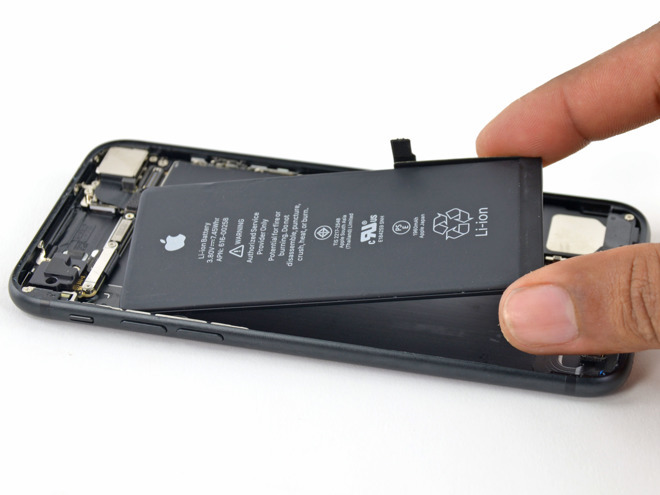
Apple will pay $113 million to settle a multi-state investigation of an iOS mechanism that throttled iPhone performance to prevent random shutdowns and preserve battery lifespan.
That mechanism, which came to light in 2017, drew scrutiny from consumers and regulators who saw it as evidence of a so-called "planned obsolescence" scheme. The investigation involves nearly three dozen states and was led by Arizona, Arkansas, and Indiana.
On Wednesday, the states secured a financial penalty and legal commitment by Apple to be more transparent about similar mechanisms in the future. Investigators from 34 states and Washington, D.C. joined the settlement, The Washington Post reported.
The lawsuit originates from an issue with the iPhone 6 in 2017. Aging iPhone batteries were causing devices to shut down intermittently during peak operations, especially when at a low percentage. Apple countered this by quietly releasing an update that would throttle peak processing power during certain conditions to prevent those random shutdowns.
The update came and went without much notice. In 2017, users of older devices complained of slow speeds, however, and Apple eventually admitted to throttling old devices to mitigate shutdowns. That led to the so-called "Batterygate" controversy.
Despite attempts to educate users, Apple was targeted with multiple lawsuits, which pushed Apple to take action.
The Cupertino tech giant implemented new features that allowed to view battery health in the Settings app. Apple also lowered the price of battery exchanges for some models.
Along with the financial penalty levied on Wednesday, the states will also require Apple to clearly disclose its battery health and power management systems — both on iPhones and online. Apple's existing battery health routines in iOS and macOS seem to cover what the states have required.
Source: Appleinsider









