 NEWS
NEWS
Apple’s Confidence Powers Disruptive Mac Plans
 11/02/2020
 2480
2480
Following the announcement of a deadline at WWDC 2020, the geekerati are waiting for Apple to reveal its first Mac machines running on ARM hardware. Widely expected to bring back the MacBook name and its 12-inch form factor alongside a MacBook Pro, these will be the first beachhead into a new world for Apple.
As well as the ‘hardware by the end of the year’ announcement at WWDC, Tim Cook also confirmed that the Mac line-up would switch over completely to the ARM-based platform within two years. What comes after the two new laptops?
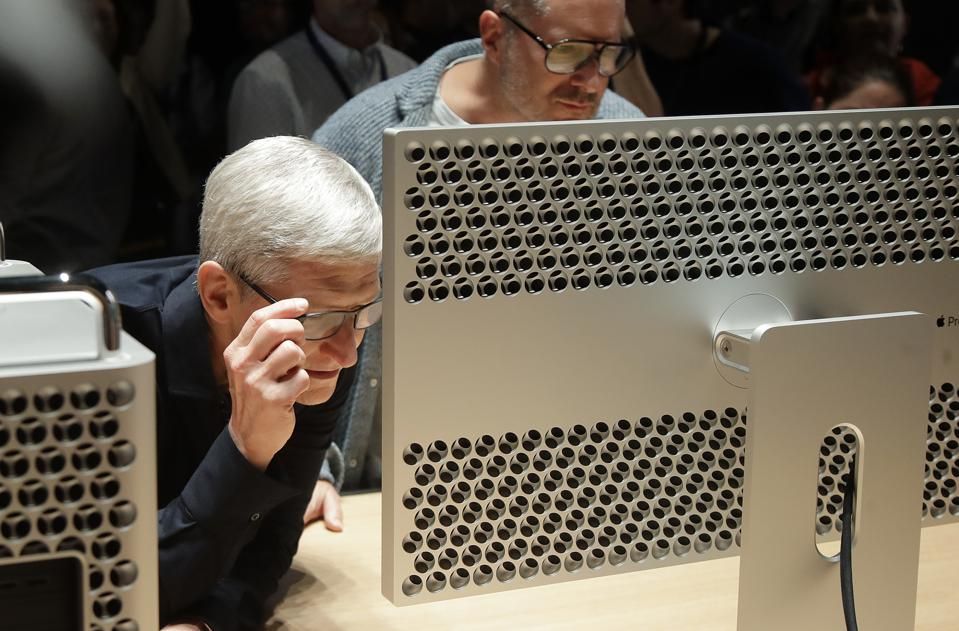
Apple CEO Tim Cook, left, and chief design officer Jonathan Ive look at a Mac Pro in the display ... [+]
The latest reports from The China Times point to a iMac machine, not only running Apple’s new A14T processor, but also a custom-designed graphics chip. Tim Hardwick sums up the repo
“... Apple's first custom-made desktop processor will be twinned with its first self-developed GPU, codenamed "Lifuka," both of which are being produced using TSMC's 5-nanometer process, claims the report.
“...Today's story is based on the development timeline of Apple's new A14 processors, which recently debuted in the iPhone 12 series and the new fourth-generation iPad Air, and builds on a similar report that arrived in September from the same source. It also brings forward the previously claimed launch roadmap of the first Apple Silicon iMac, and reiterates previous claims that Apple's first Arm-based Mac will be a MacBook powered by an A14X processor."
Moving the desktop to ARM is going to be a different challenge to the laptop. The return of the 12-inch form factor in the expected MacBook is effectively going to be Apple’s Chromebook, while the MacBook Pro is going to be a litmus test both for the power of Apple’s ARM chips but also the compatibility and emulation layers put in place by Cupertino. Will macOS on ARM run the same apps as macOS on Intel with similar or faster performance?
All of the questions that apply to the MacBook Pro are going to apply to the desktop iMacs, Macs, and Mac Pro machines. The stakes are going to be higher, because in general the larger desk-bound machines are in far more mission critical roles throughout various industries, especially in media creation. You can argue that those on the cutting edge with the new ARM-powered MacBooks will be more forgiving of the rough edges. That’s not going to be the case with Macs.
I’ll remind everyone that Apple’s approach to running legacy apps under ARM has not been seen in public. A number of developers have access to the Developer Transition Kits, running the A12Z ARM based processor previously seen in the iPad Pro. No doubt Tim Cook and his team will be able to say that the new Mac machines are ‘everything you ever loved about Mac, but better’, but the devil will be in the detail.
With the new roadmap details here, it’s clear that Apple is utterly confident that the move to ARM will not be as disruptive to its users as it is to the market..
Just because Apple is confident does not mean Apple is always right. After all, Coca-Cola was utterly confident that New Coke was the way forward...
Source: Forbes









