 NEWS
NEWS
Apple Worked With US DOE Contractor on Top Secret iPod
 08/19/2020
 2208
2208
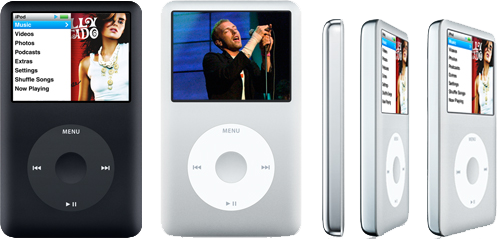
Roughly 15 years after the fact, former Apple employee David Shayer shared his experience in aiding the U.S. Department of Energy with a highly modified and top secret iPod that remains shrouded in mystery to this day.
In a captivating story published by TidBits, David Shayer delves into the untold story of a top secret iPod that was modified to by a Department of Energy contractor. The objective: surreptitiously collect and store data from custom hardware onto a hidden partition on an iPod's spinning hard disk.
Shayer was the second software engineer hired for Apple's iPod project in 2001, which at the time was just known by its internal code name P68. Four years later in 2005, he was approached by the Director of iPod Software to aid the DOE contractor Bechtel in a top secret task.
They wanted off-the-record help with modifying iPod's operating system to collect data from a piece of third-party hardware, all while keeping the iPod looking and functioning normally.
According to Shayer, DOE contract engineers visited Apple's campus in secret to learn how to compile and navigate the complicated workings of the early iPod operating system. Unlike today's iOS, the software at the time was novel and not based on previously released Apple code.
While Shayer never learned exactly what the engineers added to the iPod or what data they hoped to collect, he concludes it was likely a secret Geiger counter that could be used to record radioactive readings while keeping the host device nondescript.
Along with details about the fifth-generation iPod and its operating system, Shayer also goes into the inner-workings of Apple's secrecy, which was seemingly even more prominent when the company was doing a favor for the government. Only four people knew of the project, none of whom currently work at the company, and no paper trail was left behind to indicate the secret effort.
Source: Appleinsider









