 NEWS
NEWS
US to Purge ‘Untrusted’ Apps in New Measures Against China
 08/07/2020
 2368
2368
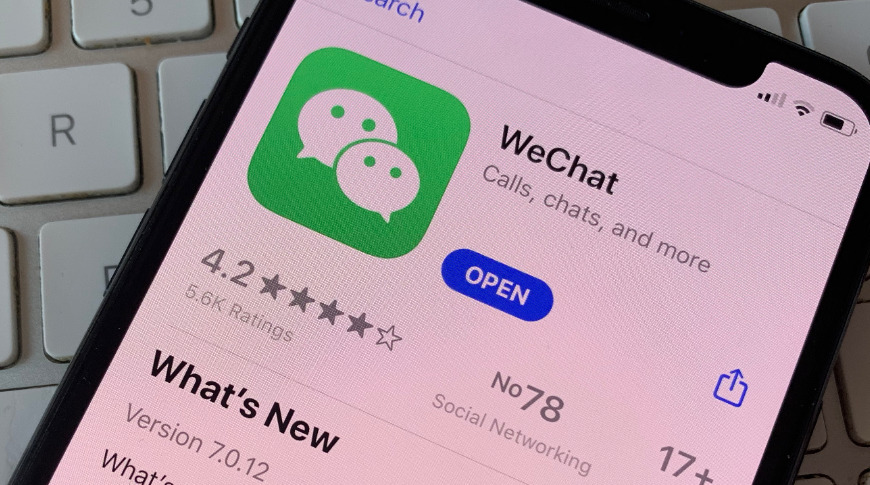
Describing them as "untrusted Chinese apps," the US government says it wants WeChat, TikTok, and other unspecified services to be banned from all of the app stores in the US.
As Microsoft is in talks to buy TikTok. and Apple is not, US Secretary of State Mike Pompeo has unveiled plans to ban similar services that, he says, pose "significant threats to the personal data of US citizens."
Following President Trump's recent announcement that TikTok will be banned from the US after September 15, unless it is bought by an American firm, the Secretary described five actions the government intends to take.
According to BBC News, these include banning apps from WeChat, TikTok, and potentially other Chinese firms such as Alibaba, Baidu, and Tencent.
Without specifying how this could be done, Secretary Pompeo said that Chinese smartphone manufacturers would be prevented from either pre-installing, or making available for download, the most popular US apps.
He also said that steps would be taken to ensure that "untrusted People's Republic of China (PRC) carriers" are not utilized in the States.
Further, the personal data of US citizens would no longer be allowed to be stored or accessed on Chinese cloud-based services. Lastly, undersea internet cables will not be used for intelligence-gathering by China.
The Guardian newspaper reported that Pompeo said this would protect "our businesses' most valuable intellectual property, including COVID vaccine research." Plus "We don't want companies to be complicit in Huawei human rights abuses, or the [Chinese] surveillance apparatus."
BBC News says US Secretary of State Pompeo also did not explain how the government had the authority to achieve these plans. However, he reportedly said that over 30 countries already have such "clean networks," and that the government would "work closely with commerce and other agencies."
This software and services-specific ban follows ongoing tensions between the US and China that have seen the implementation of tariffs and the blocking of technology from Huawei.
Apart from imposing a limitation on the macOS and iOS App Store, it's not clear how these plans will affect Apple. China-based servers do contain users' iCloud data, but only of those based in the region.
WeChat has such great popularity in China that it has been argued it alone mean Apple can never again dominate smartphones in the region.
Source: Appleinsider









