
NEWS

Apple, Tencent Find "Mutual Understanding" over WeChat Tips

01/16/2018

3167

Chinese iPhone users will once again be allowed to send tips - the financial variety - through popular platform app WeChat thanks to a new agreement between Apple and WeChat's parent company.
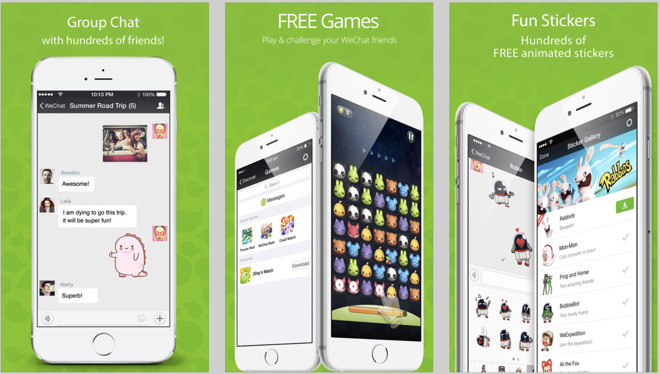

Apple, Tencent Find


As part of the deal, Tencent will revamp the WeChat tipping system to send money directly to individuals, according to the Wall Street Journal. Tencent executive Alan Zhang made the announcement earlier Monday in China.


"In the past, companies like Apple might have had a difficult time understanding China-specific features," Zhang added. "We now all share a mutual understanding and we'll soon bring back the "tip" function."


Tips are a popular way for Chinese social network users to compensate content creators, but Apple balked at allowing such transactions with third-party payment systems. The company first ordered in-app payments that bypass the App Store's payment mechanism halted last year. 


A month later, Apple updated its policy to allow tip-like functionality with in-app purchases. It's likely that the deal reached with Tencent follows a slightly different model, however, though details remain unknown.


Source: appleinsider

Windows
Mac OS
iOS
Linux
3uTools
Win 64-bit For this device
V9.01 2025-12-27
Download
Win 32-bit For this device
V9.01 2025-12-27
Download
3uTools
Intel Chip How to Identify Chip Type
V9.0 2025-12-02
Download
Apple Silicon
V9.0 2025-12-02
Download
How to Identify Chip Type
1.  Click the Apple icon in the top-left corner of the screen and select About This Mac.
2.  Check the Processor or Chip field to determine if it is "Intel" or "Apple".
Please use the 3uTools PC client to install the iOS client:
1、 Install either the Windows or Mac version of 3uTools on your computer
2、 Open the PC client and connect your device to the computer via USB cable
3、 After the connection is successful, wait for the computer to automatically install the mobile app for the device, or locate “Install Mobile App” on the computer and manually click to install.
3uTools
deb file
V3.01 2025-11-20
Download
rpm file
V3.01 2025-11-20
Download
Windows
Windows
iOS
iOS
Android
Android
TV
TV
3uAirPlayer
Win 64-bit For this device
V6.0.2 2025-11-19
Download
Win 32-bit For this device
V6.0.2 2025-11-19
Download
iOS Device Mirroring (No App Required)
1、 Install 3uAirPlayer on the Windows PC
2、 Open Control Center and select Screen Mirroring
3、 From the list, choose your PC to start mirroring
4、 Or connect your iOS device to the PC via USB to begin mirroring
Scan to get "3uAirPlayer" App
3uAirPlayer TV V1.0.18
2025-11-28
TV System Requirements: Android 7.0 or later
Download the TV installation package, copy it to a USB drive, insert it into your TV or set-top box, then select the file from the home screen to install.




