NEWS

Apple Recloses 11 More Stores in Southern California, Maryland, Ohio, Tennessee

07/10/2020

2792

Apple Recloses 11 More Stores in Southern California, Maryland, Ohio, Tennessee


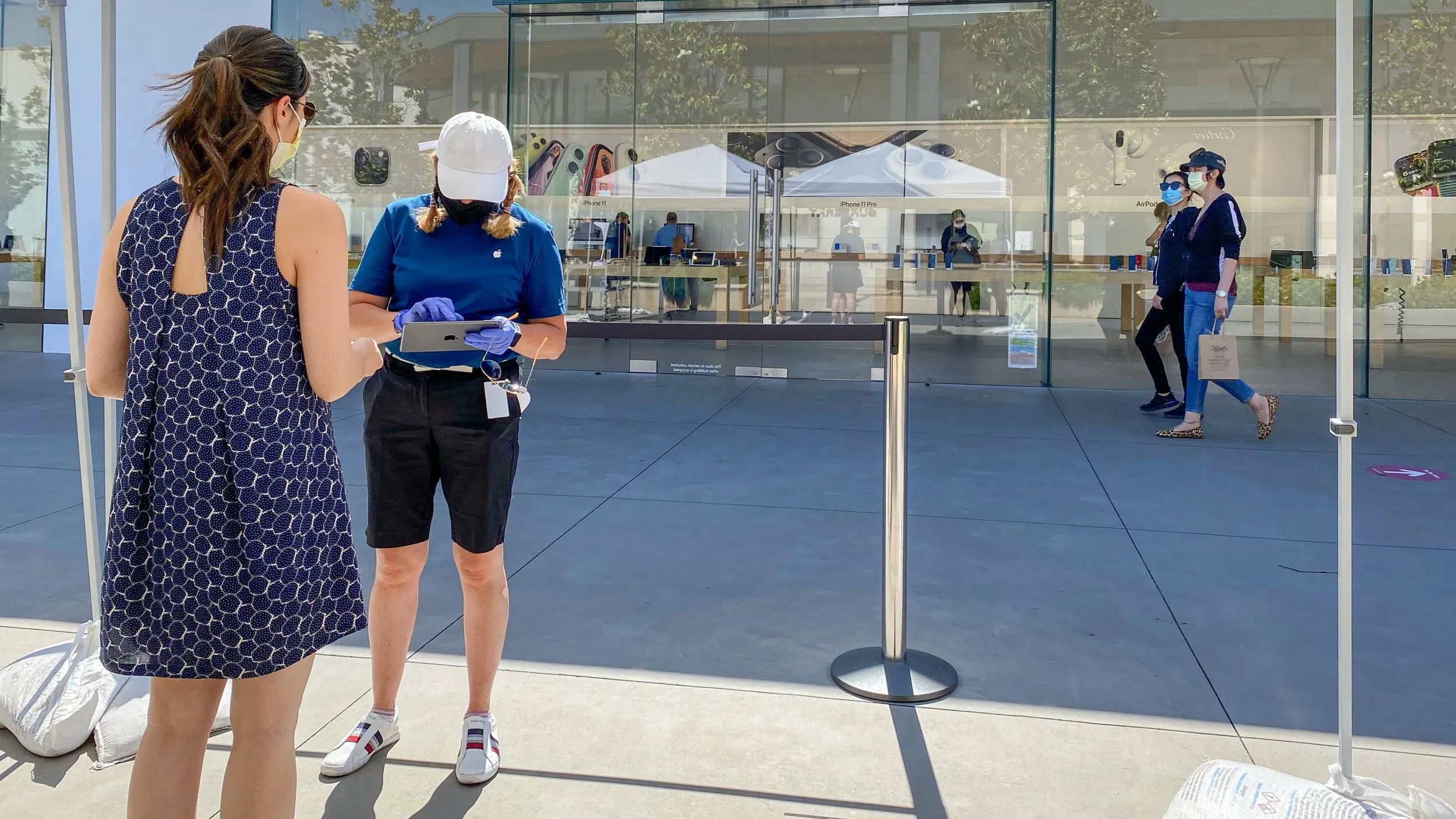
Apple is reclosing 11 more US stores in California, Maryland, Ohio, and Tennessee due to deteriorating COVID-19 conditions. The latest round of reclosings adds to 2 stores temporarily shuttered earlier this week for a total of 91 US locations reclosed due to COVID-19.


Staying open while maintaining a safe environment is proving to be a delicate balance for Apple in both the US and elsewhere. Apple recently reclosed all of its stores in the Greater Melbourne area as Victoria reimposed lockdown measures. Stores in Augusta, Georgia and Fresno, California reclosed effective July 8. If regional COVID-19 outbreaks continue popping up in the communities Apple serves, we can expect this pattern of reopening and reclosing to continue for a considerable amount of time.


The following stores will reclose effective July 10. Apple will accept customers with existing online orders and previously scheduled Genius Support appointments at these locations through July 12.


California

  • Brea Mall (Brea)

  • South Coast Plaza (Costa Mesa)

  • Irvine Spectrum Center (Irvine)

  • Mission Viejo (Mission Viejo)

  • Fashion Island (Newport Beach)

  • El Paseo Village (Palm Desert)

  • State Street (Santa Barbara)

  • Promenade Temecula (Temecula)

Maryland

  • Columbia (Columbia)

Ohio

  • Kenwood Towne Centre (Cincinnati)

Tennessee

  • CoolSprings Galleria (Franklin)

Source: 9to5mac

Windows
Mac OS
iOS
Linux
3uTools
Win 64-bit For this device
V9.0 2025-11-11
Download
Win 32-bit For this device
V9.0 2025-11-11
Download
3uTools
Intel Chip How to Identify Chip Type
V9.0 2025-12-02
Download
Apple Chip
V9.0 2025-12-02
Download
How to Identify Chip Type
1.  Click the Apple icon in the top-left corner of the screen and select About This Mac.
2.  Check the Processor or Chip field to determine if it is "Intel" or "Apple".
Please use the 3uTools PC client to install the iOS client:
1、 Install either the Windows or Mac version of 3uTools on your computer
2、 Open the PC client and connect your device to the computer via USB cable
3、 After the connection is successful, wait for the computer to automatically install the mobile app for the device, or locate “Install Mobile App” on the computer and manually click to install.
3uTools
deb file
V3.01 2025-11-20
Download
rpm file
V3.01 2025-11-20
Download
Windows
Windows
iOS
iOS
Android
Android
TV
TV
3uAirPlayer
Win 64-bit For this device
V6.0.2 2025-11-19
Download
Win 32-bit For this device
V6.0.2 2025-11-19
Download
iOS Device Mirroring (No App Required)
1、 Install 3uAirPlayer on the Windows PC
2、 Open Control Center and select Screen Mirroring
3、 From the list, choose your PC to start mirroring
4、 Or connect your iOS device to the PC via USB to begin mirroring
Scan to get "3uAirPlayer" App
3uAirPlayer TV V1.0.18
2025-11-28
TV System Requirements: Android 7.0 or later
Download the TV installation package, copy it to a USB drive, insert it into your TV or set-top box, then select the file from the home screen to install.