NEWS

What does Apple Want From a VR Events Company?

05/26/2020

2473

What does Apple Want From a VR Events Company?


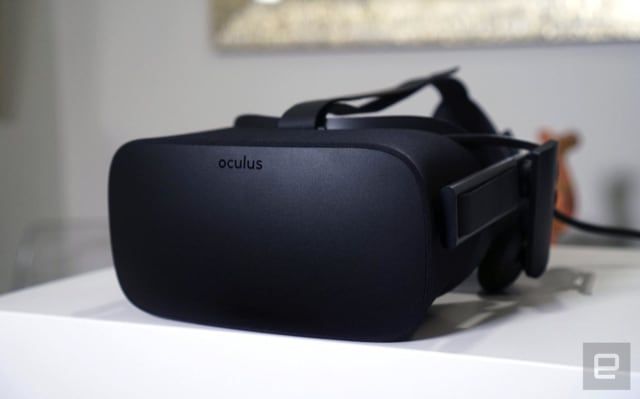
Since 2009 a startup called NextVR has been developing proprietary cameras and striking deals to bring live events -- think sporting events, wrestling matches and concerts -- straight to the VR headset of your choice. 


It sounds like a potent cure for FOMO, and maybe it was for some people. The problem is, because of relatively slow VR adoption and a dearth of viable revenue streams, NextVR never saw the kind of "hockey stick" growth its backers had hoped for. Those obstacles eventually loomed so large that the company failed to raise a third major funding round, forcing it to layoff nearly 40 percent of the workforce at its Newport Beach headquarters. The writing was on the virtual wall -- until Apple swooped in with a check. 

9to5Mac reported last month that Apple had acquired the company in a deal valued at around $100 million, and Apple latest confirmed the acquisition — though not the price — to Bloomberg just recently. To mark the occasion, NextVR shuttered its website not too long ago. Now, it just thanks people for joining them for the ride and mentions that NextVR is “headed in a new direction.” Presumably, that "direction" is up Interstate 5 to Cupertino. Of course, this all leads us to a hefty question: What's Apple going to do with a VR company? The short, obvious answer is no one knows for sure, but with all this news still visible in the rearview mirror, this seems like a good time to take stock of Apple’s interest in virtual reality and see what that tells us. 


Source: Engadget

Windows
Mac OS
iOS
Linux
3uTools
Win 64-bit For this device
V9.0 2025-11-11
Download
Win 32-bit For this device
V9.0 2025-11-11
Download
3uTools
Intel Chip How to Identify Chip Type
V9.0 2025-12-02
Download
Apple Chip
V9.0 2025-12-02
Download
How to Identify Chip Type
1.  Click the Apple icon in the top-left corner of the screen and select About This Mac.
2.  Check the Processor or Chip field to determine if it is "Intel" or "Apple".
Please use the 3uTools PC client to install the iOS client:
1、 Install either the Windows or Mac version of 3uTools on your computer
2、 Open the PC client and connect your device to the computer via USB cable
3、 After the connection is successful, wait for the computer to automatically install the mobile app for the device, or locate “Install Mobile App” on the computer and manually click to install.
3uTools
deb file
V3.01 2025-11-20
Download
rpm file
V3.01 2025-11-20
Download
Windows
Windows
iOS
iOS
Android
Android
TV
TV
3uAirPlayer
Win 64-bit For this device
V6.0.2 2025-11-19
Download
Win 32-bit For this device
V6.0.2 2025-11-19
Download
iOS Device Mirroring (No App Required)
1、 Install 3uAirPlayer on the Windows PC
2、 Open Control Center and select Screen Mirroring
3、 From the list, choose your PC to start mirroring
4、 Or connect your iOS device to the PC via USB to begin mirroring
Scan to get "3uAirPlayer" App
3uAirPlayer TV V1.0.18
2025-11-28
TV System Requirements: Android 7.0 or later
Download the TV installation package, copy it to a USB drive, insert it into your TV or set-top box, then select the file from the home screen to install.