
NEWS

Samsung's New Outdoor 'Terrace' Smart TV Supports Apple TV App and AirPlay 2

05/22/2020

2987

Samsung today announced the launch of a new "Terrace" 4K TV, which is designed to be used outdoors. The Terrace features an IP55 water and dust resistance rating, so it's able to hold up to light water exposure.
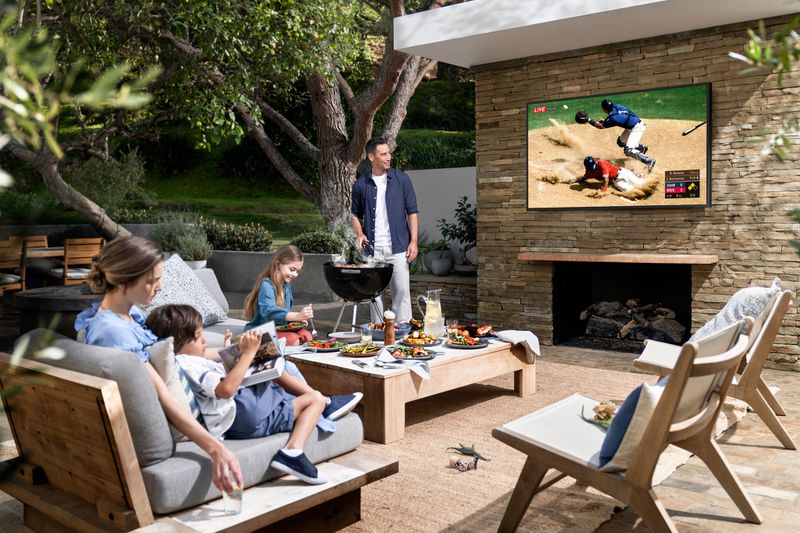
Samsung's New Outdoor 'Terrace' Smart TV Supports Apple TV App and AirPlay 2
Like most newly released Samsung TVs, the Terrace TV includes support for the Apple TV app, which allows users to access ‌Apple TV‌ content like iTunes movies and TV shows, and ‌Apple TV‌+. It also supports AirPlay 2, allowing it to interface with other ‌AirPlay‌ 2 devices, and Apple Music is available.

Samsung's New Outdoor 'Terrace' Smart TV Supports Apple TV App and AirPlay 2
The Terrace offers a brightness level of 2,000 nits, so it works even when it's bright and sunny outside. Samsung says the TV is ideal for sports fans with a 4K resolution and a high motion rate of MR240. There's an optional Terrace Soundbar that offers dynamic sound, and it supports Bixby, Alexa, and soon, it will work with Google Assistant.

Samsung's New Outdoor 'Terrace' Smart TV Supports Apple TV App and AirPlay 2
Pricing on the Terrace TV starts at $5,000 for the 65-inch model, with a 75-inch option available for $6,500. There's also supposed to be a 55-inch model, but it is not yet available for purchase. Pre-orders can be made on Samsung's website.


Source: Macrumors

Windows
Mac OS
iOS
Linux
3uTools
Win 64-bit For this device
V9.0 2025-11-11
Download
Win 32-bit For this device
V9.0 2025-11-11
Download
3uTools
Intel Chip How to Identify Chip Type
V9.0 2025-12-02
Download
Apple Chip
V9.0 2025-12-02
Download
How to Identify Chip Type
1.  Click the Apple icon in the top-left corner of the screen and select About This Mac.
2.  Check the Processor or Chip field to determine if it is "Intel" or "Apple".
Please use the 3uTools PC client to install the iOS client:
1、 Install either the Windows or Mac version of 3uTools on your computer
2、 Open the PC client and connect your device to the computer via USB cable
3、 After the connection is successful, wait for the computer to automatically install the mobile app for the device, or locate “Install Mobile App” on the computer and manually click to install.
3uTools
deb file
V3.01 2025-11-20
Download
rpm file
V3.01 2025-11-20
Download
Windows
Windows
iOS
iOS
Android
Android
TV
TV
3uAirPlayer
Win 64-bit For this device
V6.0.2 2025-11-19
Download
Win 32-bit For this device
V6.0.2 2025-11-19
Download
iOS Device Mirroring (No App Required)
1、 Install 3uAirPlayer on the Windows PC
2、 Open Control Center and select Screen Mirroring
3、 From the list, choose your PC to start mirroring
4、 Or connect your iOS device to the PC via USB to begin mirroring
Scan to get "3uAirPlayer" App
3uAirPlayer TV V1.0.18
2025-11-28
TV System Requirements: Android 7.0 or later
Download the TV installation package, copy it to a USB drive, insert it into your TV or set-top box, then select the file from the home screen to install.




