 NEWS
NEWS
Ubisoft Sues Apple and Google Over Distribution of Alleged 'Ripoff' Game
 05/18/2020
 2741
2741
Ubisoft Entertainment this week levied a lawsuit against Apple and Google, accusing them of selling a "ripoff" of its popular video game Tom Clancy’s Rainbow Six: Siege, reports Bloomberg.
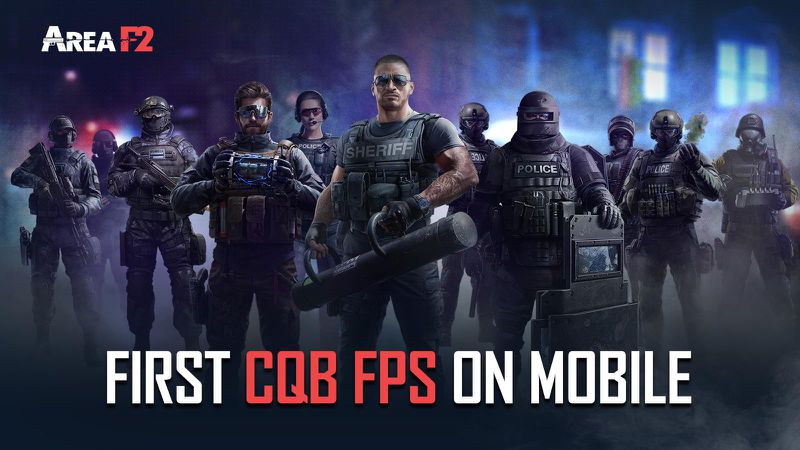
Ubisoft filed a complaint in federal court in Los Angeles, claiming that the game "Area F2," developed by Qookka Games, is a "near carbon copy" of Tom Clancy’s Rainbow Six: Siege, aiming to "piggyback" off its popularity. Ubisoft said that it has notified Apple and Google that Area F2 is infringing its copyrights, but both companies have refused to remove the game from the Google Play and Apple App stores.
As one of Ubisoft's most valuable intellectual properties, Rainbow Six: Siege is played as a competitive e-sport, has 55 million registered players worldwide, and according to Ubisoft’s copyright infringement claim, is played by more than three million users every day. Ubisoft argues that the lawsuit can't be "seriously disputed" and that "virtually every aspect of AF2" is copied from Rainbow Six: Siege, "from the operator selection screen to the final scoring screen, and everything in between."
Ubisoft did not elaborate on why it is suing the app store operators for enabling distribution of the game rather than developer Qookka Games itself for the initial infringement. Qookka Games, owned by Alibaba’s Ejoy, is located in China, potentially making an international copyright claim more difficult. It remains unclear whether Ubisoft plans to file a separate lawsuit against the developer, in addition to app store operators.
Area F2 has over 75,000 reviews on the Google Play Store, and more than 2,000 on Apple's App Store, and many reviews on both platforms directly note the similarities to Ubisoft's title. Google and Apple have not yet responded to Bloomberg's requests for a comment.
Source: Macrumors









