NEWS

Apple to Launch a New iPad and iPad mini With Bigger Screens, Says Ming-Chi Kuo

05/15/2020

3024

Apple to Launch a New iPad and iPad mini With Bigger Screens, Says Ming-Chi Kuo


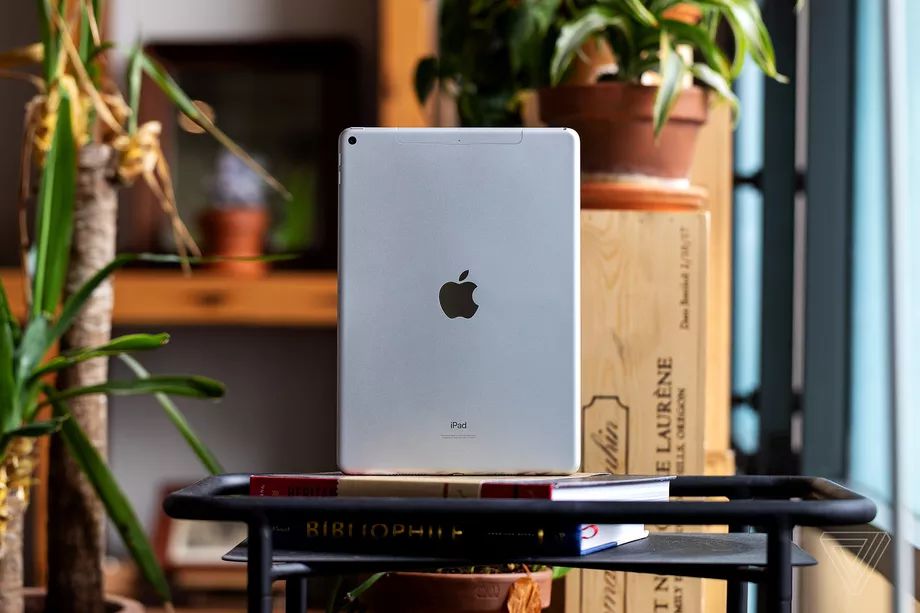
Apple is planning to launch a new 10.8-inch iPad and a new iPad mini with a screen that could be as large as 9 inches, according to a new investor note from Apple analyst Ming-Chi Kuo obtained by MacRumors. The note also mentions a potential 2022 release date for Apple’s rumored augmented reality glasses.


The new 10.8-inch iPad will launch in the second half of this year, while the new iPad mini, which will have a screen size that’s anywhere between 8.5 and 9 inches, will launch in the first half of 2021, according to Kuo. Both will have affordable price points, says Kuo.


In addition to the new iPads, Kuo also reported that Apple’s augmented reality glasses could launch in 2022 at the earliest. There have been many rumors about some kind of AR headset from Apple, and The Information reported in November that Apple is actually working two separate devices — an AR headset for release in 2022 and a pair of AR glasses to be released a year later. It’s unclear exactly which of these devices Kuo may have been referring to, if either of them.


Apple just today confirmed that it acquired virtual reality company NextVR, signaling that the company continues to invest in technology that could potentially be used in some kind of AR or VR device.


Source: The Verge

Windows
Mac OS
iOS
Linux
3uTools
Win 64-bit For this device
V9.0 2025-11-11
Download
Win 32-bit For this device
V9.0 2025-11-11
Download
3uTools
Intel Chip How to Identify Chip Type
V9.0 2025-12-02
Download
Apple Chip
V9.0 2025-12-02
Download
How to Identify Chip Type
1.  Click the Apple icon in the top-left corner of the screen and select About This Mac.
2.  Check the Processor or Chip field to determine if it is "Intel" or "Apple".
Please use the 3uTools PC client to install the iOS client:
1、 Install either the Windows or Mac version of 3uTools on your computer
2、 Open the PC client and connect your device to the computer via USB cable
3、 After the connection is successful, wait for the computer to automatically install the mobile app for the device, or locate “Install Mobile App” on the computer and manually click to install.
3uTools
deb file
V3.01 2025-11-20
Download
rpm file
V3.01 2025-11-20
Download
Windows
Windows
iOS
iOS
Android
Android
TV
TV
3uAirPlayer
Win 64-bit For this device
V6.0.2 2025-11-19
Download
Win 32-bit For this device
V6.0.2 2025-11-19
Download
iOS Device Mirroring (No App Required)
1、 Install 3uAirPlayer on the Windows PC
2、 Open Control Center and select Screen Mirroring
3、 From the list, choose your PC to start mirroring
4、 Or connect your iOS device to the PC via USB to begin mirroring
Scan to get "3uAirPlayer" App
3uAirPlayer TV V1.0.18
2025-11-28
TV System Requirements: Android 7.0 or later
Download the TV installation package, copy it to a USB drive, insert it into your TV or set-top box, then select the file from the home screen to install.