 NEWS
NEWS
Apple's Greg Joswiak on AirPods Growth: 'It Was Almost Like Wildfire'
 05/11/2020
 2683
2683
Apple's AirPods have been doing better than the company could have ever imagined, Apple's Vice President of Product Marketing Greg Joswiak said in a new report by Wired. Joswiak notes how the growth of AirPods "was almost like wildfire."
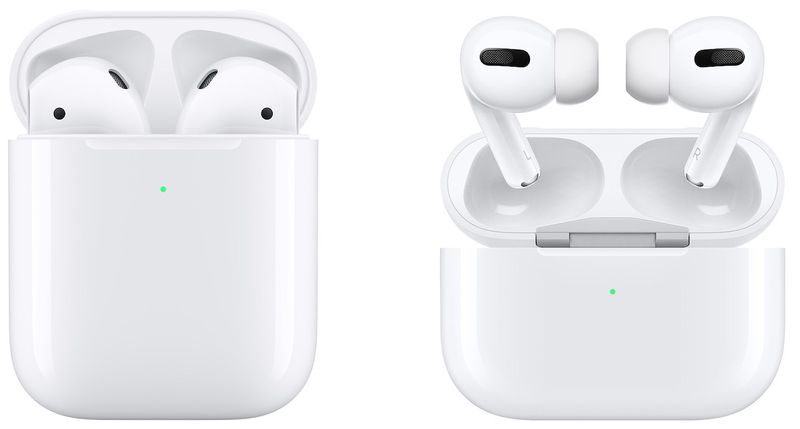
Joswiak touched upon Apple's vision for a wireless future. Apple crossed a pivotal point in its push towards a wireless future with the controversial decision to remove the headphone jack from its iPhone lineup beginning in 2016 with the launch of the iPhone 7 and iPhone 7 Plus.
We had this incredible wireless product, the iPhone. And yet, what began to feel odd is when you saw somebody using wired headphones. Right then you thought, why would you attach the wire?
Joswiak also shared some of the development stages of the AirPods lineup.
We had done work with Stanford to 3D-scan hundreds of different ears and ear styles and shapes in order to make a design that would work as a one-size solution across a broad set of the population. With AirPods Pro, we took that research further – studied more ears, more ear types. And that enabled us to develop a design that, along with the three different tip sizes, works across an overwhelming percentage of the worldwide population.
Apple recently reported its financial results for the second fiscal quarter of 2020, and Apple CEO Tim Cook proudly announced that a quarterly record for wearables had been set. In the first fiscal quarter of 2020, Cook had also announced that Apple's wearables category had set a new all-time revenue record. In addition, it was mentioned that Apple's wearables business is now the size of a Fortune 150 company.
Apple's first generation AirPods were first launched alongside the iPhone 7 and iPhone 7 Plus in 2016. Since then, Apple's second-generation AirPods launched in March 2019, while the AirPods Pro were released at the end of October.
Source: Macrumors









