 NEWS
NEWS
Apple Launches New Online Storefront for Buying From Home
 05/09/2020
 2626
2626
Apple has now launched a new shop front online which is expressly for making it easier to buy, and get technical help, from home.
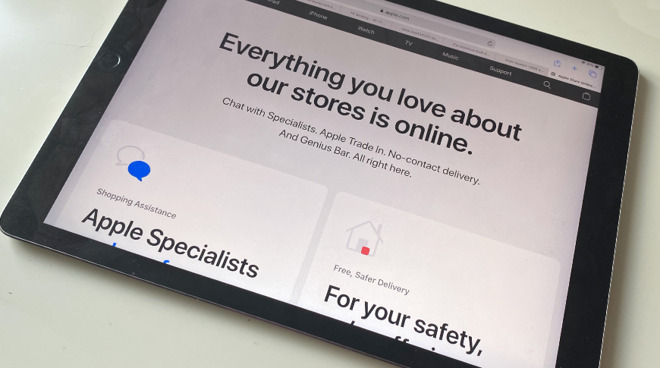
The new store front online offers services and advice before it gets into trying to sell you products
Despite the first Apple Stores starting to reopen in Europe and Australia, Apple has launched a new shopping storefront for its US online Apple Store. Rather than the regular Buy buttons on each product page, the store has added a new central location that presents products, services, and information.
"Everything you love about our stores is online," says the page at apple.com/shop. "Chat with Specialists. Apple Trade In. No-contact delivery. And Genius Bar. All right here."
The front page of Apple's site is currently promoting the Beastie Boys Story on Apple TV+ but, at least in the US, also has a one-line ad for the new storefront. "Shop online," it says, "and get free, no-contact delivery, specialist help and more."
This new shop page looks designed chiefly for iPhone and iPad use, with eight large graphics for key areas, followed by another eight smaller ones devoted to product categories. Each main graphic is similar to the equivalent in the company's Apple Store app on iOS, and the online site's Explore Products is identical to the app's Shop by product.
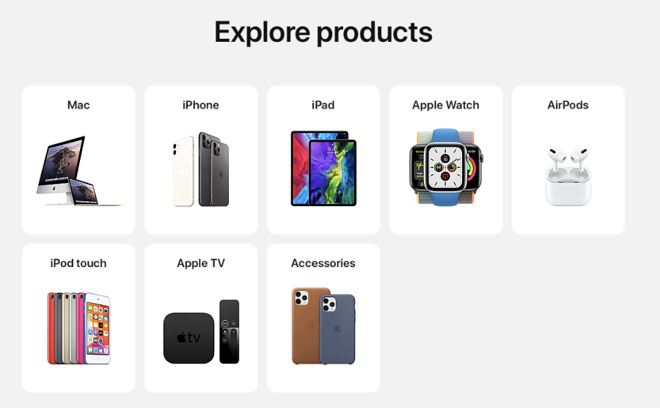
The new Explore Products section of the site will be familiar to users of the Apple Store iOS app
While the overall emphasis is on shopping, the page's main graphics start with ones concerned with getting support, and then reassurance about how Apple offers "no-contact delivery."
While it appears so far to solely be on the US version of Apple's site, it does not appear to be entirely a temporary coronavirus-related move for the States. The page ends with a Find a Store button which at least suggests that Apple plans to keep the page after the US reopens physical stores.
Source: Appleinsider









