NEWS

Apple Will Make it Easier to Unlock your iPhone While Wearing a Face Mask

04/30/2020

2359

Apple Will Make it Easier to Unlock your iPhone While Wearing a Face Mask


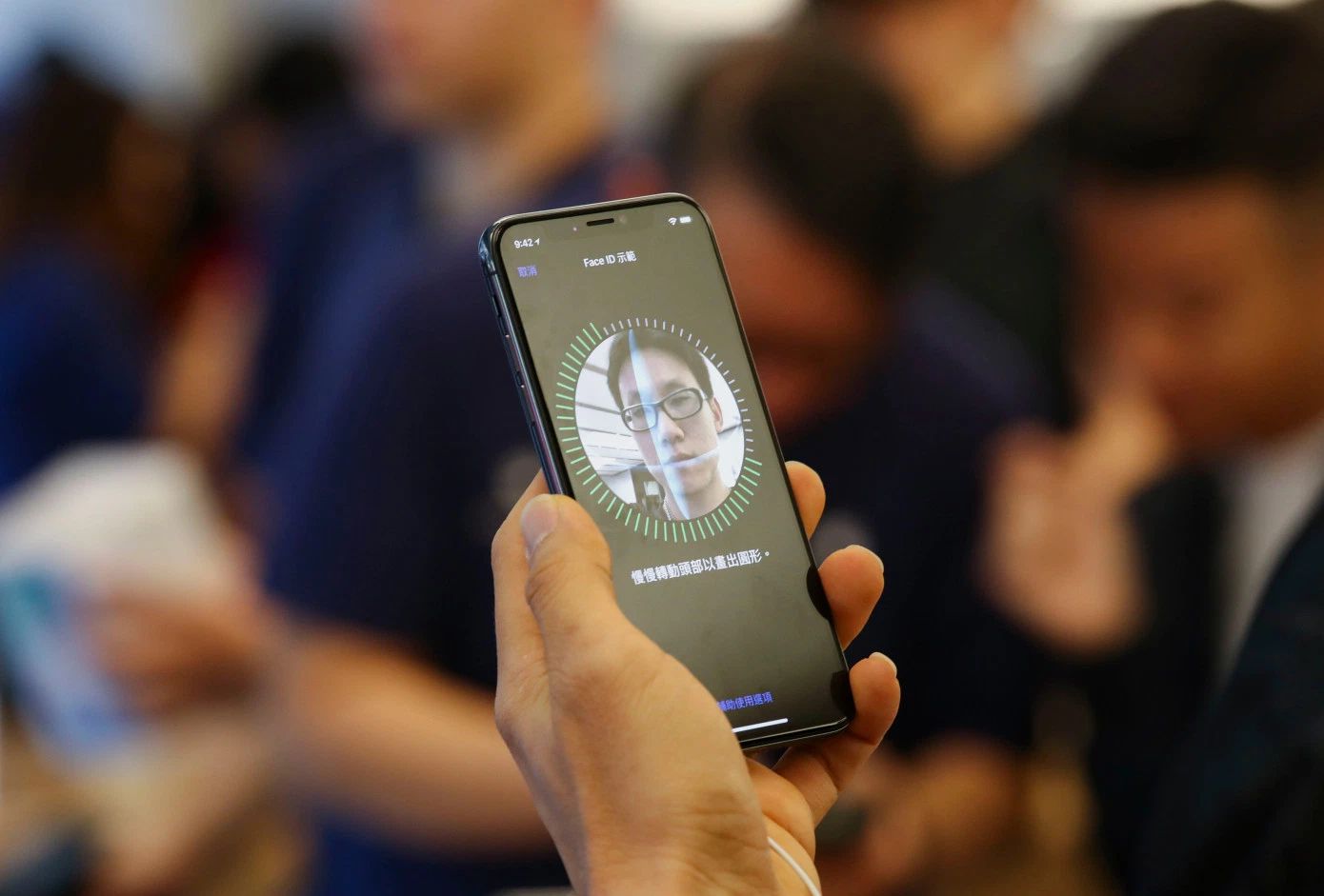
Face ID was a great idea — until large swathes of the world were forced to wear face masks, rendering it largely useless.


Apple  has apparently heard our pain.


Users are reporting a subtle new feature in the latest developer version of iOS 13.5 that will make it easier to unlock your iPhone without having to take off your protective face mask.


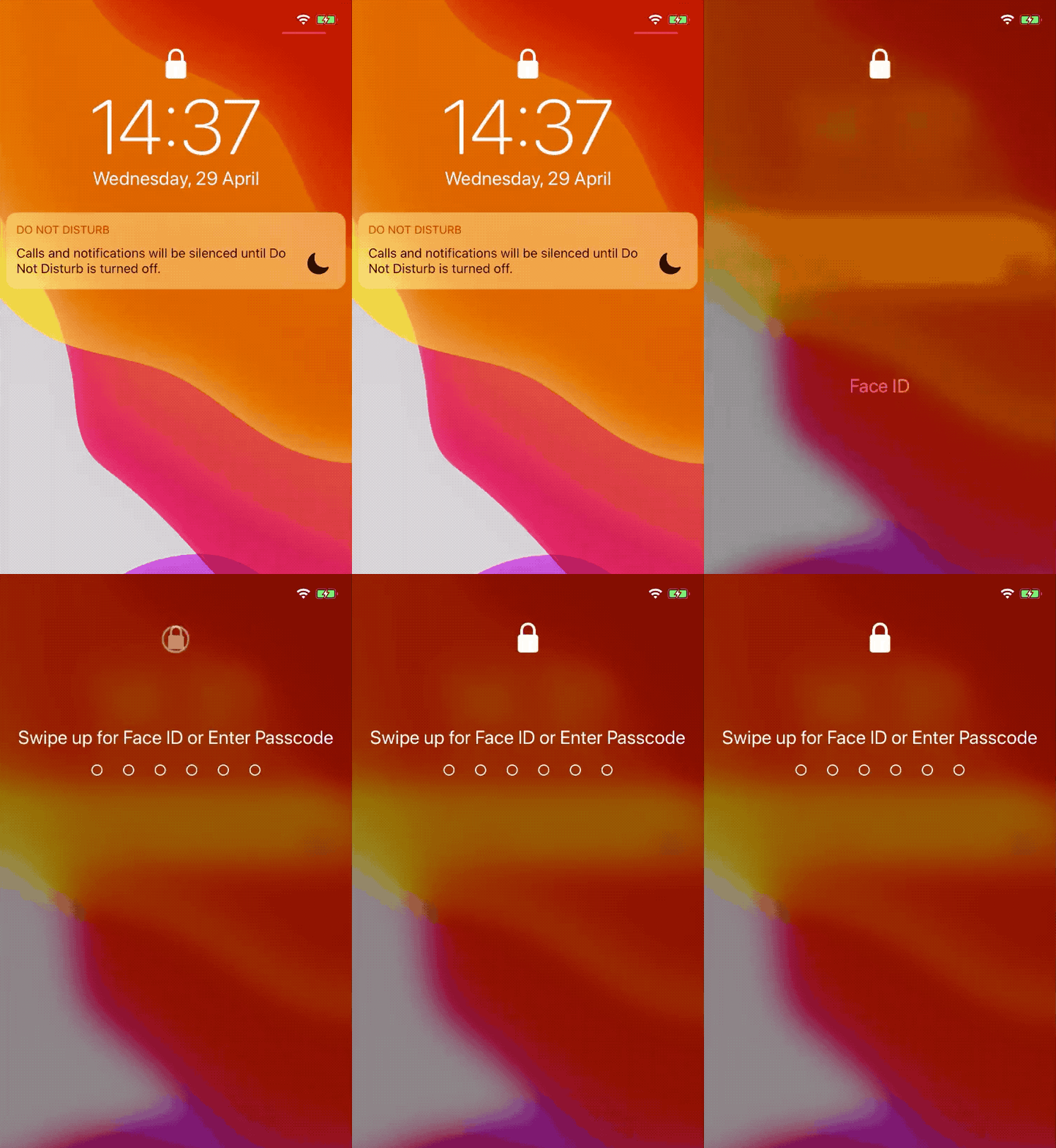
Videos shared on Twitter by Robert Petersen and Guilherme Rambo show that Apple devices with Face ID will jump to the backup passcode-entry screen if it detects a mask. That’s not only helpful if you’re unlocking your phone dozens of times a day — which we all do — but it’s also helping to keep people safe by not forcing users to take off their masks, potentially exposing themselves to the virus.

Apple Will Make it Easier to Unlock your iPhone While Wearing a Face Mask


Apple’s new Face ID unlock feature in iOS 13.5 beta (Source: Guilherme Rambo)


It’s not known if this feature will land in the final version of the software update. But one feature that will be included for sure is a new contact tracing API, built by Apple and Google in partnership, which lets national health authorities build apps that can help users privately and anonymously find out if they’ve been exposed to someone with coronavirus.


iOS 13.5 is expected to land in the coming weeks.


Source: Techcrunch

Windows
Mac OS
iOS
Linux
3uTools
Win 64-bit For this device
V9.0 2025-11-11
Download
Win 32-bit For this device
V9.0 2025-11-11
Download
3uTools
Intel Chip How to Identify Chip Type
V9.0 2025-12-02
Download
Apple Chip
V9.0 2025-12-02
Download
How to Identify Chip Type
1.  Click the Apple icon in the top-left corner of the screen and select About This Mac.
2.  Check the Processor or Chip field to determine if it is "Intel" or "Apple".
Please use the 3uTools PC client to install the iOS client:
1、 Install either the Windows or Mac version of 3uTools on your computer
2、 Open the PC client and connect your device to the computer via USB cable
3、 After the connection is successful, wait for the computer to automatically install the mobile app for the device, or locate “Install Mobile App” on the computer and manually click to install.
3uTools
deb file
V3.01 2025-11-20
Download
rpm file
V3.01 2025-11-20
Download
Windows
Windows
iOS
iOS
Android
Android
TV
TV
3uAirPlayer
Win 64-bit For this device
V6.0.2 2025-11-19
Download
Win 32-bit For this device
V6.0.2 2025-11-19
Download
iOS Device Mirroring (No App Required)
1、 Install 3uAirPlayer on the Windows PC
2、 Open Control Center and select Screen Mirroring
3、 From the list, choose your PC to start mirroring
4、 Or connect your iOS device to the PC via USB to begin mirroring
Scan to get "3uAirPlayer" App
3uAirPlayer TV V1.0.18
2025-11-28
TV System Requirements: Android 7.0 or later
Download the TV installation package, copy it to a USB drive, insert it into your TV or set-top box, then select the file from the home screen to install.