
NEWS

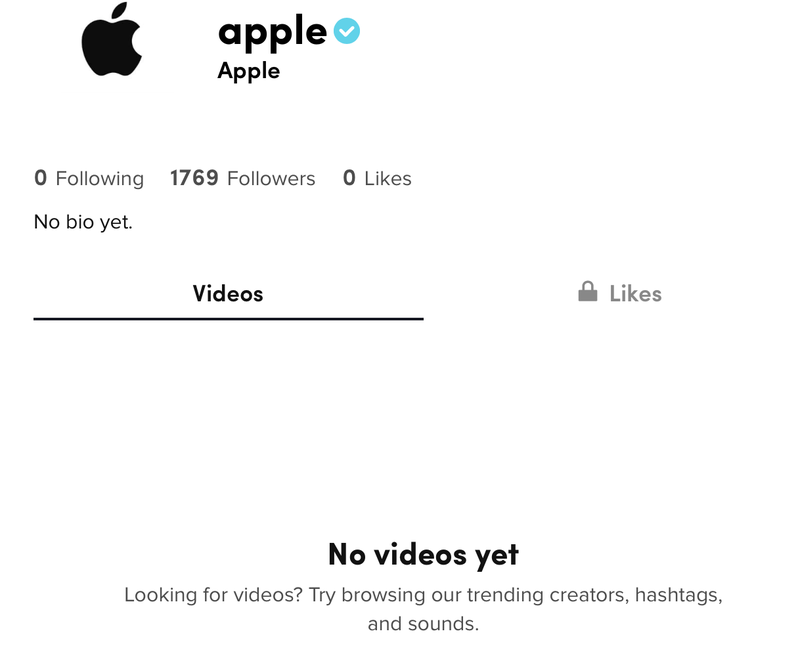
Apple Now Has an Official TikTok Account, But No Videos Posted Yet

04/24/2020

3404

Apple appears to have created an official account on popular social networking app TikTok, which is a platform designed to allow users to share short videos.

Apple Now Has an Official TikTok Account, But No Videos Posted Yet
Apple's account can be accessed through the username @apple on the TikTok website and within the TikTok app. As of now, Apple has posted no videos to the account.


Over the course of the last several years, Apple has become more active on social networks, sharing images on Instagram and introducing accounts for Apple support and services on Twitter. Apple also has an official account on Twitter that has been used to allow people to sign up to receive notifications on event days, but has no tweets.


It's not clear how Apple plans to use its TikTok account. The account could be used to share Shot On iPhone videos as with Instagram, or it could simply be a placeholder account. As 9to5Mac points out, Apple has already been running ads on the TikTok service, so the account could also be related to its advertising efforts.

Apple Now Has an Official TikTok Account, But No Videos Posted Yet


TikTok, a Chinese-owned social media app, has soared in popularity over the course of the last year, and it has been downloaded more than a billion times.


Users can share short music videos or short looping videos that other TikTok users can watch, and it has simple editing tools for syncing music to video clips, which has lured in users.


Source: Macrumors

Windows
Mac OS
iOS
Linux
3uTools
Win 64-bit For this device
V9.0 2025-11-11
Download
Win 32-bit For this device
V9.0 2025-11-11
Download
3uTools
Intel Chip How to Identify Chip Type
V9.0 2025-12-02
Download
Apple Chip
V9.0 2025-12-02
Download
How to Identify Chip Type
1.  Click the Apple icon in the top-left corner of the screen and select About This Mac.
2.  Check the Processor or Chip field to determine if it is "Intel" or "Apple".
Please use the 3uTools PC client to install the iOS client:
1、 Install either the Windows or Mac version of 3uTools on your computer
2、 Open the PC client and connect your device to the computer via USB cable
3、 After the connection is successful, wait for the computer to automatically install the mobile app for the device, or locate “Install Mobile App” on the computer and manually click to install.
3uTools
deb file
V3.01 2025-11-20
Download
rpm file
V3.01 2025-11-20
Download
Windows
Windows
iOS
iOS
Android
Android
TV
TV
3uAirPlayer
Win 64-bit For this device
V6.0.2 2025-11-19
Download
Win 32-bit For this device
V6.0.2 2025-11-19
Download
iOS Device Mirroring (No App Required)
1、 Install 3uAirPlayer on the Windows PC
2、 Open Control Center and select Screen Mirroring
3、 From the list, choose your PC to start mirroring
4、 Or connect your iOS device to the PC via USB to begin mirroring
Scan to get "3uAirPlayer" App
3uAirPlayer TV V1.0.18
2025-11-28
TV System Requirements: Android 7.0 or later
Download the TV installation package, copy it to a USB drive, insert it into your TV or set-top box, then select the file from the home screen to install.




