 NEWS
NEWS
Apple Maps Will Soon Display COVID-19 Testing Locations
 04/13/2020
 2769
2769
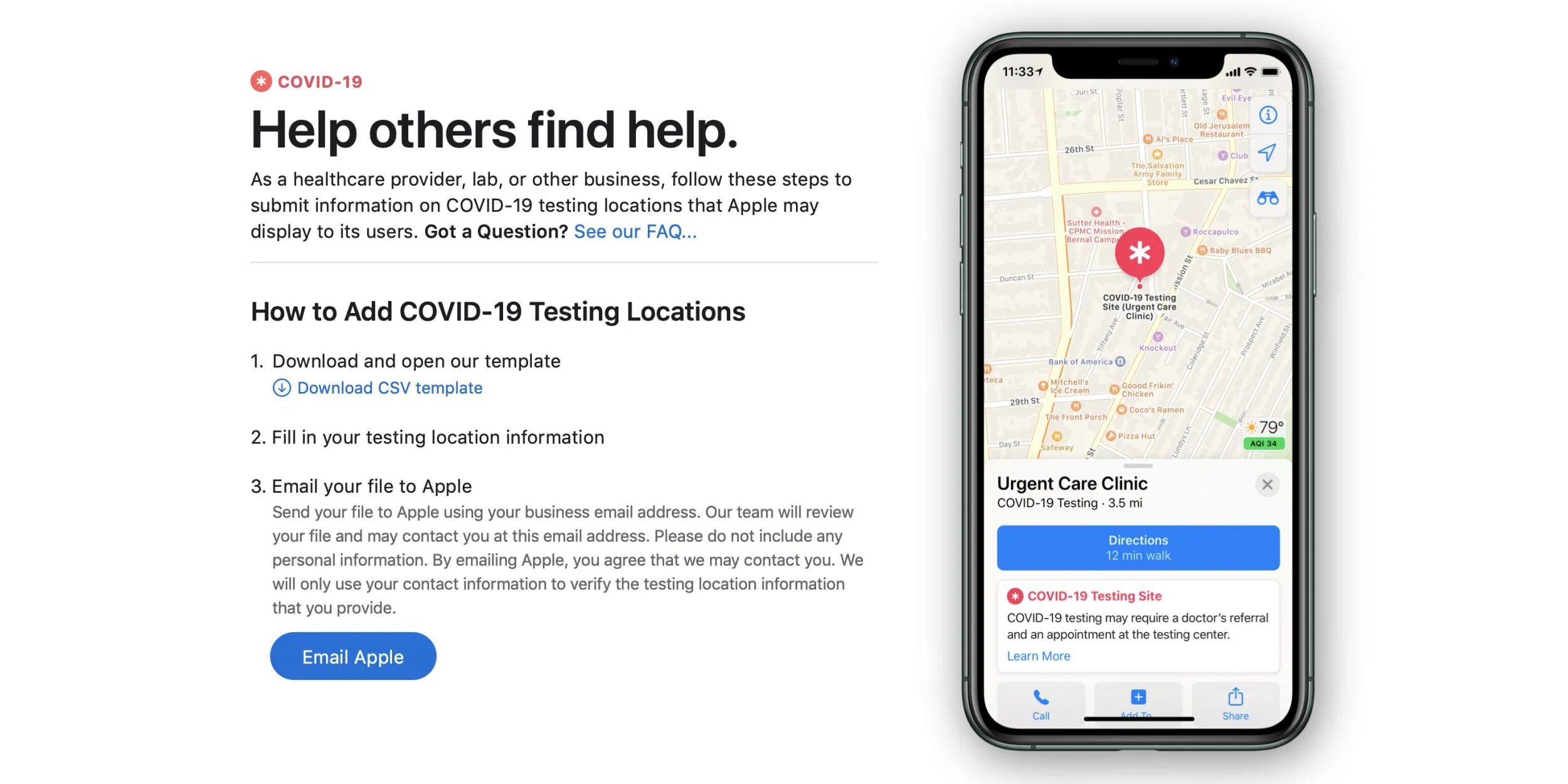
Continuing Apple’s efforts in helping fight the coronavirus, Apple Maps will soon display testing sites directly on the map.
Apple has launched a portal for hospitals, healthcare providers and businesses to register as a COVID-19 testing location. Apple will review the application and when approved, the location will start appearing on Apple Maps.
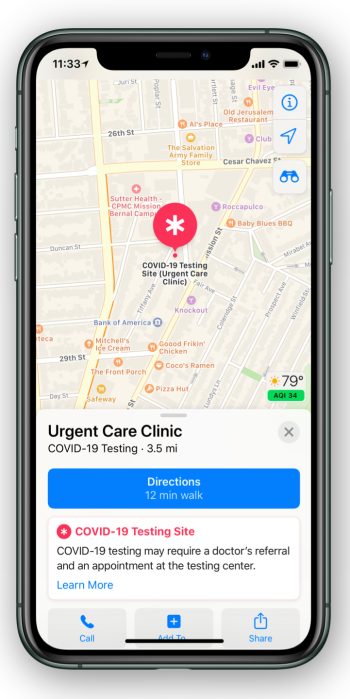
The testing locations will appear with a red medical glyph icon, and a special banner in the Apple Maps card.
Apple Maps will be able to show information like the place name, the associated healthcare provider, contact phone number and website. It will also surface information about the type of testing location (laboratory, hospital, etcetera) and the nature of the site (like drive-through, parking lot, or building).
Apple is also asking applicants to state whether the site will require a referral. This means the banner can advise Apple Maps users if they need to schedule an appointment before turning up for COVID-19 testing, or whether a doctor’s note is required.
We have already seen Apple adjust the search results to prioritize relevant point-of-interests for a stay-at-home world, like food delivery, hospitals and pharmacies. Yesterday, Apple and Google announced a significant partnership to build contact tracing APIs into the iOS and Android operating systems. These new systems will help track the spread of COVID-19 using healthcare provider apps, and the companies believe the first version of the API will be available in May.
Last week, Tim Cook announced that Apple has donated more than 20 million masks to healthcare professionals around the world, and is designing and donating face shields as well. Apple launched a COVID-19 app to help its customers respond appropriately to symptoms, in line with CDC guidance. We have also seen Apple donate tens of millions of dollars to coronavirus related charities.
Source: 9to5mac









