 NEWS
NEWS
Apple Lists Xbox Wireless Controller in its Online Store
 10/10/2019
 3568
3568
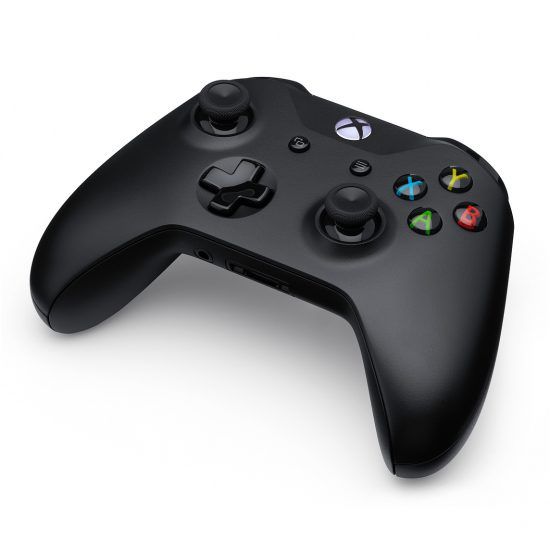
Earlier this year, Apple unveiled Apple Arcade, a new subscription service that focused on a variety of different games that can be played on iPhone, iPad, Apple TV, and Mac. Some of those games are perfectly fine on a touchscreen, but some might lead to a better gaming experience with a controller.
Apple has updated the listing and shows that you can actually buy the Xbox WirelessController now. If you order by 5:00 PM the fastest delivery option will have the controller landing on your doorstep by tomorrow, with free delivery set to arrive by Friday, October 11. Or you can ship it to a store for pick-up that way.
This is why Apple also announced full support for Microsoft’s and Sony’s wireless controllers, too. You can pair the controllers, Microsoft’s Xbox Wireless Controller and/or Sony’s DualShock 4 controller, to your iOS, iPadOS, or tvOS devices to play games if you want. And now Apple is listing the Xbox Wireless Controller in its online store, priced at $59.95.
Microsoft’s wireless controller is listed, but Sony’s DualShock 4 is not yet. There is no word on when that might change, but for now it looks like Apple has at least started the groundwork to sell Microsoft’s wireless controller in the near future.
Of course, this is just one more option for a wireless gaming controller, even in Apple’s online store. But this is the first time that Microsoft’s wireless gaming controller has been an option. It’s possible that Sony’s own wireless controller will show up at some point soon.
As noted by MacRumors, Apple had to work out a deal with Microsoft to sell the official controller directly. So the company will have to do the same thing with Sony, so there’s no telling how long that could take.
Still, if you’re a fan of Microsoft’s Xbox Wireless Controller, and feel like buying it directly from Apple, that will soon be an option.
Source: IDB










