NEWS

Apple logo Could be used for Notifications on Future iPhones

09/27/2019

2591

Apple logo Could be used for Notifications on Future iPhones


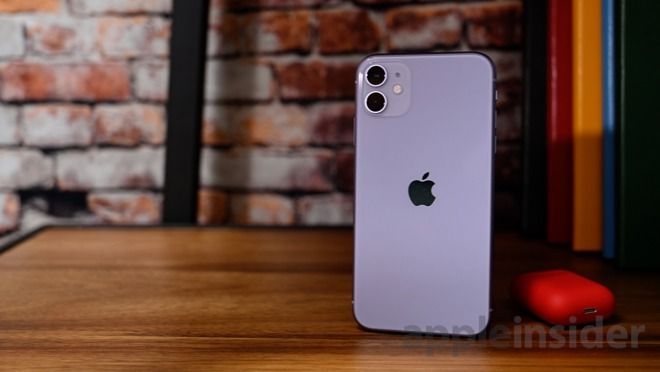
Future iPhones could feature electronically-controlled decorative elements on the back of the case, giving users a way to further customize their smartphones, such as by changing the color of the Apple logo, as well as providing a way to alert device owners to notifications or other events. 


In a patent application published by the US Patent and Trademark Office on Thursday, Apple seems to be considering the possibility of giving users more options, by adding color-changing elements to the back of their devices. 


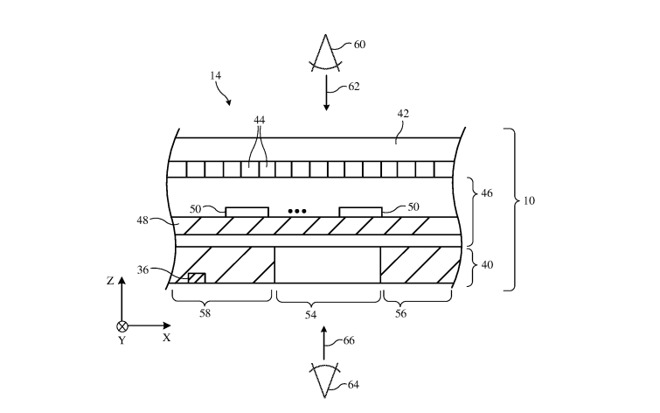
The patent application for "Electronic Devices with Adjustable Decoration" effectively describes how a decorative element can be added to a casing. This could take the form of a company logo, like the famous Apple, or another piece of trim along the edge. 

The decoration could consist of a transparent layer, which can include an adjustable optical component that changes how things seen through the layer appear. This can include the tint, a haze layer, a mirror layer, a thin-film interference filter using a dielectric stack, and color filters, giving a wide variety of different effects and opacities.
Apple logo Could be used for Notifications on Future iPhones


Apple files many patent applications on a weekly basis, but while the filings show areas of interest for Apple's research and development efforts, they do not necessarily translate into functions in a future product or service. 

The idea of personalizing a device isn't new, as evidenced in other patent filings for the Apple Watch. 


Source: Appleinsider

Windows
Mac OS
iOS
Linux
3uTools
Win 64-bit For this device
V9.0 2025-11-11
Download
Win 32-bit For this device
V9.0 2025-11-11
Download
3uTools
Intel Chip How to Identify Chip Type
V9.0 2025-12-02
Download
Apple Silicon
V9.0 2025-12-02
Download
How to Identify Chip Type
1.  Click the Apple icon in the top-left corner of the screen and select About This Mac.
2.  Check the Processor or Chip field to determine if it is "Intel" or "Apple".
Please use the 3uTools PC client to install the iOS client:
1、 Install either the Windows or Mac version of 3uTools on your computer
2、 Open the PC client and connect your device to the computer via USB cable
3、 After the connection is successful, wait for the computer to automatically install the mobile app for the device, or locate “Install Mobile App” on the computer and manually click to install.
3uTools
deb file
V3.01 2025-11-20
Download
rpm file
V3.01 2025-11-20
Download
Windows
Windows
iOS
iOS
Android
Android
TV
TV
3uAirPlayer
Win 64-bit For this device
V6.0.2 2025-11-19
Download
Win 32-bit For this device
V6.0.2 2025-11-19
Download
iOS Device Mirroring (No App Required)
1、 Install 3uAirPlayer on the Windows PC
2、 Open Control Center and select Screen Mirroring
3、 From the list, choose your PC to start mirroring
4、 Or connect your iOS device to the PC via USB to begin mirroring
Scan to get "3uAirPlayer" App
3uAirPlayer TV V1.0.18
2025-11-28
TV System Requirements: Android 7.0 or later
Download the TV installation package, copy it to a USB drive, insert it into your TV or set-top box, then select the file from the home screen to install.