
NEWS

Apple Pencil 2 Now Available From Apple's Refurbished Store for $109

09/24/2019

3196

Apple recently added the second-generation Apple Pencil to its online store for refurbished products in the United States, offering the accessory at a discounted price for the first time. 

Apple is selling the second-generation Apple Pencil for $109, which is a $20 discount off of the original $129 price. $109 is the lowest price that we've seen on the Apple Pencil 2, so Apple's deal is solid for anyone looking to pick up a new Apple Pencil. 
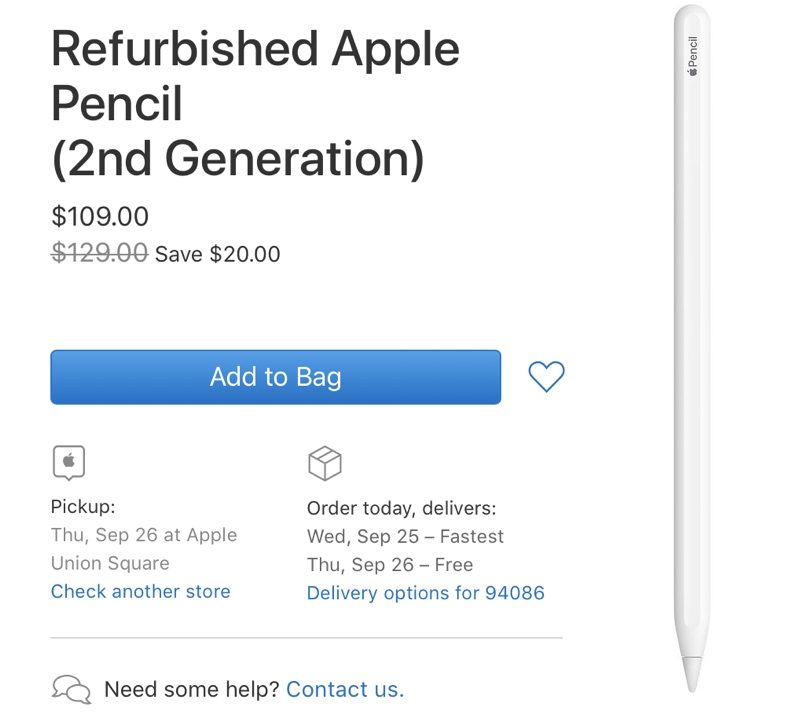
Apple Pencil 2 Now Available From Apple's Refurbished Store for $109

The Apple Pencil 2 is compatible with the 2018 11-inch iPad Pro and the 2018 12.9-inch iPad Pro only. All other iPad models that support the Apple Pencil work with the original Apple Pencil, not the second-generation version. 

Next-generation iPad Pro models that are in development will also likely be compatible with Apple Pencil 2. 

Compared to the original Apple Pencil, the Apple Pencil 2 does away with the Lightning port at the top of the device, instead of charging wirelessly via the iPad Pro itself through a magnetic connection. 

The second-generation Apple Pencil also supports gestures, so with a tap, you can change brushes or quickly switch from a brush to an eraser without having to pick up the pencil and select a new tool.


Source: MacRumors

Windows
Mac OS
iOS
Linux
3uTools
Win 64-bit For this device
V9.0 2025-11-11
Download
Win 32-bit For this device
V9.0 2025-11-11
Download
3uTools
Intel Chip How to Identify Chip Type
V9.0 2025-12-02
Download
Apple Silicon
V9.0 2025-12-02
Download
How to Identify Chip Type
1.  Click the Apple icon in the top-left corner of the screen and select About This Mac.
2.  Check the Processor or Chip field to determine if it is "Intel" or "Apple".
Please use the 3uTools PC client to install the iOS client:
1、 Install either the Windows or Mac version of 3uTools on your computer
2、 Open the PC client and connect your device to the computer via USB cable
3、 After the connection is successful, wait for the computer to automatically install the mobile app for the device, or locate “Install Mobile App” on the computer and manually click to install.
3uTools
deb file
V3.01 2025-11-20
Download
rpm file
V3.01 2025-11-20
Download
Windows
Windows
iOS
iOS
Android
Android
TV
TV
3uAirPlayer
Win 64-bit For this device
V6.0.2 2025-11-19
Download
Win 32-bit For this device
V6.0.2 2025-11-19
Download
iOS Device Mirroring (No App Required)
1、 Install 3uAirPlayer on the Windows PC
2、 Open Control Center and select Screen Mirroring
3、 From the list, choose your PC to start mirroring
4、 Or connect your iOS device to the PC via USB to begin mirroring
Scan to get "3uAirPlayer" App
3uAirPlayer TV V1.0.18
2025-11-28
TV System Requirements: Android 7.0 or later
Download the TV installation package, copy it to a USB drive, insert it into your TV or set-top box, then select the file from the home screen to install.




