 NEWS
NEWS
iPhone 11 Pro Max Screen Secures 'Highest ever A+ grade' in lab Testing
 09/24/2019
 4312
4312
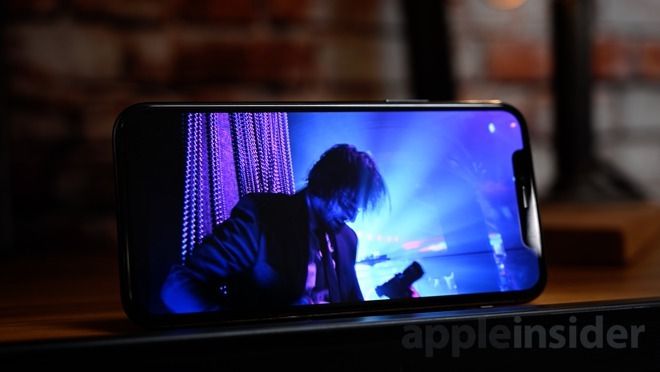
Apple's iPhones have a formidable track record when it comes to the quality of the screen, with the iPhone X and iPhone XS Max OLED panels both securing the coveted titles of the "Best Smartphone Display" when undergoing testing by DisplayMate. For the iPhone 11 Pro Max, its display has once again taken the top ranking.
The iPhone 11 Pro Max OLED Display Technology Shoot-Out report by DisplayMate president Dr. Raymond M. Soniera reveals the latest screen offers a number of improvements over the display used in the iPhone XS Max, including a 71% higher peak brightness of 821 nits for a typical Average Picture Level of 50%, which is said to be an improvement of screen visibility in high ambient light.
For the Home Screen, the iPhone 11 Pro Max now provides a high brightness of 902 nits, again higher than the XS Max. Under a test for HDR Peak Brightness, the iPhone achieved 1,290 nits for the standard HDR 20% APL, and 1,090 nits when the entire screen is set to white with a 100% APL. The power efficiency is also up 15% compared to the testing of the iPhone XS Max.
Along with the improvements, the iPhone 11 Pro Max also set a number of smartphone display records, including the lowest screen reflectance at 4.5%, smallest brightness variation with viewing angle of 25% at 30 degrees, and the highest visible screen resolution of 2.7K.
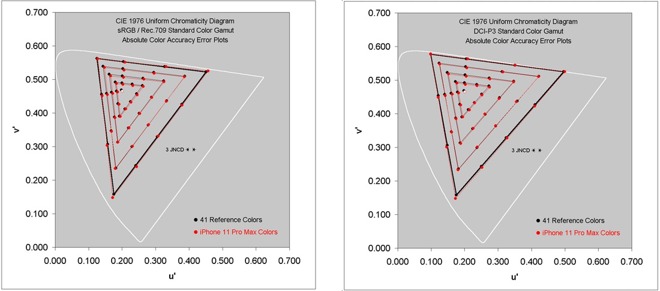
Charts showing the iPhone 11 Pro Max display color accuracy for sRGB and DCI-P3 (source: DisplayMate)
For two categories, the Shift in Color Accuracy with the Image Content APL at 0.3 JNCD (Just Noticeable Color Difference) and the Absolute Color Accuracy of 0.9 JNCD, the display is said to be "Visually Indistinguishable from Perfect," which DisplayMate considers a match or tied performance record with other screens reaching that level.
"Apple has continued to raise the on-screen Absolute Picture Quality and Absolute Color Accuracy of their displays by implementing Precision Factory Display Calibration," writes Soniera, "moving the overall iPhone 11 Pro Max display performance up to record-setting outstanding levels, and setting or matching many display performance records."
The iPhone 11 Pro Max is also deemed to have an "impressive top-tier display with close-to-textbook perfect calibration and performance," and earns the highest ever A+ grade by "providing considerably better display performance than other competing smartphones."
Source: Appleinsider










