 NEWS
NEWS
Apple Music Launches a Public Beta on the Web
 09/06/2019
 3211
3211
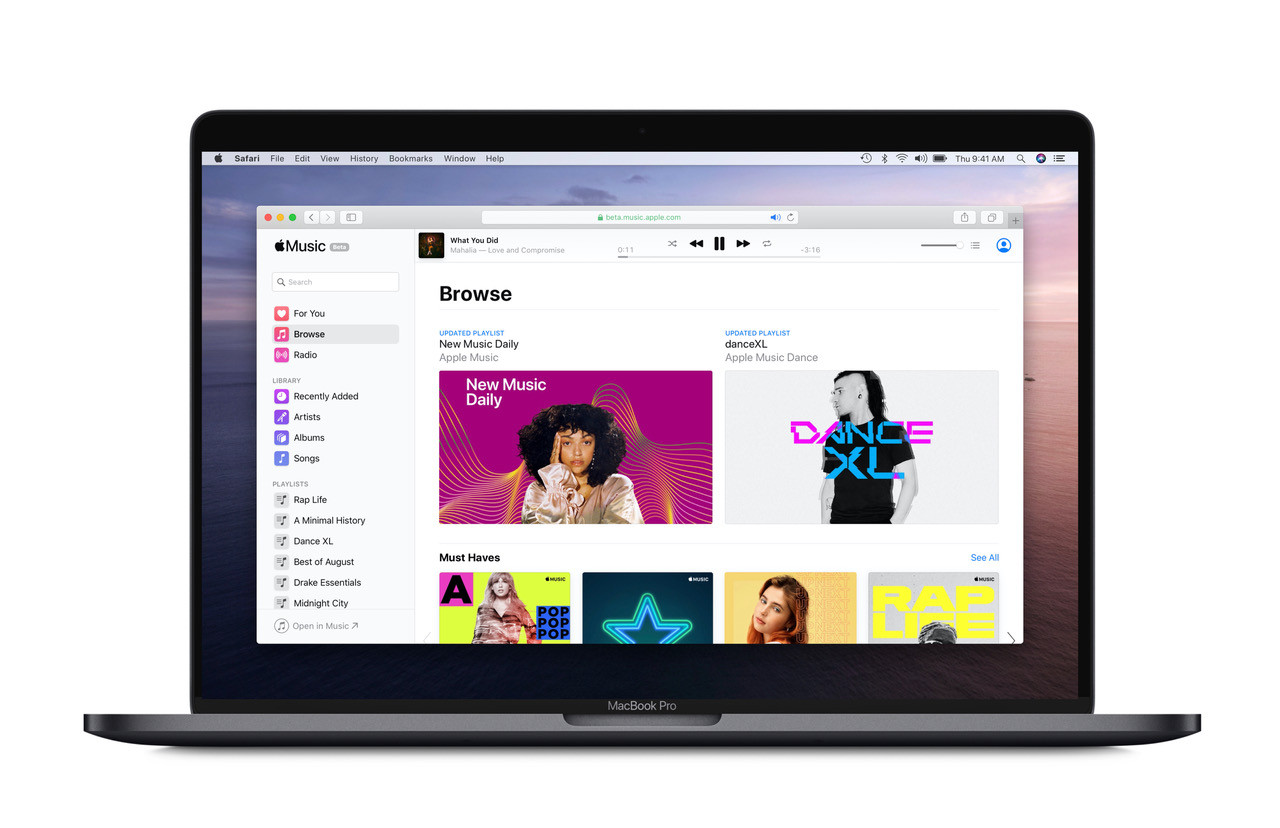
Apple Music is coming to the web. Apple today is launching a public beta of its popular music streaming service on the web, which will be available to all Apple Music subscribers worldwide. This is the first time that Apple Music has been officially offered on the web, though an unofficial app over the past few months has gained attention after attracting hundreds of thousands of users.
Clearly, there was some pent-up demand for a web version of the service.
To use the new Apple Music web version, subscribers can visit the link beta.music.apple.com and sign in with their Apple ID.
At launch, the service includes many core features, like searching and playing songs from the Apple Music catalog, searching and playing songs from your library (if Sync Library is enabled), accessing your playlists and more.
All the main sections from the Apple Music app will also be available, including Library, Search, For You, Browse and Radio. Other features will roll out over time as the service is further developed.
During the beta testing period, Apple will be soliciting feedback from customers as it works on the product to help it streamline features and squash any bugs.
At a later date, new users will be able to sign up for Apple Music through the website. But for the time being, you’ll need to be an existing subscriber who signed up elsewhere.
The web version is now one of several ways Apple is making its music service more accessible across platforms.
The service is already available as an app for iPhone, iPad, Apple TV, Apple Watch and Mac. And at this year’s WWDC 2019 event, Apple announced its plans to dismantle iTunes on the Mac, making Music a standalone app with access to both downloads, library content and Apple Music’s streaming service.
Apple Music is also offered on non-Apple platforms, like Android, Windows, Sonos and Amazon Echo.
Cross-platform availability is essential in today’s streaming market, as Apple Music faces competition from Spotify, Pandora/SiriusXM, Amazon Music, YouTube Music and other local players.
At last count, Spotify had 108 million paying subscribers in the quarter ending in June and Apple Music topped 60 million subscribers in late June.
Source: techcrunch










