 NEWS
NEWS
Apple Maps Gains Detailed Terrain Features for Arizona, New Mexico, and the Nevada Us States
 04/26/2019
 3323
3323
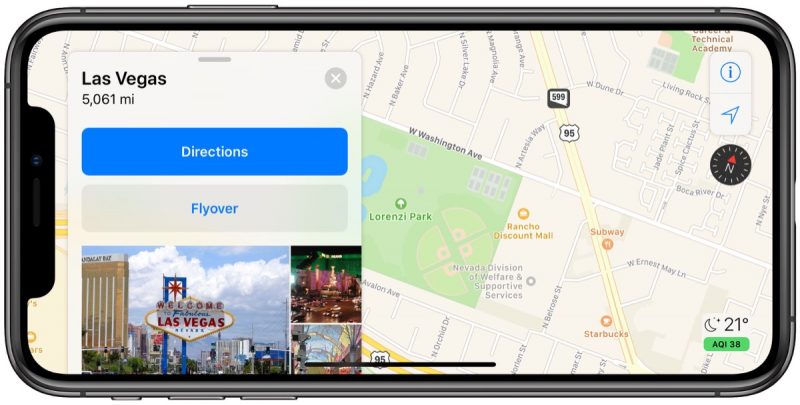
As part of its ongoing effort to rebuild Apple Maps, Apple has added detailed terrain features to the U.S. states of Arizona and New Mexico as well as the southern portion of Nevada, including the city of Las Vegas.
The enhancements are the result of Apple's street-level data collection using LiDAR-equipped vehicles, which has been going on for over three years. Related improvements first rolled out in Northern California in iOS 12 and have extended to Hawaii and Southern California over the past few months.
The overall look and feel of Apple Maps are mostly the same, but zooming and panning reveal more details like grass, trees, sports fields, and parking lots. Apple says search results also become more relevant.
Apple Maps vehicles have been collecting mapping data in the United States since 2015, with over 45 states at least partially surveyed to date. Apple will begin surveying Alaska, South Carolina, and Tennessee between March and July, according to an update to its recently revamped Apple Maps image collection website.
Back in June 2018, Apple said the revamped mapping data would roll out section by section across the rest of the United States over the following year. Since then, a pattern has emerged that appears to show Apple prefers rolling out the updated maps in adjacent continental U.S. states, rather than prioritizing more population-rich regions of the nation like the Northeast.
Our source notes that Apple is also working on an updated appearance for northeastern cities like New York, given that special detailed terrain features can be seen – perhaps unintentionally – when entering turn-by-turn navigation.
Source: MacRumors










