
3uTools is a Collection of Useful Tools Jailbreaking and Flashing Your iOS Devices
 06/09/2023
 22045
22045
How to jailbreak and restore my iPhone, iPad, iPod touch with simple steps? It's really troublesome to download multiple tools to jailbreak or restore my iOS devices running different iOS versions. Any tool can help manage these problems? Now the answer is here.
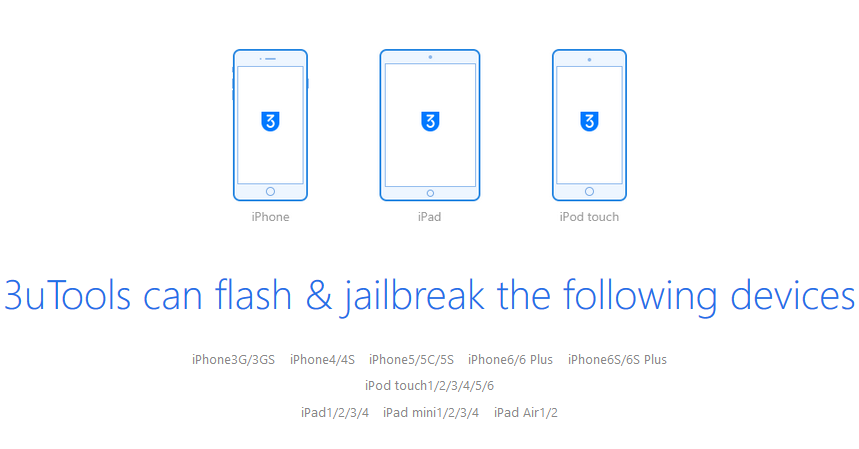
3uTools is a collection of useful tools jailbreaking and flashing your iOS devices. With such a particular tool, you don’t need to install other additional tools manually in the jailbreaking and flashing processes. 3uTools can jailbreak iOS 4.0-4.3.5, 5.0-5.1.1, 6.0-6.1.3, 7.0-7.1.2, 8.0-8.4 and 9.0-9.0.2, and at the same time you can download the available firmware which is compatible to your devices. When there is something wrong with your device’s operating system, you can also use 3uTools restore it within a short time. Some more functions are involved in this tool for you to choose if necessary.
Here is a review by Softpedia’s editor:
3uTools can flash various firmware to your iOS device or jailbreak it by relying on this handy application that comes with several useful functions.
Having an iOS device might require you to modify it in various ways, to bypass certain restrictions and unlock some extra capabilities.
Flashing other firmware versions or jailbreaking might be the answer you are looking for if you find yourself in the above situation, but that requires specialized tools. Therefore, you can rely on dedicated software solutions, such as 3uTools, that comes with a wide variety of useful tools.
Please Note that this application requires iTunes in order to function as intended.
3uTools can easily install application with user-friendly interface.
This program can be installed on your computer with minimum difficulty, as it does not require any additional configuration on your part. It comes with a smooth user interface that encompasses its core functions in a neat manner so that you can access them easily.
However, you need to have medium PC knowledge and a good understanding of flashing firmware and jailbreaking iOS devices, so that you can make use of its capabilities entirely.
You can access simple or advanced flashing capabilities of 3uTools, depending on your needs.
3uTools allows you to flash various firmware versions to your iOS device by providing you with several ways of doing so. It is possible to access a basic flashing tool that only requires you to choose the desired firmware, toggle user data deletion on or off and click the Flash button.
Alternatively, you can opt for a more complex feature that allows you to configure advanced parameters such as SHSH query, activation, System partition size or baseband upgrade skip.
3uTools can jailbreak your iOS device without effort.
Furthermore, you can jailbreak your iOS device in a convenient way if you want to unlock a series of additional, useful capabilities. Achieving that is possible by clicking the corresponding function, choosing a suitable firmware and following the interface instructions.
To sum it up, 3uTools is a collection of useful iOS flashing and jailbreaking tools that comes with a sleek user interface and allows you to operate it effortlessly.
Source: Softpedia









