 NEWS
NEWS
Apple's Hidden Fix For Your MacBook Pro Problems
 12/19/2016
 3784
3784
Before Apple's latest release of macOS, Macbook Pro users were reporting shorter than expected battery life on the new laptops. It was proving difficult for many reviewers to reach Apple's 'up to ten hours' limit as they worked through testing. A consensus was forming that the new laptops could achieve around five to six hours life.
It appeared that Apple's solution to the problem was to stop reporting the battery's estimated time remaining. The update to macOS 10.12.2 removed the indicator showing the hours and minutes left before your battery died. Given the under-clocking and variable power demands placed on the battery by the CPU, GPU, and system architecture, it could be argued that Apple would find it difficult to estimate the battery remaining on a user's unique MacBook Pro set-up. The counter point is that if anyone has the experience and the data, it would be Apple.
In any case, the time remaining indicator was removed to the annoyance of many. It turns out that the blunt force removal of the indicator was balanced out by some surgical software changes that has led to greater battery endurance.
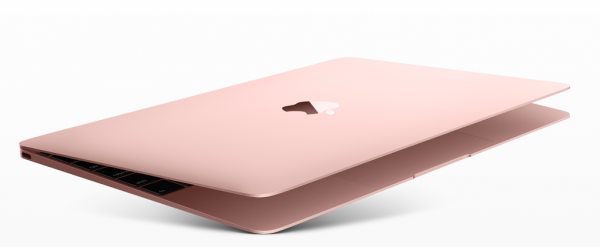
Reports are coming in of longer life on the 2016 MacBook Pro units which have installed the software update. The five to six hour window that many users were previously achieving is no more, with nine to ten hours now a more realistic expectation.
Thanks to third-party battery monitoring software such as Cocount Battery, users have been tracking down where the power is being saved. Initial suggestions are focusing on the idle power demand, with some users reporting a drop from 6 watts to under 4 watts, representing a considerable saving power saving.
As with both the issues and the reported fixes, the sample sets coming in are small and have the possibility of being little more than random noise, but as more users are reporting their own results, the evidence of the fix is building.
Given that Apple did not acknowledge an issue with the battery life of the MacBook Pro, there's no need to acknowledge that a fix has been put in place with this update to macOS. Apple on Tuesday released a significant update for macOS Sierra [10.12.2], fixing a number of issues users had with the Mac operating system. One concern for all users of portable computers is battery life. Some users have reported problems with battery life, but Apple told me that after a lot of testing they stand behind the 10 hour battery life with the new MacBook Pro.
The good news is that users are now getting up to ten hours battery from their MacBook Pros. It's just a shame that the journey to get to this point feels complicated by Apple's opacity.
Source: forbes











