
NEWS

Apple Maps Expands Transit Directions And Lane Guidance in Several Locations

03/01/2018

3891

Apple has today made some improvements to both transit directions and lane guidance in Apple Maps. The company has been making a rapid push to get both of these features out the door and has been looking to expand them in as many cities as possible.


Let’s start with transit directions. The feature originally launched in 2015 in Baltimore, Berlin, Boston, Chicago, London, Los Angeles, Mexico City, New York, Philadelphia, San Francisco, Sydney, Toronto, and around 300 cities in China. The company also added support for several other cities in 2016.


Today, Apple is adding Columbia, Charleston, and Greenville to the list. In retrospect, Google Maps have had transit directions for these locations for several years now.
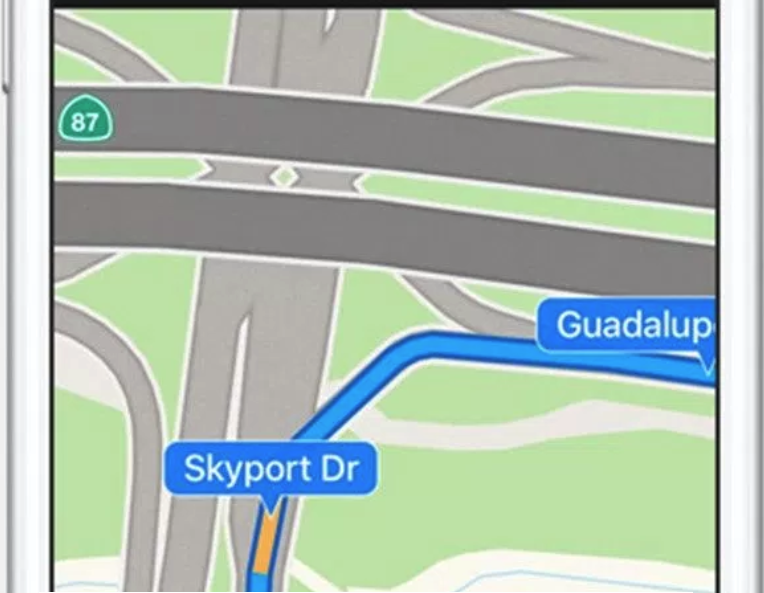

Apple Maps Expands Transit Directions And Lane Guidance in Several Locations


The company is also today expanding its lane guidance feature. The feature originally launched alongside iOS 11 and was only available in the United States and China. However, the company has been rapidly expanding and has added Austria, South Africa, and Switzerland to the list.


In total, lane guidance is now available in the following 14 countries: the United States, Australia, New Zealand, Belgium, Canada, China, France, Germany, the Netherlands, Sweden, and the United Kingdom.


Source: 9to5mac

Windows
Mac OS
iOS
Linux
3uTools
Win 64-bit For this device
V9.0 2025-11-11
Download
Win 32-bit For this device
V9.0 2025-11-11
Download
3uTools
Intel Chip How to Identify Chip Type
V9.0 2025-12-02
Download
Apple Chip
V9.0 2025-12-02
Download
How to Identify Chip Type
1.  Click the Apple icon in the top-left corner of the screen and select About This Mac.
2.  Check the Processor or Chip field to determine if it is "Intel" or "Apple".
Please use the 3uTools PC client to install the iOS client:
1、 Install either the Windows or Mac version of 3uTools on your computer
2、 Open the PC client and connect your device to the computer via USB cable
3、 After the connection is successful, wait for the computer to automatically install the mobile app for the device, or locate “Install Mobile App” on the computer and manually click to install.
3uTools
deb file
V3.01 2025-11-20
Download
rpm file
V3.01 2025-11-20
Download
Windows
Windows
iOS
iOS
Android
Android
TV
TV
3uAirPlayer
Win 64-bit For this device
V6.0.2 2025-11-19
Download
Win 32-bit For this device
V6.0.2 2025-11-19
Download
iOS Device Mirroring (No App Required)
1、 Install 3uAirPlayer on the Windows PC
2、 Open Control Center and select Screen Mirroring
3、 From the list, choose your PC to start mirroring
4、 Or connect your iOS device to the PC via USB to begin mirroring
Scan to get "3uAirPlayer" App
3uAirPlayer TV V1.0.18
2025-11-28
TV System Requirements: Android 7.0 or later
Download the TV installation package, copy it to a USB drive, insert it into your TV or set-top box, then select the file from the home screen to install.




