
NEWS

Apple Let A Knockoff Version Of one Of the World’s Biggest Crypto Wallets Into the App Store

12/12/2017

2459

An unofficial app for the popular MyEtherWallet.com service is being sold for $4.99 in Apple’s iOS App Store. The week-old MyEtherWallet digital wallet app, which is misleadingly named at best, or a scam at worst, rose to the third most popular ranking in the paid finance category over the weekend, where it still resides at the time of publication. The app’s developer is listed as Nam Le, who has no relation to the service and no history with bitcoin (Le’s other apps include a panda warrior game and a fishing game). MyEtherWallet.com is one of the most popular services for storing cryptocurrencies, but it doesn’t have an official app in Apple’s App Store.
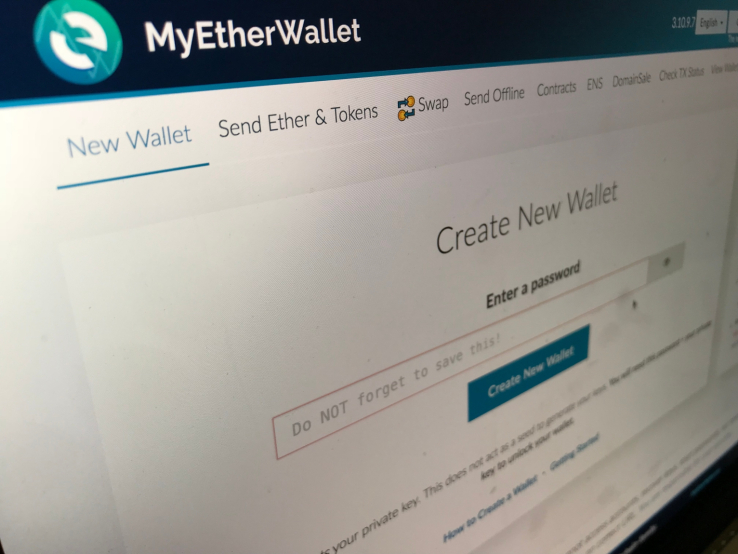

Apple Let A Knockoff Version Of one Of the World’s Biggest Crypto Wallets Into the App Store


A digital wallet is comprised of a public address where money can be sent, and a private key known only by the owner. Le’s app claims to store keys encrypted locally on your device, but turning over your bitcoin to an unknown wallet developer with a purposely misleading name is a risky proposition to say the least.

MyEtherWallet tweeted that it had filed a report with Apple against the app, saying “This is NOT US.”


Bitcoin surged past $15,000 last week and is currently at $16,559, pushed upwards today as futures contracts for the cryptocurrency began trading. Bitcoin’s price is extremely volatile, and has surged 1,600 percent since the beginning of the year. Coinbase, an app that lets users buy cryptocurrency, became the number one downloaded app on the App Store last week.


Source: techcrunch

Windows
Mac OS
iOS
Linux
3uTools
Win 64-bit For this device
V9.01 2025-12-27
Download
Win 32-bit For this device
V9.01 2025-12-27
Download
3uTools
Intel Chip How to Identify Chip Type
V9.01 2025-12-31
Download
Apple Silicon
V9.01 2025-12-31
Download
How to Identify Chip Type
1.  Click the Apple icon in the top-left corner of the screen and select About This Mac.
2.  Check the Processor or Chip field to determine if it is "Intel" or "Apple".
Please use the 3uTools PC client to install the iOS client:
1、 Install either the Windows or Mac version of 3uTools on your computer
2、 Open the PC client and connect your device to the computer via USB cable
3、 After the connection is successful, wait for the computer to automatically install the mobile app for the device, or locate “Install Mobile App” on the computer and manually click to install.
3uTools
deb file
V3.01 2025-11-20
Download
rpm file
V3.01 2025-11-20
Download
Windows
Windows
iOS
iOS
Android
Android
TV
TV
3uAirPlayer
Win 64-bit For this device
V6.0.2 2025-11-19
Download
Win 32-bit For this device
V6.0.2 2025-11-19
Download
iOS Device Mirroring (No App Required)
1、 Install 3uAirPlayer on the Windows PC
2、 Open Control Center and select Screen Mirroring
3、 From the list, choose your PC to start mirroring
4、 Or connect your iOS device to the PC via USB to begin mirroring
Scan to get "3uAirPlayer" App
3uAirPlayer TV V1.0.18
2025-11-28
TV System Requirements: Android 7.0 or later
Download the TV installation package, copy it to a USB drive, insert it into your TV or set-top box, then select the file from the home screen to install.




