
NEWS

Apple Defends the Open Internet in A Letter to The FCC

09/01/2017

2842

Apple told the Federal Communications Commission that it doesn't care what legal structure it uses to protect open internet rules, "but only if they provide for strong, enforceable, and legally sustainable protections, like those in place today."


No fast lanes: Apple focused its comments on the need for rules that allow consumers to reach all lawful online content, including banning ISPs from creating fast lanes.
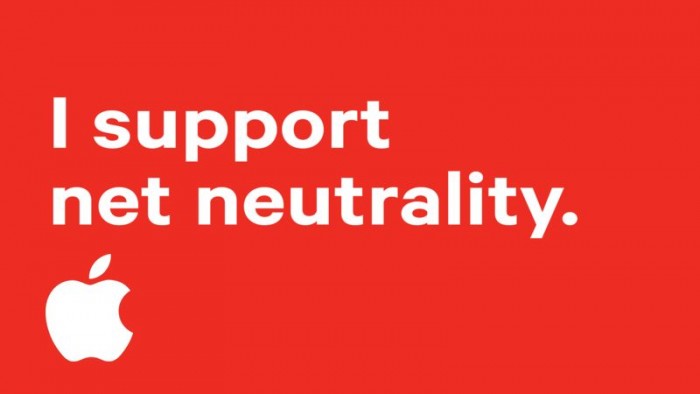

Apple Defends the Open Internet in A Letter to The FCC


"Lifting the current ban on paid prioritization arrangements could allow broadband providers to favor the transmission of one provider's content or services (or the broadband provider's own online content or services) over other online content," Apple said.


Why it matters: This is the first time Apple has formally weighed into this FCC proceeding, which asks for comments on Chairman Pai's plan to roll back the current net neutrality rules. This joins Apple with other tech heavyweights — including Google, Facebook, Netflix and Amazon — in lobbying for strong rules, including a ban no fast lanes, just as the legislative negotiations on this front also start to heat up.


Source: axios

Windows
Mac OS
iOS
Linux
3uTools
Win 64-bit For this device
V9.0 2025-11-11
Download
Win 32-bit For this device
V9.0 2025-11-11
Download
3uTools
Intel Chip How to Identify Chip Type
V9.0 2025-12-02
Download
Apple Silicon
V9.0 2025-12-02
Download
How to Identify Chip Type
1.  Click the Apple icon in the top-left corner of the screen and select About This Mac.
2.  Check the Processor or Chip field to determine if it is "Intel" or "Apple".
Please use the 3uTools PC client to install the iOS client:
1、 Install either the Windows or Mac version of 3uTools on your computer
2、 Open the PC client and connect your device to the computer via USB cable
3、 After the connection is successful, wait for the computer to automatically install the mobile app for the device, or locate “Install Mobile App” on the computer and manually click to install.
3uTools
deb file
V3.01 2025-11-20
Download
rpm file
V3.01 2025-11-20
Download
Windows
Windows
iOS
iOS
Android
Android
TV
TV
3uAirPlayer
Win 64-bit For this device
V6.0.2 2025-11-19
Download
Win 32-bit For this device
V6.0.2 2025-11-19
Download
iOS Device Mirroring (No App Required)
1、 Install 3uAirPlayer on the Windows PC
2、 Open Control Center and select Screen Mirroring
3、 From the list, choose your PC to start mirroring
4、 Or connect your iOS device to the PC via USB to begin mirroring
Scan to get "3uAirPlayer" App
3uAirPlayer TV V1.0.18
2025-11-28
TV System Requirements: Android 7.0 or later
Download the TV installation package, copy it to a USB drive, insert it into your TV or set-top box, then select the file from the home screen to install.




