
NEWS

Apple to Hold Product Launch Event on Sept. 12

08/29/2017

4524

Apple Inc. has scheduled a product-announcement event on Sept. 12, according to people briefed on its plans, reinforcing expectations that the technology giant will release new iPhones and a smartwatch well ahead of the holiday shopping season.
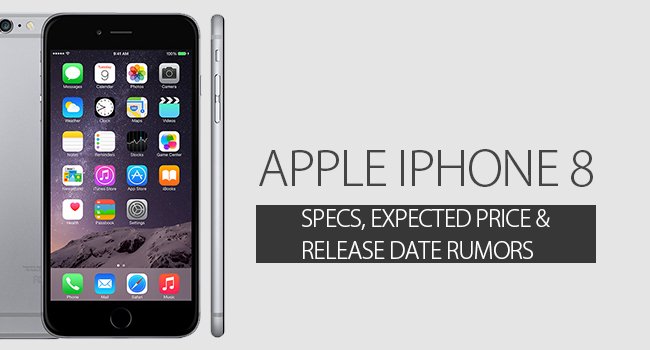

Apple to Hold Product Launch Event on Sept. 12


The Wall Street Journal is reporting that Apple has indeed scheduled an event on September 12. On that date, Apple is set to announce the new iPhone models, as well as cellular Apple Watch and a 4K Apple TV set-top box. We are still waiting for Apple to send out invites to press to make the event official, although it is all but confirmed at this point.


In terms of event location, the report says that the company is ‘aiming to use’ the Steve Jobs Theater in Apple Park for the first time …


The Apple Park location is not set in stone, and depends on construction timelines. Recent drone shots of the theater show that the surrounding areas is still pretty barren in terms of tress and fauna. For the past two years, Apple has used the Bill Graham Civic Auditorium as the venue, so that is the likely fallback plan.


Carriers were apparently informed of the September 12th date last week, allowing them to prepare marketing materials for iPhone preorders.


Source: 9to5mac


Windows
Mac OS
iOS
Linux
3uTools
Win 64-bit For this device
V9.0 2025-11-11
Download
Win 32-bit For this device
V9.0 2025-11-11
Download
3uTools
Intel Chip How to Identify Chip Type
V9.0 2025-12-02
Download
Apple Chip
V9.0 2025-12-02
Download
How to Identify Chip Type
1.  Click the Apple icon in the top-left corner of the screen and select About This Mac.
2.  Check the Processor or Chip field to determine if it is "Intel" or "Apple".
Please use the 3uTools PC client to install the iOS client:
1、 Install either the Windows or Mac version of 3uTools on your computer
2、 Open the PC client and connect your device to the computer via USB cable
3、 After the connection is successful, wait for the computer to automatically install the mobile app for the device, or locate “Install Mobile App” on the computer and manually click to install.
3uTools
deb file
V3.01 2025-11-20
Download
rpm file
V3.01 2025-11-20
Download
Windows
Windows
iOS
iOS
Android
Android
TV
TV
3uAirPlayer
Win 64-bit For this device
V6.0.2 2025-11-19
Download
Win 32-bit For this device
V6.0.2 2025-11-19
Download
iOS Device Mirroring (No App Required)
1、 Install 3uAirPlayer on the Windows PC
2、 Open Control Center and select Screen Mirroring
3、 From the list, choose your PC to start mirroring
4、 Or connect your iOS device to the PC via USB to begin mirroring
Scan to get "3uAirPlayer" App
3uAirPlayer TV V1.0.18
2025-11-28
TV System Requirements: Android 7.0 or later
Download the TV installation package, copy it to a USB drive, insert it into your TV or set-top box, then select the file from the home screen to install.




