 NEWS
NEWS
Apple Seeds Sixth Beta of iOS 11 to Developers
 08/15/2017
 4272
4272
Apple today seeded the sixth beta of iOS 11 to developers for testing purposes, one week after releasing the fifth beta and more than two months after introducing the new update at the Worldwide Developers Conference.
Registered developers can download the sixth beta of iOS 11 from the Apple Developer Center or over-the-air once the proper configuration profile has been installed. 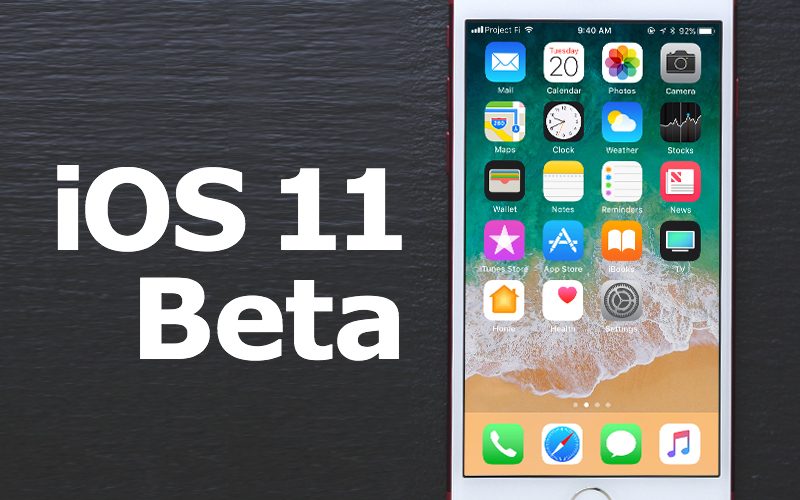
Today's beta brings a fix for an issue that caused the DirecTV app to crash on launch, but introduces a new issue that could cause Audiobus 3 to crash. Launching the App Store no longer stops other audio that's playing, several bugs with Family Sharing features have been fixed, and all phone numbers are now displayed during a multiparty conference call.
There are also fixes for Notes, addressing an issue that caused the app to malfunction when restoring from a backup where the Notes app was deleted and a problem that prevented the Apple Pencil from working when an iOS device was rotated. A new known issue prevents an AT&T data plan purchased on iPad from updating the cellular data number in Settings > General > About.
As for outward-facing changes, there are new icons for the App Store and Maps and the Reminders icon is now fixed with bullet points back on the left instead of the right. There's also no toggle to turn off Auto Brightness in the Display & Brightness section in this beta. Instead, the feature must be toggled off using in Settings > General > Accessibility > Display Accommodations. The app tray in Messages has also been tweaked with the aforementioned new App Store icon. 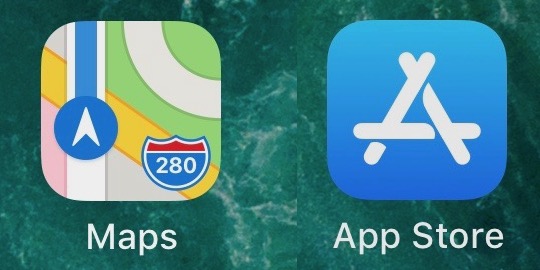
iOS 11 introduces several design changes, including a customizable Control Center and a new Lock screen that's been merged with the Notification Center. Peer-to-peer Apple Pay payments are coming in the Messages app, which is also gaining a new App Drawer, and there's a Do Not Disturb While Driving feature that's meant to help drivers stay focused on the road. Siri, Photos, the Camera app, and more are also gaining new features and refinements.
ARKit for developers will bring a range of new augmented reality apps and games to iOS devices, while a Core ML SDK has the potential to let developers build smarter apps. iOS 11 is also the biggest update ever for the iPad, with a new Dock that introduces much improved multitasking, a Files app for better managing files, improved Apple Pencil support, a revamped App Switcher, and a system-wide drag and drop feature.
iOS 11 is available for both registered developers and public beta testers and will see few weeks of testing ahead of a prospective September release date alongside new iPhones.
For complete details on all of the new features included in iOS 11, make sure to check out our extensive iOS 11 roundup.
Update: The fifth public beta of iOS 11 is now available for public beta testers.
Source: macrumors










