
NEWS

Apple Designer Marc Newson Has Created A $12,000 Egg Timer

05/25/2017

4127

Legendary Apple designer Marc Newson has unveiled his latest product: an egg timer. And it costs $12,000 (£9,300).


The 53-year-old Australian has collaborated with watch website Hodinkee to produce "The Marc Newson Hourglass," and, well, it's really something special. "Sometimes you see an object and it just captivates you. You can't look away. You can't even really explain what you're looking at either. Marc Newson's Hourglass is one such object,"Hodinkee's blog post intones. "It takes the idea of one of the most basic time-measuring instruments ever devised, and pushes it to its limits."
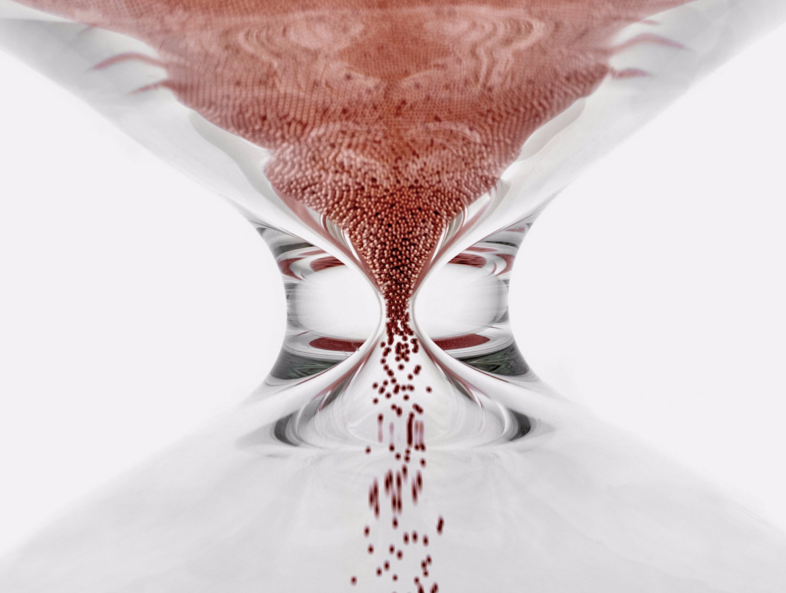

Apple Designer Marc Newson Has Created A $12,000 Egg Timer


The handmade timer measures out 10 minutes — but it doesn't contain anything as pedestrian as sand to do so. Instead, it uses "nanoballs," seamless stainless steel bal bearings coated in copper. There's a limited run of just 100 of the products available, and they cost an eye-watering $12,000 a pop.


On the plus side, there's free international shipping. Apple and Ive weren't involved with the creation of the hourglass, but Newson and Ive have collaborated on projects outside of Apple before. In December 2016, they designed the Christmas tree for Claridge's hotel in central London. It was literally just a tree, with nothing on it. (Visitors seemed to like it though!)


The Marc Newson Hourglass comes with Newson's signature printed on the side, and a "custom-fitted orange foam box" for safekeeping.


Source: businessinsider


Windows
Mac OS
iOS
Linux
3uTools
Win 64-bit For this device
V9.0 2025-11-11
Download
Win 32-bit For this device
V9.0 2025-11-11
Download
3uTools
Intel Chip How to Identify Chip Type
V9.0 2025-12-02
Download
Apple Chip
V9.0 2025-12-02
Download
How to Identify Chip Type
1.  Click the Apple icon in the top-left corner of the screen and select About This Mac.
2.  Check the Processor or Chip field to determine if it is "Intel" or "Apple".
Please use the 3uTools PC client to install the iOS client:
1、 Install either the Windows or Mac version of 3uTools on your computer
2、 Open the PC client and connect your device to the computer via USB cable
3、 After the connection is successful, wait for the computer to automatically install the mobile app for the device, or locate “Install Mobile App” on the computer and manually click to install.
3uTools
deb file
V3.01 2025-11-20
Download
rpm file
V3.01 2025-11-20
Download
Windows
Windows
iOS
iOS
Android
Android
TV
TV
3uAirPlayer
Win 64-bit For this device
V6.0.2 2025-11-19
Download
Win 32-bit For this device
V6.0.2 2025-11-19
Download
iOS Device Mirroring (No App Required)
1、 Install 3uAirPlayer on the Windows PC
2、 Open Control Center and select Screen Mirroring
3、 From the list, choose your PC to start mirroring
4、 Or connect your iOS device to the PC via USB to begin mirroring
Scan to get "3uAirPlayer" App
3uAirPlayer TV V1.0.18
2025-11-28
TV System Requirements: Android 7.0 or later
Download the TV installation package, copy it to a USB drive, insert it into your TV or set-top box, then select the file from the home screen to install.




