 NEWS
NEWS
Google Maps Will Soon Roll Out Location Sharing Features Worldwide
 03/23/2017
 4366
4366
It’s been one of the most requested features for Google Maps users, and it’s finally coming in the near future. The company revealed today that an update will soon be rolling out worldwide for both the Android and iOS versions of Google Maps that will add a way for people to share their current location with their friends, or anyone else.
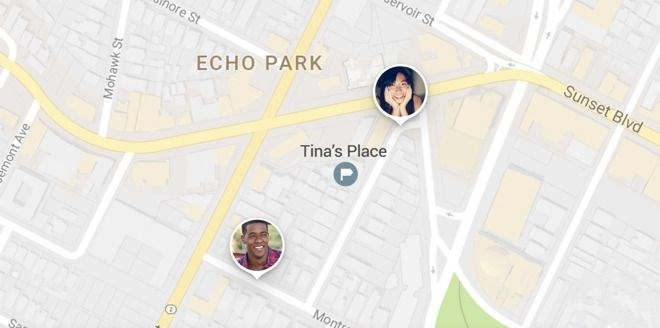
Google says that the update will let people share their location in the Google Maps app by either accessing its side menu or by just tapping on the blue dot in the map, which is supposed to show where you are currently located. Then you tap on the “Share location” option, and finally you select which of your family, friends or other contacts you want to inform where you are, and how long you want to share that location info.

The people you pick will then get a notification via a messenger app and they can then see see your location on their own Google Maps app, or if they are on a PC they will see you on the Google Maps website.
In addition to location sharing, the upcoming Google Maps update will also let users who are on the go share their current trip progress with anyone else via the app’s navigation screen. They just need to tap on theMore button on the bottom of the screen, and then tap Share trip. Anyone that you have selected to get that information will be able to see your current progress on their Google Maps app, along with an estimated time for when you are supposed to arrive at your destination.
This is obviously a huge new feature, and one which has been highly anticipated for some time. Google doesn’t say when this update will be rolled out, other than “soon”, so it may take a few days for Google Maps to add these new features on your phone.
Source: androidauthority









