NEWS

Apple Issues Sixth Betas of watchOS 3.2, tvOS 10.2 to Developers

03/15/2017

3260

Apple Issues Sixth Betas of watchOS 3.2, tvOS 10.2 to Developers


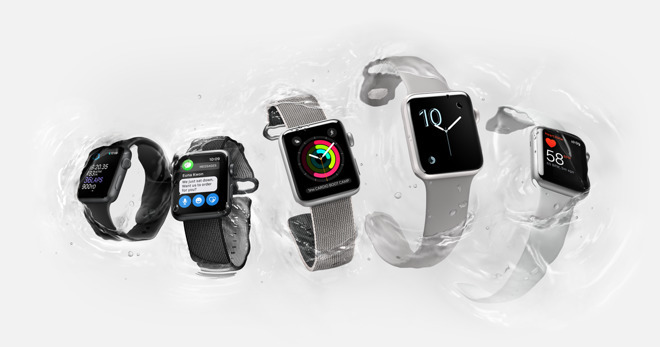
watchOS 3.2 beta 6 is identified as build 14V5245a, while tvOS 10.2 beta 6 is build 14W5264a. Unlike macOS and iOS, the Apple Watch and Apple TV betas are developer-only, as Apple does not offer a public beta program for those platforms.

The new releases arrive 
less than a week after the fifth developer betas were provided. Increasing frequency of beta releases is often a sign that a public launch is close.

watchOS 3.2 betas have included a 
new theater mode that allows users to prevent the screen from automatically turning on when their wrist is raised. It will also provide developers with SiriKit support, enabling apps to integrate more directly with the voice-driven personal assistant.

tvOS 10.2 betas have added accelerated scrolling, support for the Device Enrollment Program, and wider mobile device management options. The full tvOS 10.2 release is also expected to implement support for the 
VideoToolbox framework, which allows apps to tap into hardware-accelerated encoding and decoding functions.


Source: appleinsider

Windows
Mac OS
iOS
Linux
3uTools
Win 64-bit For this device
V9.0 2025-11-11
Download
Win 32-bit For this device
V9.0 2025-11-11
Download
3uTools
Intel Chip How to Identify Chip Type
V9.0 2025-12-02
Download
Apple Silicon
V9.0 2025-12-02
Download
How to Identify Chip Type
1.  Click the Apple icon in the top-left corner of the screen and select About This Mac.
2.  Check the Processor or Chip field to determine if it is "Intel" or "Apple".
Please use the 3uTools PC client to install the iOS client:
1、 Install either the Windows or Mac version of 3uTools on your computer
2、 Open the PC client and connect your device to the computer via USB cable
3、 After the connection is successful, wait for the computer to automatically install the mobile app for the device, or locate “Install Mobile App” on the computer and manually click to install.
3uTools
deb file
V3.01 2025-11-20
Download
rpm file
V3.01 2025-11-20
Download
Windows
Windows
iOS
iOS
Android
Android
TV
TV
3uAirPlayer
Win 64-bit For this device
V6.0.2 2025-11-19
Download
Win 32-bit For this device
V6.0.2 2025-11-19
Download
iOS Device Mirroring (No App Required)
1、 Install 3uAirPlayer on the Windows PC
2、 Open Control Center and select Screen Mirroring
3、 From the list, choose your PC to start mirroring
4、 Or connect your iOS device to the PC via USB to begin mirroring
Scan to get "3uAirPlayer" App
3uAirPlayer TV V1.0.18
2025-11-28
TV System Requirements: Android 7.0 or later
Download the TV installation package, copy it to a USB drive, insert it into your TV or set-top box, then select the file from the home screen to install.