 NEWS
NEWS
Lawsuit Alleges Racial Profiling at Bethesda Apple Store
 03/09/2017
 4270
4270
Two Maryland men are seeking $12 million in damages from Apple, alleging employees at the Bethesda Row Apple store racially profiled them.
The men—Deandre Simmons, 37, of Baltimore and Darius Green, 29, of Greenbelt—filed the lawsuit Friday in U.S. District Court in Greenbelt. The lawsuit contains six counts—ranging from racial profiling to the negligent hiring and training of employees. The men have requested a jury trial.
The men allege they entered the Apple store around 5 p.m. June 17 and placed their names on a customer service list because they wanted to buy new phones. While waiting to be called, the men, who are both black, say they “were subjected to constant stares and glares by Apple Store employees,” according to the complaint.
About 20 minutes later, the men were called to the counter and they purchased two iPhone 6s phones for $793 each. Their D.C.-based attorney, Torrance Colvin, told Bethesda Beat on Monday that Simmons and Green used their credit cards and showed their IDs to the store employee during the transaction. Simmons and Green are partners in a construction business.
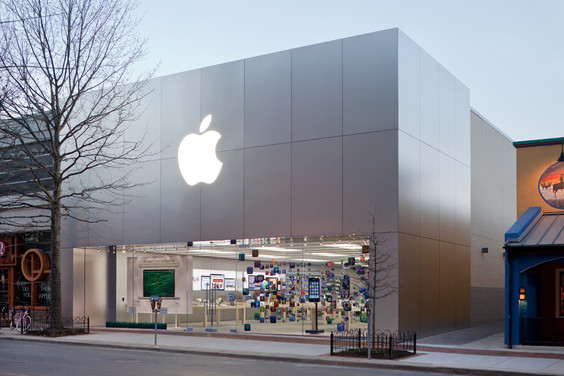
Simmons and Green felt “ridiculed and harassed,” according to the complaint. The officers reportedly told the men that Apple store employees had called police because they were concerned about possible fraudulent activity.
Montgomery County police spokesman Rick Goodale confirmed Monday that police were called to the Apple store by an employee around 5:12 p.m. June 17 about a possible fraud in progress.
The men were questioned by police for about an hour, according to the complaint. Green was arrested on an outstanding warrant due to an unrelated offense, according to Colvin, while Simmons was released. The unrelated offense appears to be a traffic offense in Charles County, according to Maryland court records, although Colvin would not elaborate when asked about it. While the men were interviewed by police, the Apple employees did not attempt to tell the officers that the pair had made a legitimate purchase inside the store.
“The individuals who called the officers were there and could have said ‘We made a mistake’,” Colvin said. “But they didn’t do that. Instead they said nothing.”California-based Apple did not respond to an email sent Monday asking for comment about the lawsuit. The lawsuit alleges that similar complaints from around the world involving Apple “suggest a pattern of racially biased policies and practices” against black customers.“From what we’ve seen, there exists somewhat of a policy regarding Apple doing this to other customers,” Colvin said. “We want to ensure it doesn’t occur to other unsuspecting individuals.”
Source: bethesdamagazine










