
NEWS

Foldable iPhone and Samsung's Galaxy Z Fold 8 Both Expected to Have 'Crease-Free' Screen

07/18/2025

1215

It looks like Apple's foldable iPhone will have some "crease-free" competition.
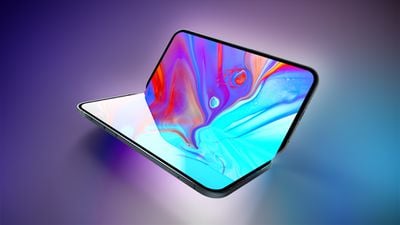
Foldable iPhone and Samsung's Galaxy Z Fold 8 Both Expected to Have 'Crease-Free' Screen
Apple supply chain analyst Ming-Chi Kuo today said Samsung's next-generation Galaxy Z Fold 8 will use the same laser-drilled metal display plate as the foldable iPhone, with the component to be supplied by South Korean company Fine M-Tec.

Samsung's new Galaxy Z Fold 7 still has a visible crease in the middle of its inner screen. However, Kuo said that Apple's stricter crease-free requirement for the foldable iPhone has essentially raised the bar for foldable devices, so it sounds like next year's Galaxy Z Fold 8 will feature a "crease-free" screen as well.

Earlier this week, Kuo said the laser-drilled metal plate can disperse the stress generated by bending, allowing for a "crease-free" screen.aThe foldable iPhone's inner screen will be supplied by Samsung, according to Kuo, but it is the Fine M-Tec plate that will enable the "crease-free" feat.

Kuo said Apple is aiming to start mass production of the foldable iPhone in the second half of 2026, so the device should finally launch next year. He expects the device to have a 7.8-inch inner display, a 5.5-inch outer display, two rear cameras, one front camera, and a Touch ID power button instead of Face ID.

Source: Macrumors

Windows
Mac OS
iOS
Linux
3uTools
Win 64-bit For this device
V9.0 2025-11-11
Download
Win 32-bit For this device
V9.0 2025-11-11
Download
3uTools
Intel Chip How to Identify Chip Type
V9.0 2025-12-02
Download
Apple Chip
V9.0 2025-12-02
Download
How to Identify Chip Type
1.  Click the Apple icon in the top-left corner of the screen and select About This Mac.
2.  Check the Processor or Chip field to determine if it is "Intel" or "Apple".
Please use the 3uTools PC client to install the iOS client:
1、 Install either the Windows or Mac version of 3uTools on your computer
2、 Open the PC client and connect your device to the computer via USB cable
3、 After the connection is successful, wait for the computer to automatically install the mobile app for the device, or locate “Install Mobile App” on the computer and manually click to install.
3uTools
deb file
V3.01 2025-11-20
Download
rpm file
V3.01 2025-11-20
Download
Windows
Windows
iOS
iOS
Android
Android
TV
TV
3uAirPlayer
Win 64-bit For this device
V6.0.2 2025-11-19
Download
Win 32-bit For this device
V6.0.2 2025-11-19
Download
iOS Device Mirroring (No App Required)
1、 Install 3uAirPlayer on the Windows PC
2、 Open Control Center and select Screen Mirroring
3、 From the list, choose your PC to start mirroring
4、 Or connect your iOS device to the PC via USB to begin mirroring
Scan to get "3uAirPlayer" App
3uAirPlayer TV V1.0.18
2025-11-28
TV System Requirements: Android 7.0 or later
Download the TV installation package, copy it to a USB drive, insert it into your TV or set-top box, then select the file from the home screen to install.




