
NEWS

Apple to Open First Argentinian Apple Store in Buenos Aires in 2018

02/24/2017

4014

Apple is planning to open an Apple Store in Buenos Aires in 2018, according to Gizmodo en Español. The store will be Apple's first official retail location in Argentina, but it is not yet clear where it will be located in the city. 

As Apple plans to open its first store in Argentina, several third-party retailers will also start selling Apple products. Starting in 2017, electronics chain Frávega will open 15 store-within-a-store locations that offer a range of Apple products. It is not known, however, if the Frávega locations will be offering the iPhone. 
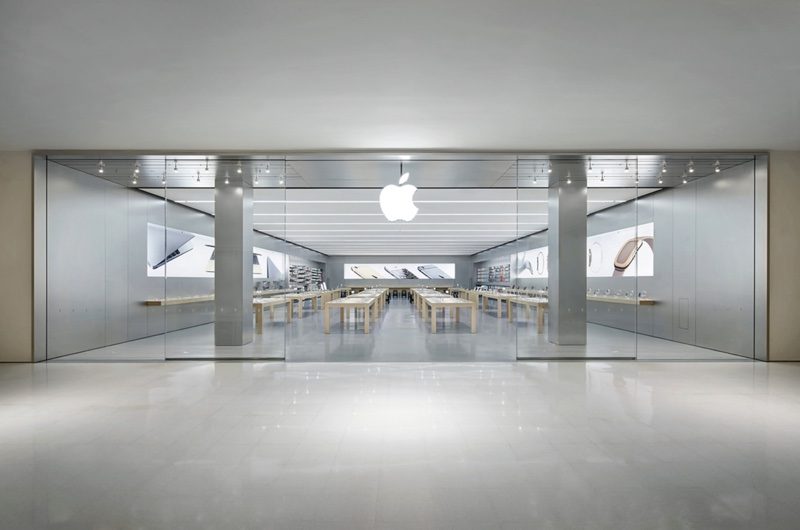

Apple to Open First Argentinian Apple Store in Buenos Aires in 2018


At the current point in time, Apple products are exorbitantly expensive in Argentina due to taxes, tariffs, and inflation. Products sell for up to three times as much in Argentina as they do in the United States. The entry-level iPad Pro, for example, sells for $1,418 (22,149 pesos) compared to $599 in the U.S. 

Argentina 
just announced plans to remove a 35 percent import tariff on computers, laptops, and tablets, which, along with a local Apple Store, could lower prices for Argentinian Apple customers. 

Apple retail stores have been slow to roll out in Latin America. Apple has two stores in Brazil and just recently opened its 
first Apple Store in Mexico City. Apple is rumored to be planning to open additional stores in Mexico in Guadalajara and Monterrey, along with locations in Chile and Peru.


Source: Macrumors

Windows
Mac OS
iOS
Linux
3uTools
Win 64-bit For this device
V9.0 2025-11-11
Download
Win 32-bit For this device
V9.0 2025-11-11
Download
3uTools
Intel Chip How to Identify Chip Type
V9.0 2025-12-02
Download
Apple Silicon
V9.0 2025-12-02
Download
How to Identify Chip Type
1.  Click the Apple icon in the top-left corner of the screen and select About This Mac.
2.  Check the Processor or Chip field to determine if it is "Intel" or "Apple".
Please use the 3uTools PC client to install the iOS client:
1、 Install either the Windows or Mac version of 3uTools on your computer
2、 Open the PC client and connect your device to the computer via USB cable
3、 After the connection is successful, wait for the computer to automatically install the mobile app for the device, or locate “Install Mobile App” on the computer and manually click to install.
3uTools
deb file
V3.01 2025-11-20
Download
rpm file
V3.01 2025-11-20
Download
Windows
Windows
iOS
iOS
Android
Android
TV
TV
3uAirPlayer
Win 64-bit For this device
V6.0.2 2025-11-19
Download
Win 32-bit For this device
V6.0.2 2025-11-19
Download
iOS Device Mirroring (No App Required)
1、 Install 3uAirPlayer on the Windows PC
2、 Open Control Center and select Screen Mirroring
3、 From the list, choose your PC to start mirroring
4、 Or connect your iOS device to the PC via USB to begin mirroring
Scan to get "3uAirPlayer" App
3uAirPlayer TV V1.0.18
2025-11-28
TV System Requirements: Android 7.0 or later
Download the TV installation package, copy it to a USB drive, insert it into your TV or set-top box, then select the file from the home screen to install.




