
NEWS

Apple Consider Swooping in on Toshiba's Flash memory Business

02/23/2017

3510

Apple, Foxconn, and TSMC are among a group of over 10 companies hoping to win a majority stake in Toshiba's flash memory business, reports say.


Some other bidders include Microsoft, SK Hynix, Micron Technology, and Western Digital, according to DigiTimes, quoting Japan's Nikkei. The latter noted that Toshiba is asking bidders to value its operations at about 2 trillion yen ($17.6 billion), and make at least a 50 percent investment.


The Toshiba board is expected to hold a final meeting on the sale on Friday, then organize an emergency shareholders' meeting in March before an official decision on whether to go ahead later that month. Share sales would only begin in April at the earliest, but could be a fait accompli by the end of May.


The outcome of the sale could have a major effect on Apple— Toshiba remains the largest supplier of memory for the iPhone, according to Nikkei.
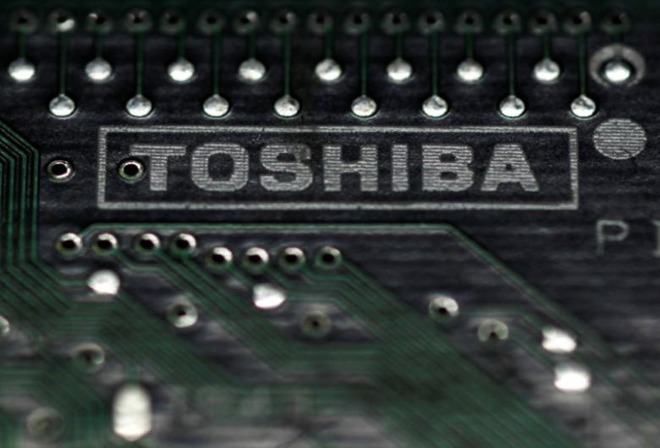

Apple Consider Swooping in on Toshiba's Flash memory Business


On Feb. 14, Toshiba revealed that its net worth would drop to 150 billion yen (minus $1.3 billion) without radical action, owing to problems like its accountancy scandal and billions of dollars in losses on its nuclear operations.


Investment by Apple or one of its key suppliers could be useful to the former's bottom line, potentially locking up memory shipments while keeping prices low. The company is constantly working to maximize profit margins, often by putting pressure on suppliers to offer better deals.


Source: appleinsider


Windows
Mac OS
iOS
Linux
3uTools
Win 64-bit For this device
V9.0 2025-11-11
Download
Win 32-bit For this device
V9.0 2025-11-11
Download
3uTools
Intel Chip How to Identify Chip Type
V9.0 2025-12-02
Download
Apple Chip
V9.0 2025-12-02
Download
How to Identify Chip Type
1.  Click the Apple icon in the top-left corner of the screen and select About This Mac.
2.  Check the Processor or Chip field to determine if it is "Intel" or "Apple".
Please use the 3uTools PC client to install the iOS client:
1、 Install either the Windows or Mac version of 3uTools on your computer
2、 Open the PC client and connect your device to the computer via USB cable
3、 After the connection is successful, wait for the computer to automatically install the mobile app for the device, or locate “Install Mobile App” on the computer and manually click to install.
3uTools
deb file
V3.01 2025-11-20
Download
rpm file
V3.01 2025-11-20
Download
Windows
Windows
iOS
iOS
Android
Android
TV
TV
3uAirPlayer
Win 64-bit For this device
V6.0.2 2025-11-19
Download
Win 32-bit For this device
V6.0.2 2025-11-19
Download
iOS Device Mirroring (No App Required)
1、 Install 3uAirPlayer on the Windows PC
2、 Open Control Center and select Screen Mirroring
3、 From the list, choose your PC to start mirroring
4、 Or connect your iOS device to the PC via USB to begin mirroring
Scan to get "3uAirPlayer" App
3uAirPlayer TV V1.0.18
2025-11-28
TV System Requirements: Android 7.0 or later
Download the TV installation package, copy it to a USB drive, insert it into your TV or set-top box, then select the file from the home screen to install.





