 NEWS
NEWS
Apple Co-founder Steve Wozniak Speaks at Augsburg
 02/20/2017
 5044
5044
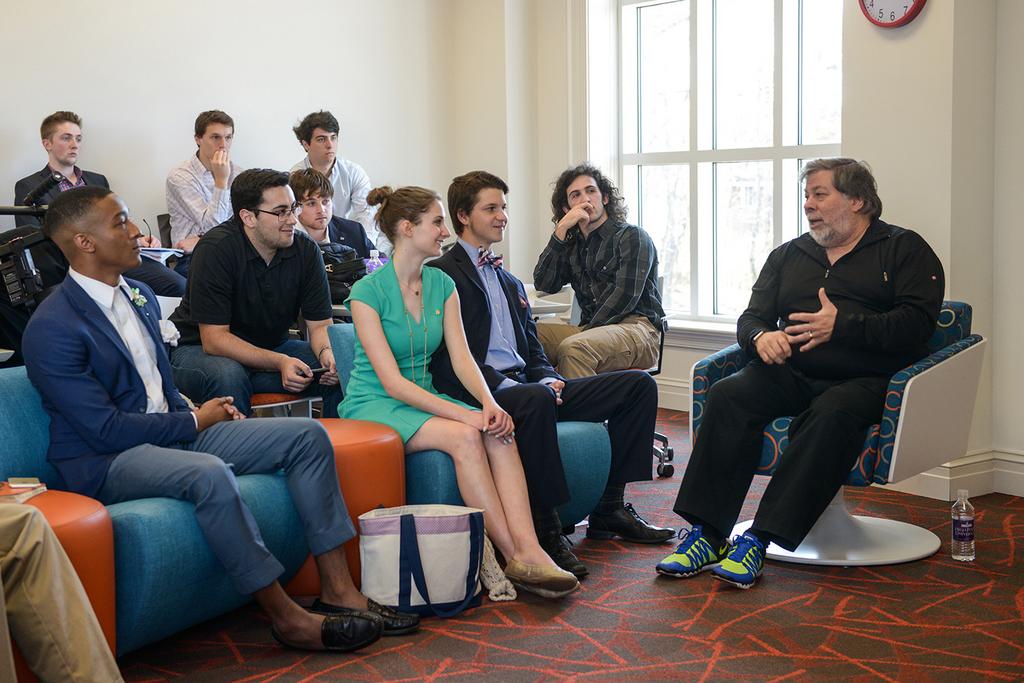
Steve Jobs may have been the face of Apple Inc., but the tech giant's co-founder, Steve Wozniak, was the mastermind behind the company's first breakthrough computers.
Wozniak, then a young Silicon Valley engineer, had spent years tinkering with electronics — building his own circuit boards as a child — before hooking up with Jobs. It was Wozniak's personal interest in the way machines worked, rather than academia, that would launch his early innovations — and later, Apple as we know it.
"My whole life has been teaching myself things that were not learned in school," he told a packed auditorium at Augsburg College on Saturday during the university's annual Scholarship Weekend. "More important than learning, more important than knowledge, is motivation."
Wozniak, wearing a black suit paired with bright blue and green Nike sneakers, encouraged students to go beyond the classroom and launch their own passion projects. His presentation, entitled "Learn Different," anchored a public discussion about innovation, creativity and education in an increasingly connected world.
While studying at the University of California at Berkeley, Wozniak designed a video arcade game and collaborated with his younger pal Jobs to market it. Jobs, ever the salesman, brought it to Atari, which then offered him a job.
"I think they thought he did it," Wozniak quipped about his late business partner.
Using a family garage as their workshop, the duo spent their days producing a user-friendly alternative to the clunky IBMs. Wozniak designed the operating system for Apple I, originally offering the project to his employers at Hewlett-Packard, who turned him down. The rejection would seal his business relationship with Jobs in 1976, when they unveiled the Apple enterprise.
He also personally developed Apple II, which transformed the personal computing industry and established Apple as a technology powerhouse.
Looking back, Wozniak said part of his success came from simply forcing himself to put pencil to paper, over and over again.
"Creativity is a willingness to think very differently," he said. "Not knowing how to do something means sitting down to figure it out."
Elizabeth Whalen, a freshman music therapy major at Augsburg, praised Wozniak's message about persistence, but said she found the jargon-filled speech too narrowly focused toward those in technology fields.
"I'm not going to buy [computer] chips," she said.
But Brycen Vilmain, a freshman at Alexandria Tech who aspires to work in manufacturing, said he found the talk inspirational for those looking to maximize their potential.
"They're not just a company that makes software. They're in your pocket," he said, slipping out an iPhone. "It's a part of you."
Source: startribune










