 NEWS
NEWS
WhatsApp For iOS Planning To Revamp Chat List Design In Future Update
 01/11/2022
 3199
3199
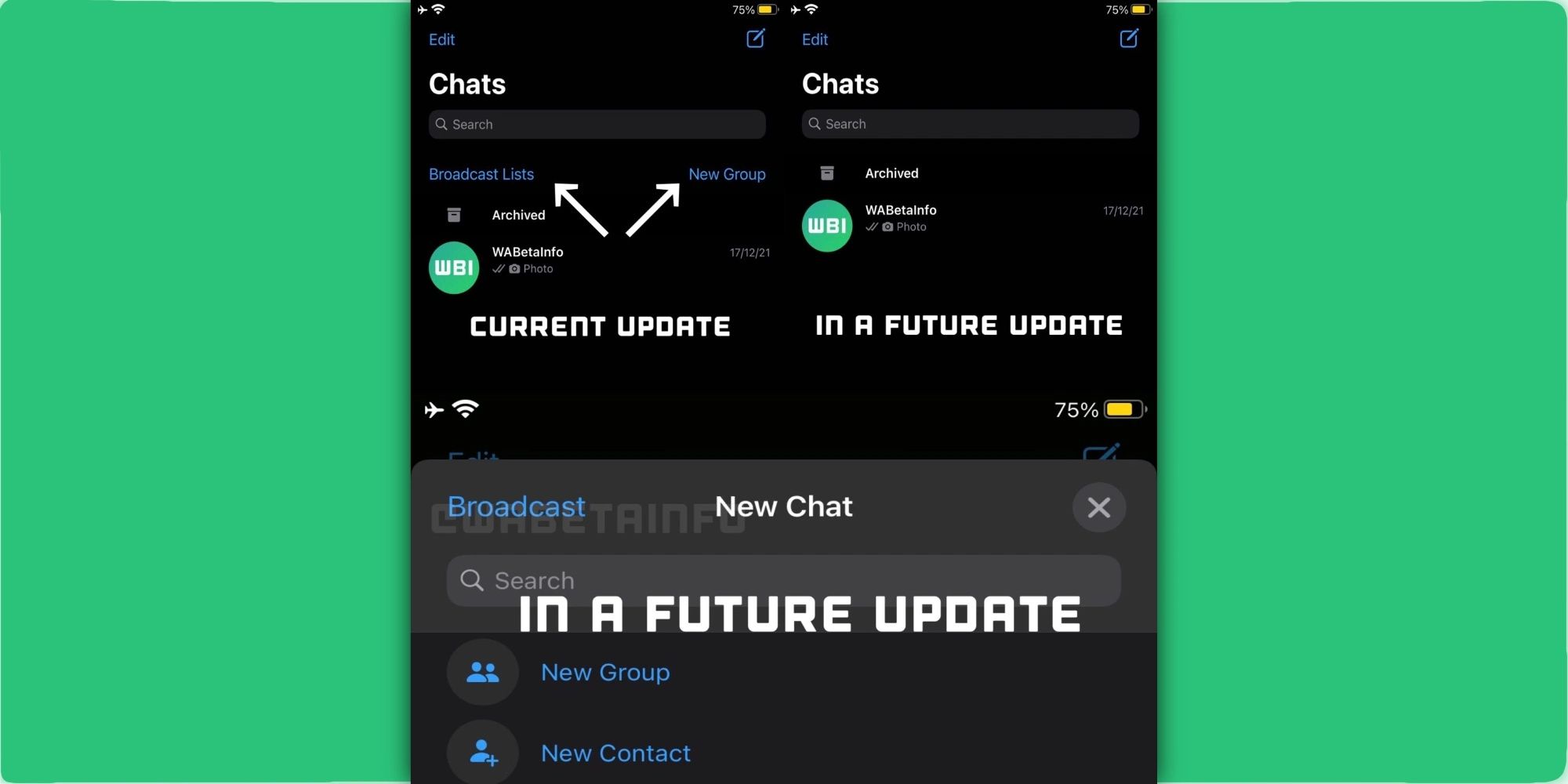
There are more changes coming to WhatsApp for iOS in the following updates as the app is testing a revamped chat list design for a clearer UI. With that, the application is planning to remove certain UI elements.
As reported by WABetaInfo, WhatsApp wants to improve its chat list page with a clearer design. For example, WhatsApp’s team has removed in version 22.1.71 the “Broadcast Lists” and “New Group” options.
WABetaInfo notes that these options are placed in the app for years but as users can already create new groups when starting a new chat, the app would only need to replace the “Broadcast” option, which is what WhatsApp is doing with this beta version.
According to the publication, in a future update, WhatsApp will bring a new entry point for “Broadcast” within the user’s contact list, which will be available when the user taps the same button “Start New Chat” at the top right.
In these past few days, WhatsApp has also started testing new tweaks for the app. In a future update, the app is set to add your contacts’ profile photos in notifications whenever someone sends you a message. With that, every time you receive a new notification on WhatsApp, the name of the contact will appear as well as their profile picture.
Not only that, but WhatsApp also wants to differentiate whether someone replied or mentioned you in a group chat. For example, currently, if someone replies to you in a group, you get a notification saying that someone replied to you. Now, with this beta version, WhatsApp also acknowledges when someone mentioned you in a group chat as well.
If you’re not familiar with WhatsApp, it lets you reply to someone by sliding your finger from left to right in a message. Being mentioned, on the other hand, needs the user to write “@” then your name in a group chat.
Source: 9to5Mac










