NEWS

Rumor Suggests New Apple TV 4K With A12X Chip is 'Ready to Ship'

05/08/2020

2718

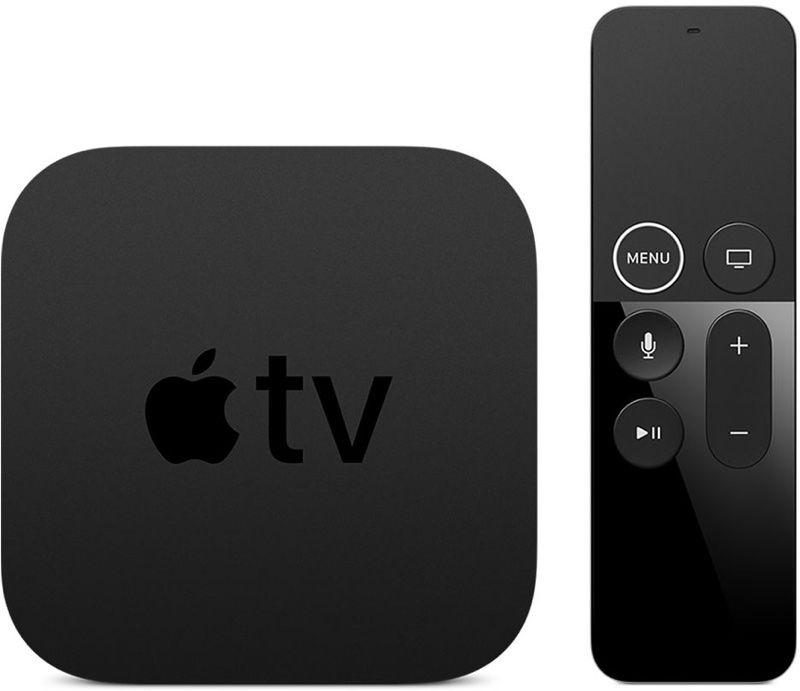
Multiple rumors have indicated that Apple is working on a refreshed version of the Apple TV, and today, leaker Jon Prosser said that an updated 4K ‌Apple TV‌ model is "ready to ship."

Rumor Suggests New Apple TV 4K With A12X Chip is 'Ready to Ship'
According to Prosser, the ‌Apple TV‌ 4K will feature an A12X chip and 64 or 128GB storage options. The new ‌Apple TV‌ 4K could "drop any time," but Prosser does not know details on a specific launch date.


Signs of a new ‌Apple TV‌ were spotted in the iOS 13.4 beta in January, and at the time, it was believed it would feature an A12 chip. Prior rumors also suggested the same 64 and 128GB storage sizes mentioned by Prosser.


Beyond the new processor, we're not expecting major changes to the ‌Apple TV‌. There have been signs of a new ‌Apple TV‌ with an updated remote in leaked iOS 14 code, but it's not clear if the new ‌Apple TV‌ that's rumored to be coming soon will feature remote control updates.


Prosser this week also said that Apple has a new iMac and AirPods ready to ship, but he did not provide additional details on these particular products.


Source: Macrumors

Windows
Mac OS
iOS
Linux
3uTools
Win 64-bit For this device
V9.0 2025-11-11
Download
Win 32-bit For this device
V9.0 2025-11-11
Download
3uTools
Intel Chip How to Identify Chip Type
V9.0 2025-12-02
Download
Apple Chip
V9.0 2025-12-02
Download
How to Identify Chip Type
1.  Click the Apple icon in the top-left corner of the screen and select About This Mac.
2.  Check the Processor or Chip field to determine if it is "Intel" or "Apple".
Please use the 3uTools PC client to install the iOS client:
1、 Install either the Windows or Mac version of 3uTools on your computer
2、 Open the PC client and connect your device to the computer via USB cable
3、 After the connection is successful, wait for the computer to automatically install the mobile app for the device, or locate “Install Mobile App” on the computer and manually click to install.
3uTools
deb file
V3.01 2025-11-20
Download
rpm file
V3.01 2025-11-20
Download
Windows
Windows
iOS
iOS
Android
Android
TV
TV
3uAirPlayer
Win 64-bit For this device
V6.0.2 2025-11-19
Download
Win 32-bit For this device
V6.0.2 2025-11-19
Download
iOS Device Mirroring (No App Required)
1、 Install 3uAirPlayer on the Windows PC
2、 Open Control Center and select Screen Mirroring
3、 From the list, choose your PC to start mirroring
4、 Or connect your iOS device to the PC via USB to begin mirroring
Scan to get "3uAirPlayer" App
3uAirPlayer TV V1.0.18
2025-11-28
TV System Requirements: Android 7.0 or later
Download the TV installation package, copy it to a USB drive, insert it into your TV or set-top box, then select the file from the home screen to install.