 TUTORIALS
Fix 3uAirPlayer Requiring Login Every Time You Launch
 03/04/2026
 2761
2761
When 3uAirPlayer asks you to log in every time you open the app, you can resolve the issue by enabling Stay Logged In in Settings. Follow the steps below:
Step 1: Open General Settings
Launch 3uAirPlayer, click the menu (three-line icon) in the upper-right corner, and select General from the dropdown to enter the General settings page.
Step 2: Enable “Stay Logged In”
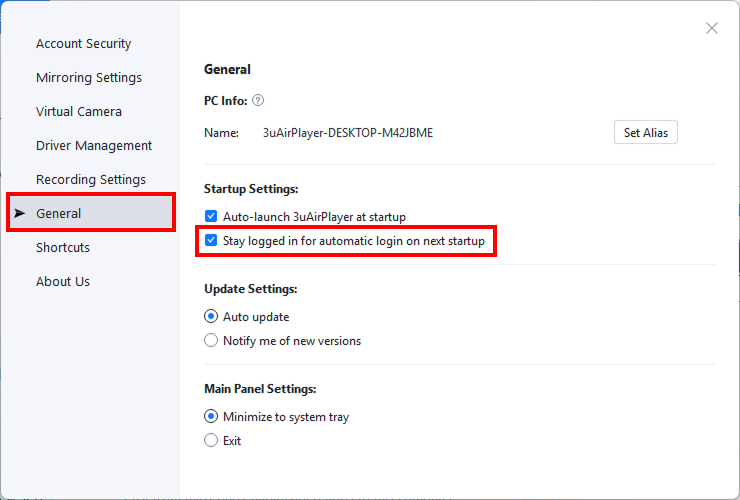
In the General settings page, locate the Startup Settings and check: Stay logged in for automatic login on next startup
Step 3: Save and Verify
After enabling the setting:
• Exit 3uAirPlayer
• Relaunch the software
The app will now remain logged in automatically, and you will no longer need to enter your account credentials each time you open it.










