 TUTORIALS
How to Fix “Please Repair the Bonjour Service” in 3uAirPlayer
 03/03/2026
 1991
1991
How to Fix “Please Repair the Bonjour Service” in 3uAirPlayer
If you see the “Please repair the Bonjour service” prompt when casting from an Apple device, follow these steps:
Step 1: Open the Driver Check
Launch 3uAirPlayer and click Settings in the top-right corner of the main interface.
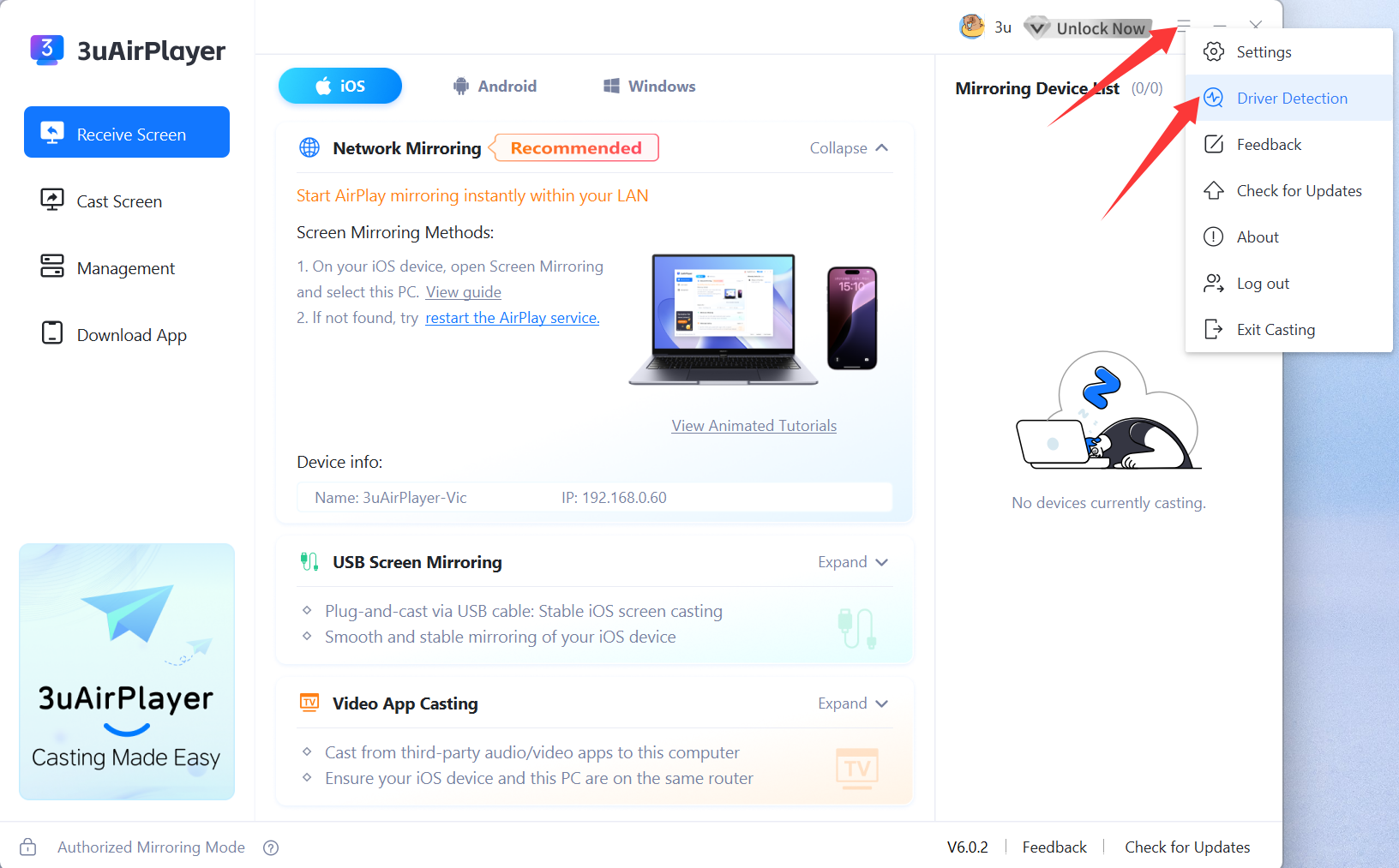
Find and open Driver Detection to access the detection page.
Step 2: Run a full driver scan
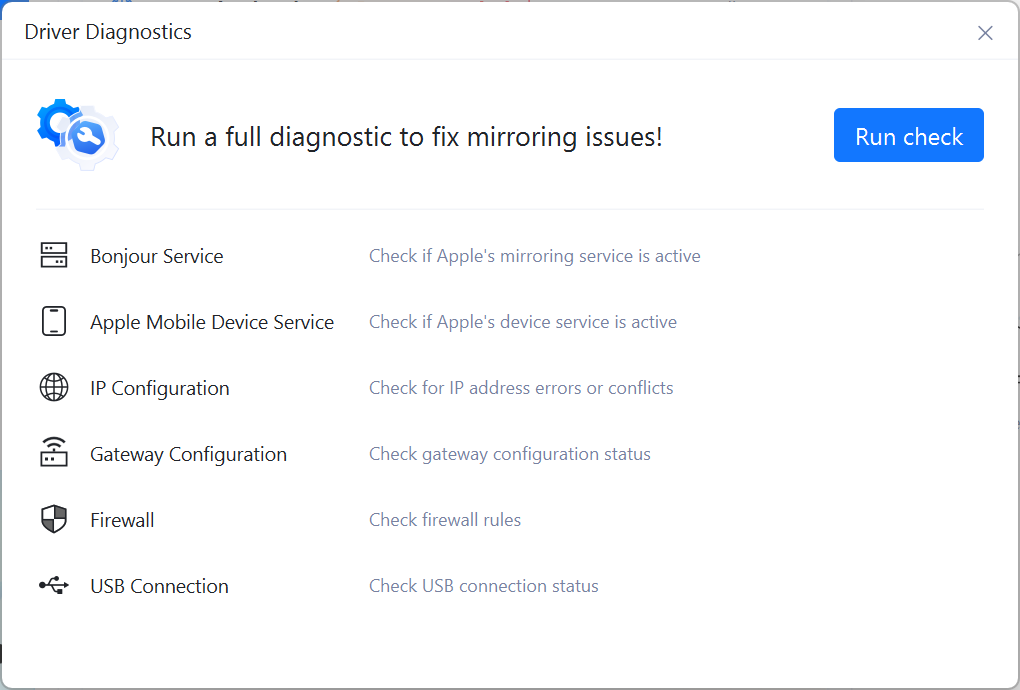
On the Driver Check page, click Run Check.
3uAirPlayer will automatically check all key components, including: Bonjour Service (required for Apple device casting), Apple Mobile Device Service, IP address and gateway configuration, Firewall rules, and USB connection status
Step 3: Repair the Bonjour service
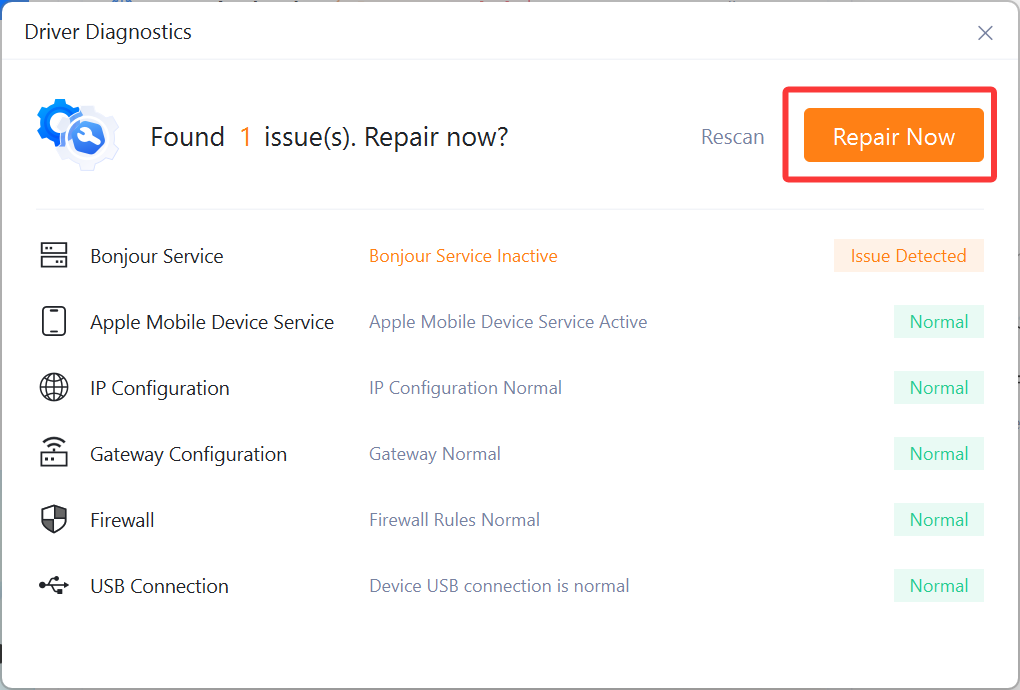
After scanning, if you see “Found 1 issue(s). Repair now?” and Bonjour Service is marked “Apple Bonjour service inactive”, click Repair Now.
The app will fix the Bonjour service automatically—no manual action is needed.
Step 4: Restart devices and reconnect
Once the repair is complete:
a. Restart your Apple device (iPhone, iPad, etc.)
b. Restart your computer
c. Reopen 3uAirPlayer and establish the casting connection as usual
This should resolve any casting issues caused by an abnormal Bonjour service.










