
NEWS

Kuo: iPhone SE 2 Launching in Q1 2020 with A13 at $399 Price

10/14/2019

2684

Apple is planning on releasing an iPhone SE 2 in the first quarter of 2020 and starting at a $399 price point, according to the latest research report from reliable Apple analyst Ming-Chi Kuo. 
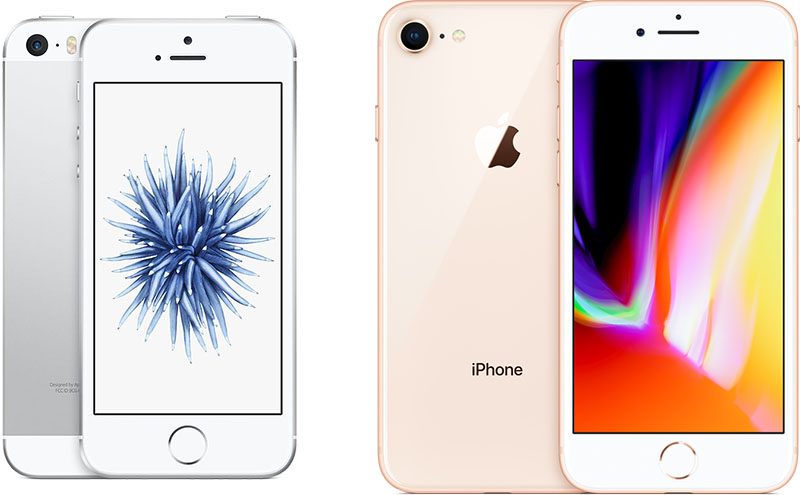
Kuo: iPhone SE 2 Launching in Q1 2020 with A13 at $399 Price
Kuo goes into more detail about the expected specs of the so called "‌iPhone SE‌ 2" in the latest research note obtained by MacRumors. Specs for the new low-end iPhone are said to include: 


  • A13 CPU (same as iPhone 11)

  • 3GB LPDDR4X

  • 64GB and 128GB options

  • Space Gray, Silver and Red colors

  • No 3D Touch


Kuo expects the new ‌iPhone SE‌ 2 will be a popular upgrade option for existing iPhone 6 and iPhone 6S owners. 

Despite being referred to as a "‌iPhone SE‌ 2" by Kuo, the analyst expects the form factor of Apple's new budget iPhone to be similar to the iPhone 8.


Source: MacRumors

Windows
Mac OS
iOS
Linux
3uTools
Win 64-bit For this device
V9.01 2025-12-27
Download
Win 32-bit For this device
V9.01 2025-12-27
Download
3uTools
Intel Chip How to Identify Chip Type
V9.01 2025-12-31
Download
Apple Silicon
V9.01 2025-12-31
Download
How to Identify Chip Type
1.  Click the Apple icon in the top-left corner of the screen and select About This Mac.
2.  Check the Processor or Chip field to determine if it is "Intel" or "Apple".
Please use the 3uTools PC client to install the iOS client:
1、 Install either the Windows or Mac version of 3uTools on your computer
2、 Open the PC client and connect your device to the computer via USB cable
3、 After the connection is successful, wait for the computer to automatically install the mobile app for the device, or locate “Install Mobile App” on the computer and manually click to install.
3uTools
deb file
V3.01 2025-11-20
Download
rpm file
V3.01 2025-11-20
Download
Windows
Windows
iOS
iOS
Android
Android
TV
TV
3uAirPlayer
Win 64-bit For this device
V6.0.2 2025-11-19
Download
Win 32-bit For this device
V6.0.2 2025-11-19
Download
iOS Device Mirroring (No App Required)
1、 Install 3uAirPlayer on the Windows PC
2、 Open Control Center and select Screen Mirroring
3、 From the list, choose your PC to start mirroring
4、 Or connect your iOS device to the PC via USB to begin mirroring
Scan to get "3uAirPlayer" App
3uAirPlayer TV V1.0.18
2025-11-28
TV System Requirements: Android 7.0 or later
Download the TV installation package, copy it to a USB drive, insert it into your TV or set-top box, then select the file from the home screen to install.




