
NEWS

iPhone 8 To Have IP68 Waterproof Rating

01/14/2017

3683

Apple fans are looking forward to the iPhone 8 with great anticipation. The iPhone hasn’t received a  major design change in three years. And 2017 marks the 10th anniversary of Apple’s iconic product. Because of these reasons, consumers believe that the new iPhone would have an entirely new design and exciting new features. If rumors coming out of the supply chain in Asia are to be believed, Apple is not going to disappoint them.
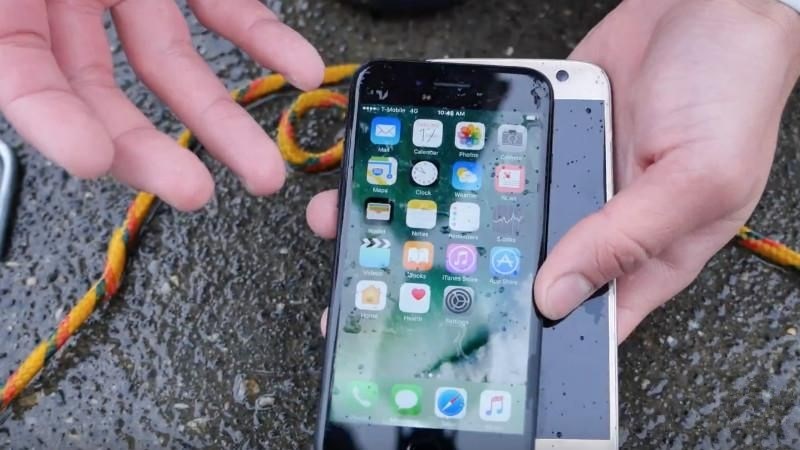


iPhone 8 To Have IP68 Waterproof Rating


iPhone 8 to get IP68 waterproofing


Supply chain sources told that the iPhone 8 would have an IP68 waterproof rating, the highest level of water resistance. Samsung’s upcoming Galaxy S8 is also said to be IP68-certified. An IP68 certification means the new iPhone could be submerged in up to five feet of water for about 30 minutes. Sources told The Investor that Apple is likely to use waterproof tapes to protect the phone. Using tapes instead of adhesives makes it easier to repair the handsets.


The current iPhone 7 and 7 Plus come with IP67 rating, which means they can be submerged in up to three feet of water. That’s sufficient to protect the phone in most of the practical scenarios such as rain, shower, or dropping it in a bathtub. The other two phones – the iPhone 7S and 7S Plus – that Apple would launch alongside the iPhone 8 are said to have IP68 rating.


Source: valuework

Windows
Mac OS
iOS
Linux
3uTools
Win 64-bit For this device
V9.0 2025-11-11
Download
Win 32-bit For this device
V9.0 2025-11-11
Download
3uTools
Intel Chip How to Identify Chip Type
V9.0 2025-12-02
Download
Apple Silicon
V9.0 2025-12-02
Download
How to Identify Chip Type
1.  Click the Apple icon in the top-left corner of the screen and select About This Mac.
2.  Check the Processor or Chip field to determine if it is "Intel" or "Apple".
Please use the 3uTools PC client to install the iOS client:
1、 Install either the Windows or Mac version of 3uTools on your computer
2、 Open the PC client and connect your device to the computer via USB cable
3、 After the connection is successful, wait for the computer to automatically install the mobile app for the device, or locate “Install Mobile App” on the computer and manually click to install.
3uTools
deb file
V3.01 2025-11-20
Download
rpm file
V3.01 2025-11-20
Download
Windows
Windows
iOS
iOS
Android
Android
TV
TV
3uAirPlayer
Win 64-bit For this device
V6.0.2 2025-11-19
Download
Win 32-bit For this device
V6.0.2 2025-11-19
Download
iOS Device Mirroring (No App Required)
1、 Install 3uAirPlayer on the Windows PC
2、 Open Control Center and select Screen Mirroring
3、 From the list, choose your PC to start mirroring
4、 Or connect your iOS device to the PC via USB to begin mirroring
Scan to get "3uAirPlayer" App
3uAirPlayer TV V1.0.18
2025-11-28
TV System Requirements: Android 7.0 or later
Download the TV installation package, copy it to a USB drive, insert it into your TV or set-top box, then select the file from the home screen to install.




