
NEWS

Apple Files for Apple Card & Apple Pay Cash Trademarks in Canada

07/22/2019

2243

Apple is looking at bringing the Apple Card and Apple Pay Cash to Canada, expanding beyond the U.S., according to recent trademark filings.
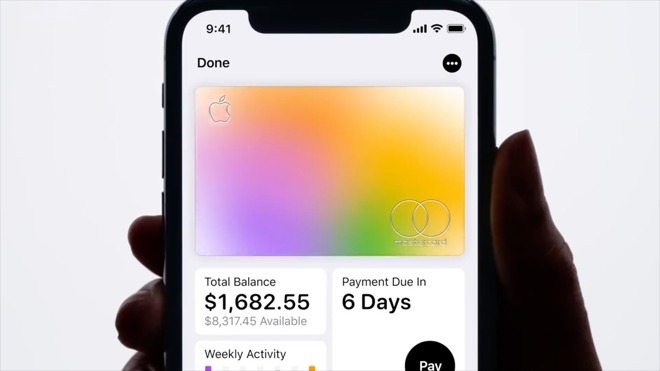
Apple Files for Apple Card & Apple Pay Cash Trademarks in Canada


Both applications were submitted to the Canadian Intellectual Property Office (CIPO) on July 15, according to The Star. The CIPO later registered the Cash trademark on July 17.

It could still take some time for both products to launch in Canada, as it can take up to 10 months for trademark applications to be approved, The Star noted. Apple may also need a Canadian financial partner, though the American card is being handled by Goldman Sachs, which does have offices in Calgary and Toronto.

Apple has yet to launch the Apple Card in the U.S. Its arrival could be imminent though, as the company said it was aiming for a summer release, and the card has been in beta testing for at least two months.

It's expected to go live alongside iOS 12.4, also in beta. Since that code has already undergone several seeds, the finished update could arrive in a matter of days, or weeks at the latest.


Source: AppleInsider

Windows
Mac OS
iOS
Linux
3uTools
Win 64-bit For this device
V9.01 2025-12-27
Download
Win 32-bit For this device
V9.01 2025-12-27
Download
3uTools
Intel Chip How to Identify Chip Type
V9.01 2025-12-31
Download
Apple Silicon
V9.01 2025-12-31
Download
How to Identify Chip Type
1.  Click the Apple icon in the top-left corner of the screen and select About This Mac.
2.  Check the Processor or Chip field to determine if it is "Intel" or "Apple".
Please use the 3uTools PC client to install the iOS client:
1、 Install either the Windows or Mac version of 3uTools on your computer
2、 Open the PC client and connect your device to the computer via USB cable
3、 After the connection is successful, wait for the computer to automatically install the mobile app for the device, or locate “Install Mobile App” on the computer and manually click to install.
3uTools
deb file
V3.01 2025-11-20
Download
rpm file
V3.01 2025-11-20
Download
Windows
Windows
iOS
iOS
Android
Android
TV
TV
3uAirPlayer
Win 64-bit For this device
V6.0.2 2025-11-19
Download
Win 32-bit For this device
V6.0.2 2025-11-19
Download
iOS Device Mirroring (No App Required)
1、 Install 3uAirPlayer on the Windows PC
2、 Open Control Center and select Screen Mirroring
3、 From the list, choose your PC to start mirroring
4、 Or connect your iOS device to the PC via USB to begin mirroring
Scan to get "3uAirPlayer" App
3uAirPlayer TV V1.0.18
2025-11-28
TV System Requirements: Android 7.0 or later
Download the TV installation package, copy it to a USB drive, insert it into your TV or set-top box, then select the file from the home screen to install.




